All shelves / Mods / Usage
Claude Code usage mods
183 mods
Usage mods draw the context window, the plan limits, or how long the prompt cache has left, above the prompt. By their READMEs, 148 read usage or context figures, 44 reach the network or an outside service, and 15 send session text to a model outside your Claude login.
claude plugin install <mod>@<marketplace>Run in a terminal. Some mods need a restart.- 1usage-meterhamzaferDraws the 5-hour and 7-day plan limits as small bars above the prompt, with the reset countdown and what this session cost.Draws
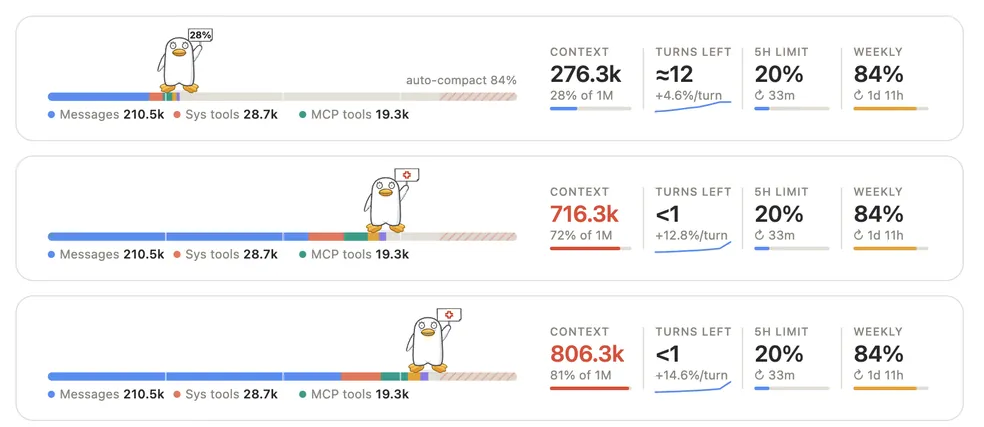
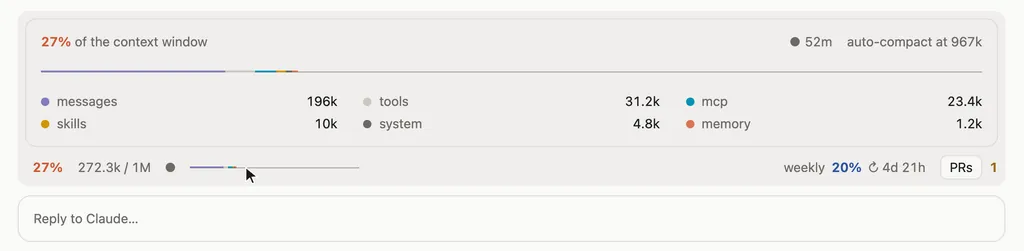
- 2context-barhamzaferDraws the context window as one stacked bar, a color per category, with token counts and the compaction point.Draws
- PaidCategory pin30 daysThe first row in Usage, marked as paid.Book
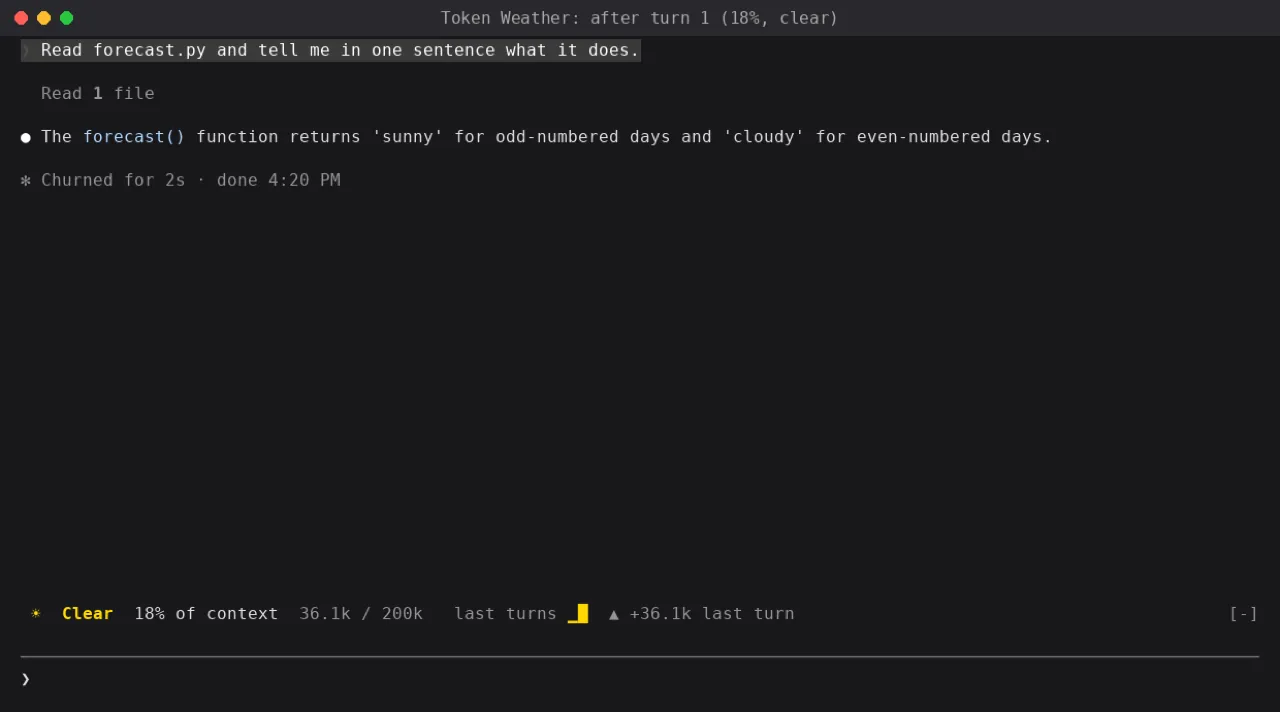
- 3token-weatherAnthropicDraws a one-line forecast of the context window above the prompt. Fuller goes from clear toward a storm.Draws
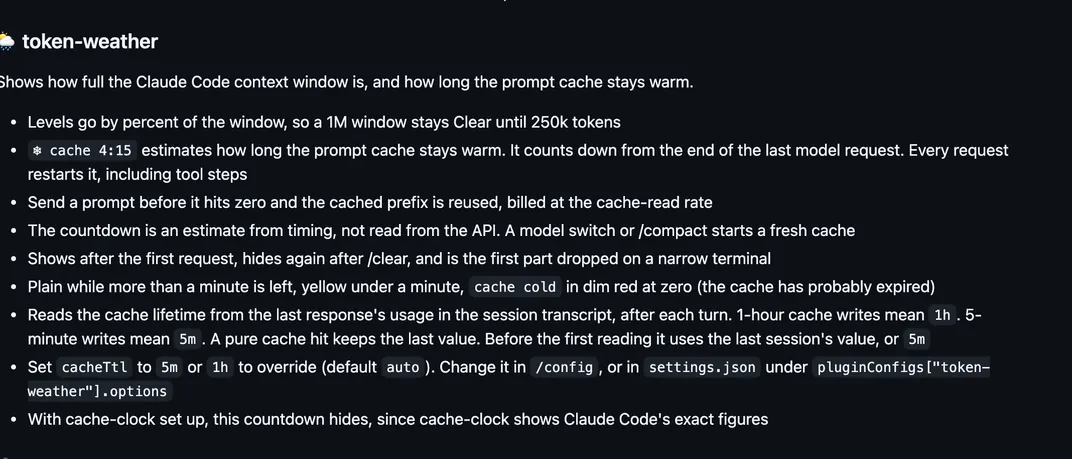
- 4token-weatherhamzaferDraws the context-window forecast above the prompt, plus how long the prompt cache has left.Draws
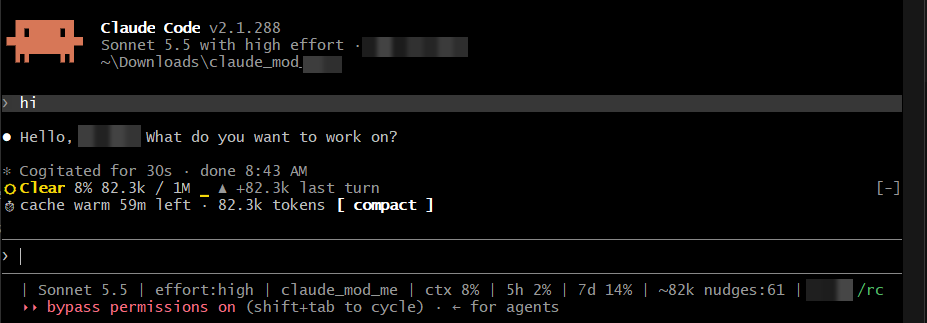
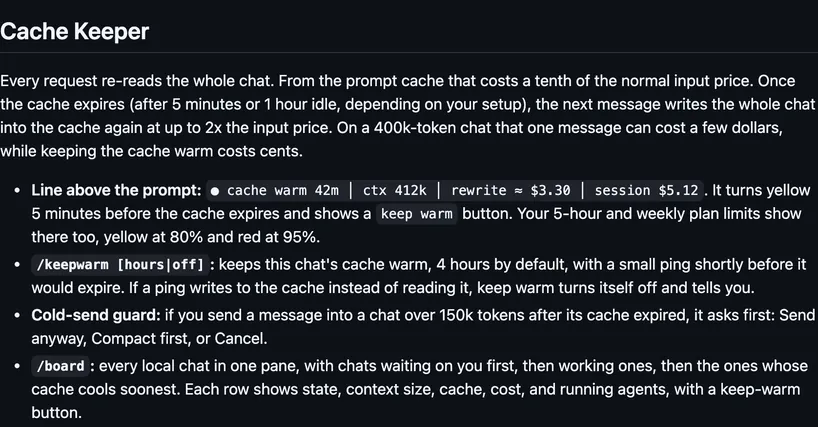
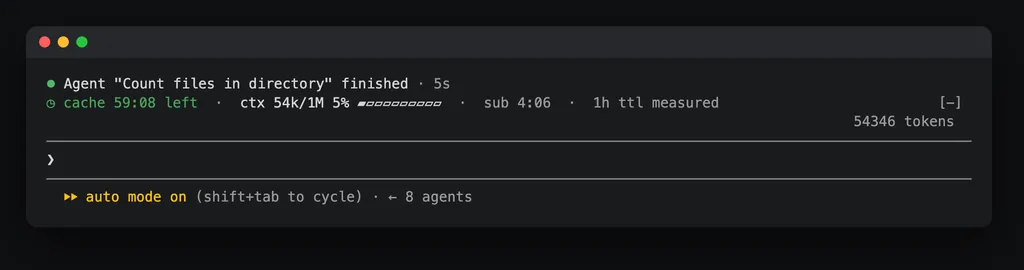
- 5cache-clockhamzaferDraws a prompt-cache line under the status line: time left while warm, hits and misses, and how many tokens the next message re-caches once it goes cold.Draws
- 6openai-balancehamzaferDraws your OpenAI API credit above the prompt: an estimated balance, today's spend, where the money went, and the last call.Draws
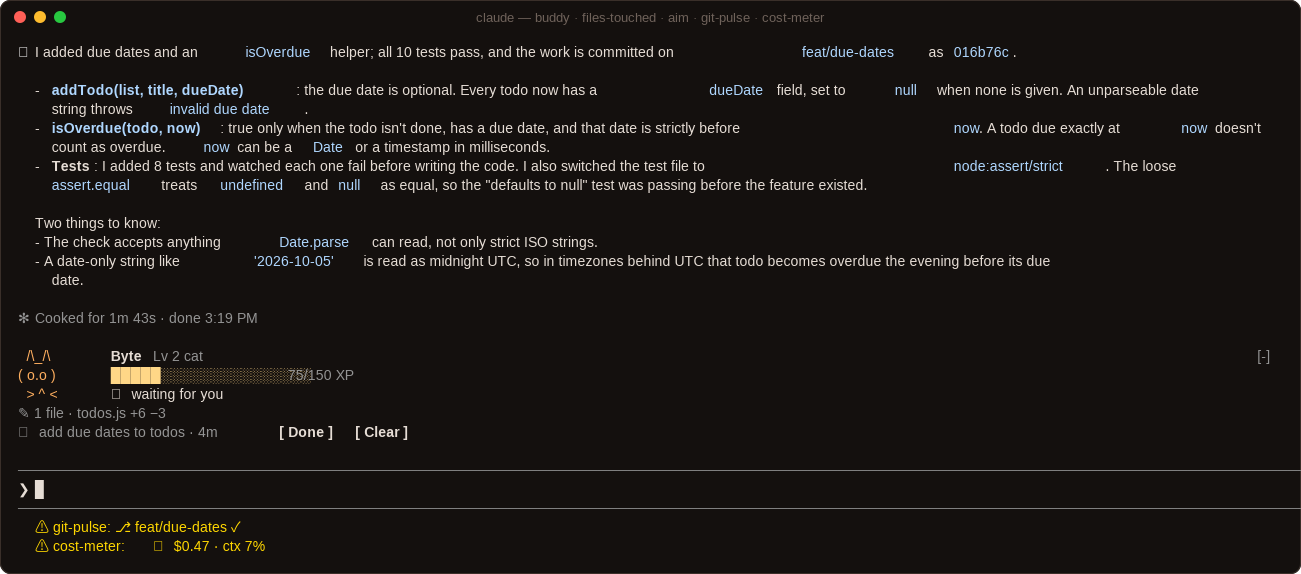
- 7cost-meterSingh-APDraws session cost, context fill, and the 5-hour and 7-day windows on the status line, plus each turn's cost. An optional budget asks before the next tool call.Draws · Holds
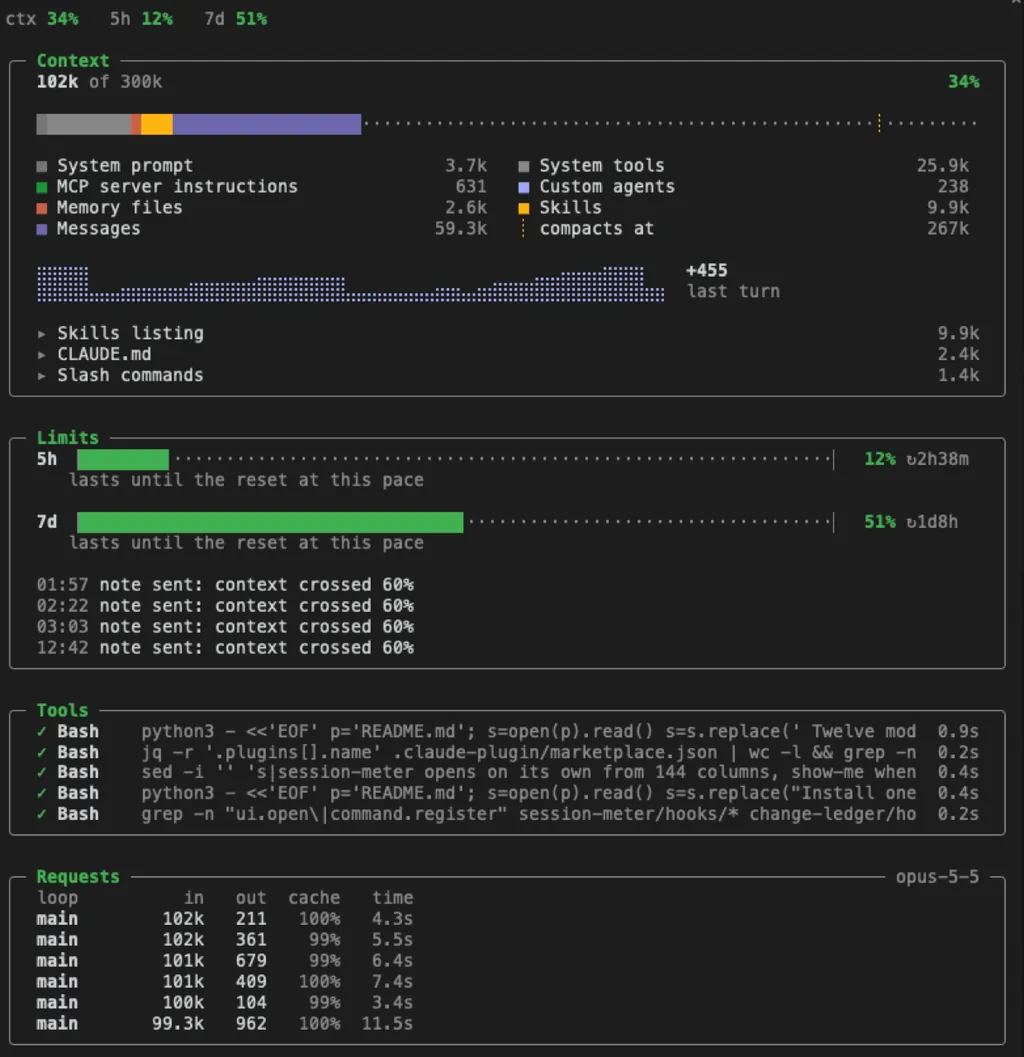
- 8session-meterarasovicDraws a pane of context by category, the 5-hour and 7-day windows and their pace, and the last 30 tool calls and model requests.Draws
- 9cache-timerarasovicDraws a countdown above the prompt until the prompt cache expires, then how many tokens the next message writes again.Draws
- 10turn-footerarasovicDraws tool calls, subagents, requests, tokens, and cache hit rate under each answer, and the running tool in the spinner.Draws
- 11search-meterarasovicDraws a status line for the model's searches: green found on the first try, yellow found after misses, red found nothing.Draws
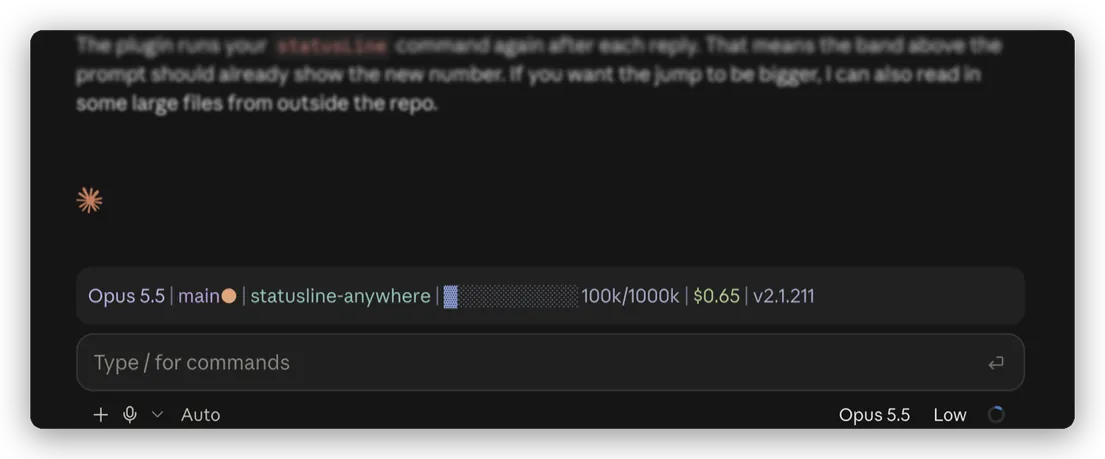
- 12statusline-anywhereNathanABDraws the status line you already configured, in color, above the prompt in Claude Desktop. In a terminal it stays out of the way.Draws
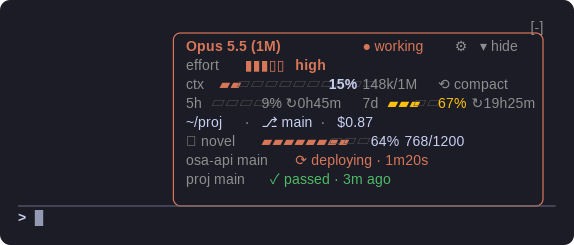
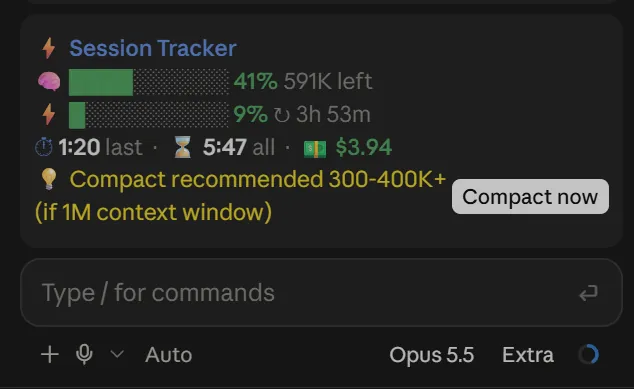
- 13statuspanexuanji86Draws a card above the prompt: model, context gauge, 5-hour and 7-day limits, directory, branch, and session cost. Press the gauge and confirm to run /compact.Draws
- 14cache-taxkaranb192Keeps the one-hour prompt cache warm while you step away, and stops a send into a cold cache once with the estimated rewrite cost.Draws
- 15token-optimizeralexgreenshDraws a status bar above the prompt in the desktop app: session quality, context fill, a cache countdown, and the 5-hour and weekly limits, with buttons to clean up, start fresh, or keep the cache warm.Draws
- 16context-inspectorYeonwooSungDraws what fills the context window and how much of it is waste: re-reads, near-duplicate output, and what compaction kept, with advice and its evidence.Draws
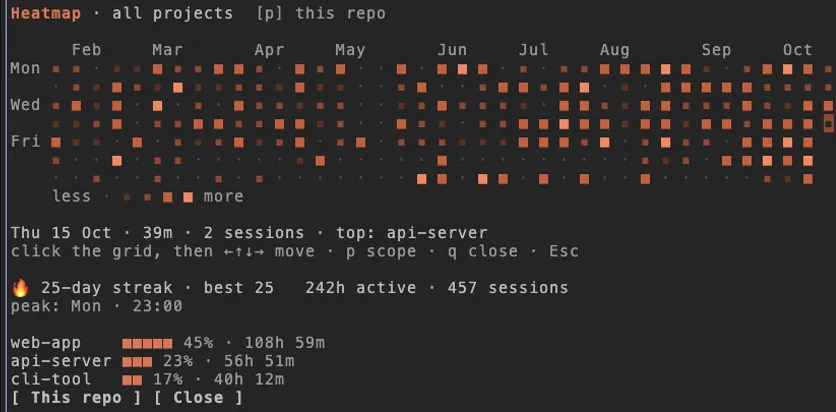
- 17heatmaphamzaferDraws a GitHub-style grid of your Claude Code time in a pane, one square per day, with your streak, peak hours, and top projects.Draws
- 18openrouter-balancehamzaferDraws your OpenRouter credit above the prompt: the balance with a gauge, today's spend, and the model the money mostly went to.Draws
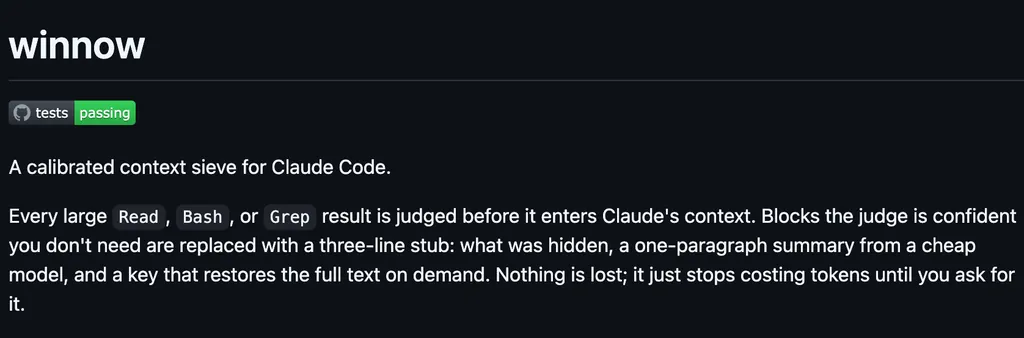
- 19winnowGhalebDweikatReplaces parts of a large Read, Bash, or Grep result a judge calls unneeded with a stub, a summary, and a key that brings the text back, then toasts.Draws
- 20compact-adviserkunchenguidDraws a hint above the prompt to run /compact when Jev calls the session a finished checkpoint, and can run /compact itself if you opt in.Draws
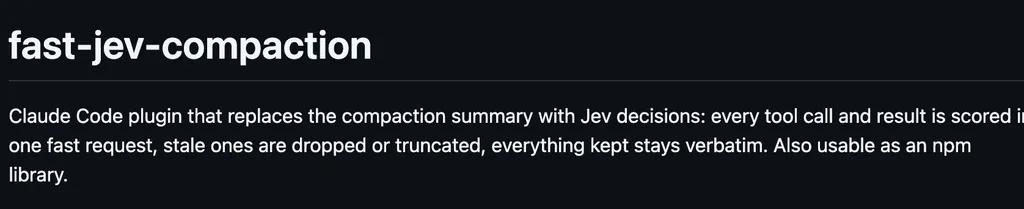
- 21fast-jev-compactiontamaratranShows a toast when /compact keeps the messages Jev still wants and drops the rest, instead of replacing the history with a summary.Draws
- 22effortlessHeyCubitDraws a bar above the prompt with the reasoning effort it picked for this prompt, how full the chat is, and how long the prompt cache stays warm.Draws
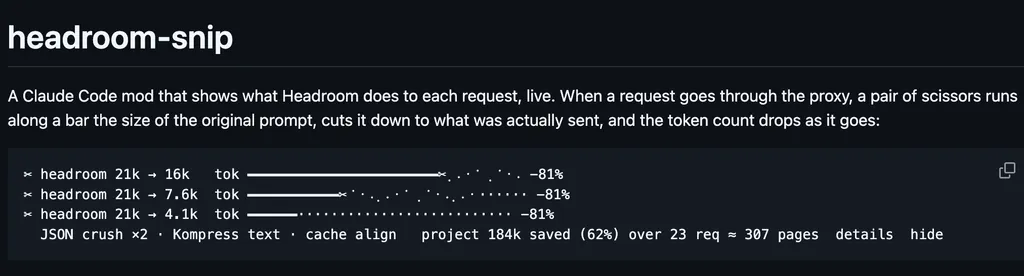
- 23headroom-snipheadroomlabs-aiDraws a band above the prompt showing Headroom cutting each request from its original token count to what was sent, with a /headroom log and a running total.Draws
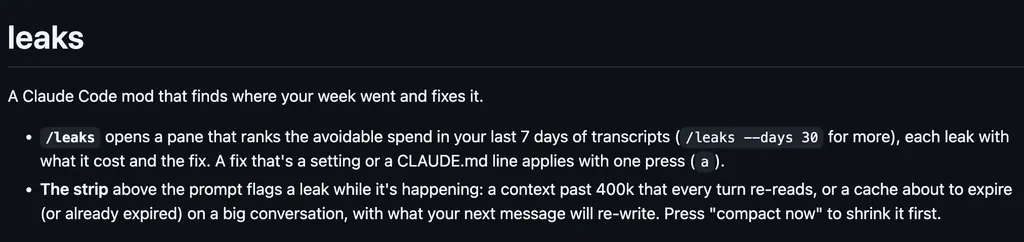
- 24leaksdavekissOpens a pane that ranks the avoidable spend in the last 7 days of transcripts, and draws a strip above the prompt when a leak is happening.Draws
- 25context-dietdrkokorevReplaces a huge tool output with a short digest and the path of a file that still holds the full text, and /diet opens a panel of what it saved.Draws
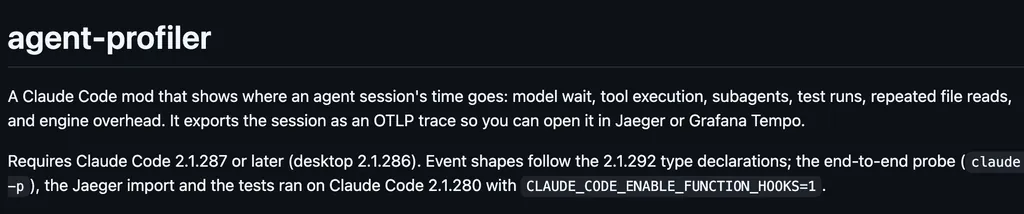
- 26agent-profilerYeonwooSungDraws where a session's time goes, model wait against tools and subagents, in a status line and a live pane, and can write the session out as an OTLP trace.Draws
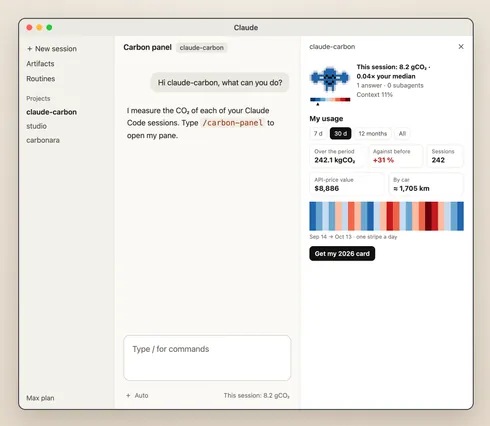
- 27claude-carbongwittebolleDraws the CO2 of each answer and a pane with a pixel molecule colored against your past sessions, plus this session's total under the prompt.Draws
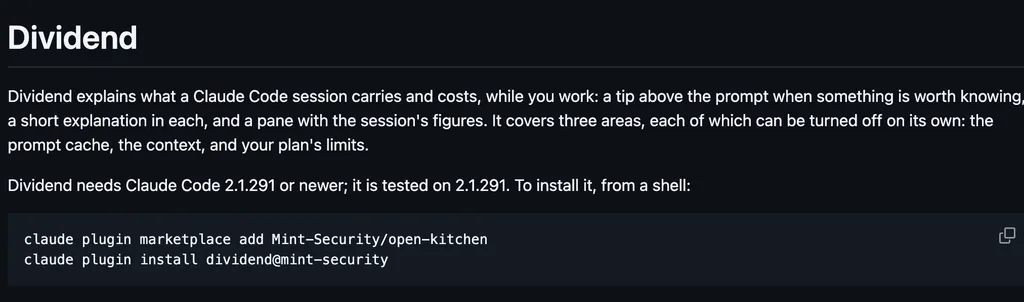
- 28dividendMint-SecurityDraws a tip above the prompt about the prompt cache, the context, or the plan limits, with a status line and a /dividend pane of the session's figures.Draws
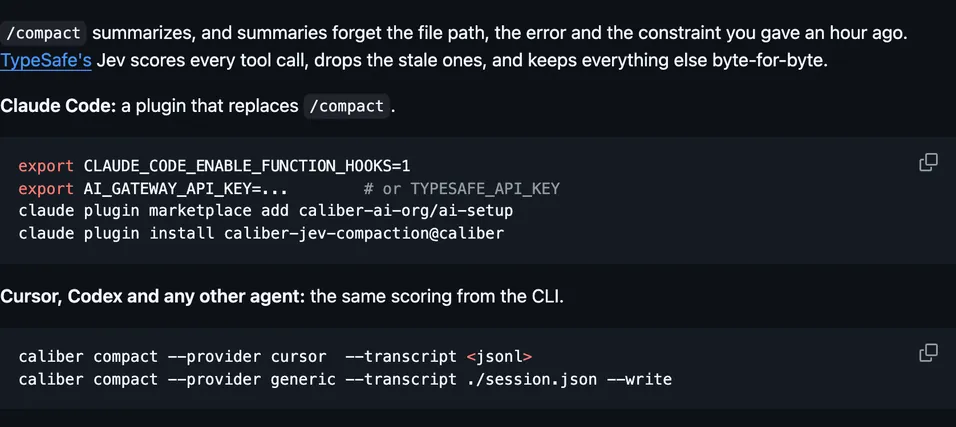
- 29caliber-jev-compactioncaliber-ai-orgReplaces /compact: Jev scores each tool call, drops the stale ones, and keeps the rest of the conversation word for word, then toasts what it kept.Draws
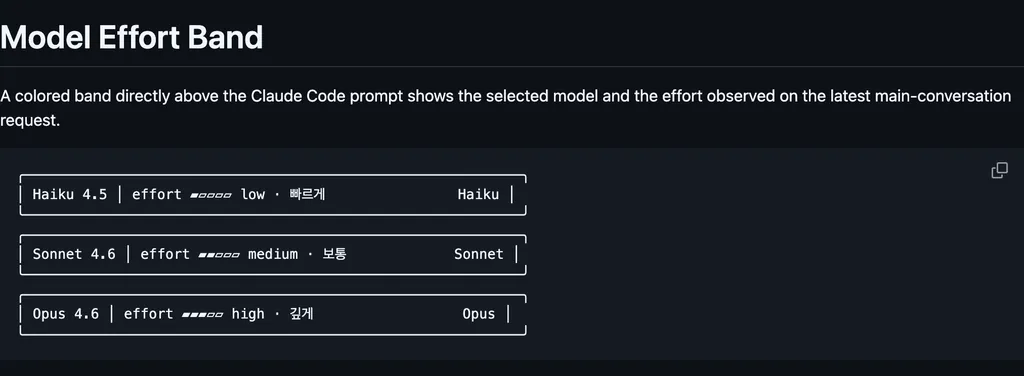
- 30model-effort-bandYeonwooSungDraws a band above the prompt with the selected model and the effort of the latest main-conversation request.Draws
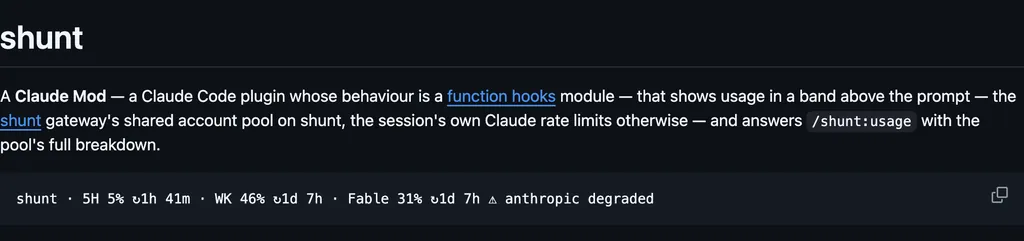
- 31shuntpleaseaiDraws a band above the prompt with the shared pool's usage and reset times, or this session's rate limits when you are off shunt.Draws
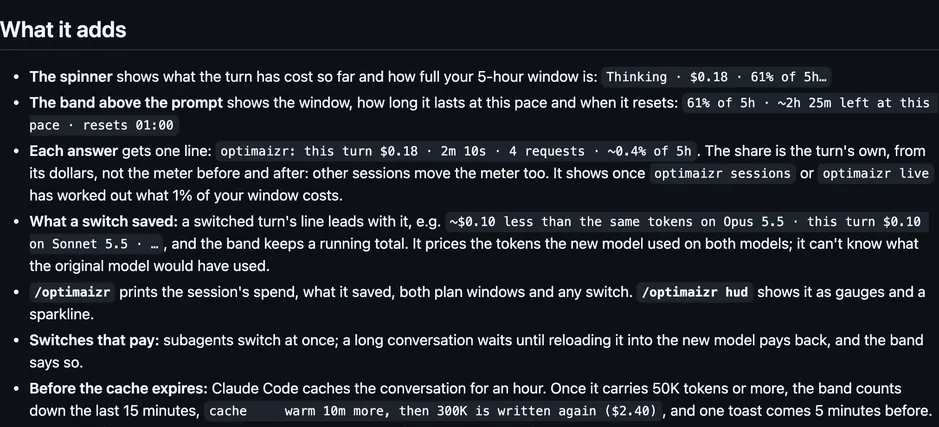
- 32optimaizrblendbunjakuDraws this turn's cost, the 5-hour window, and cache time above the prompt, and holds a command that failed twice unchanged.Draws · Holds
- 33clawdmeterwelternDraws Clawd and the session, weekly, and context bars in a band above the prompt.Draws
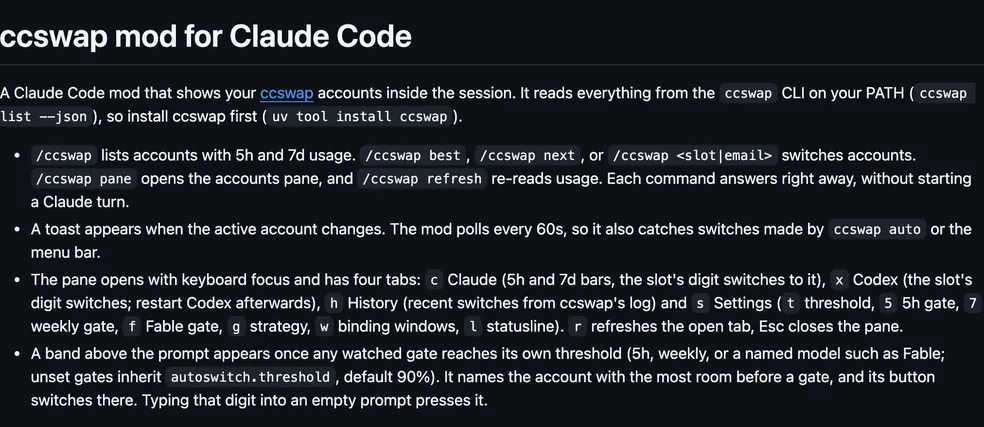
- 34ccswaperrhythmDraws your ccswap accounts and their 5-hour and 7-day usage, and switches from a button on the band.Draws
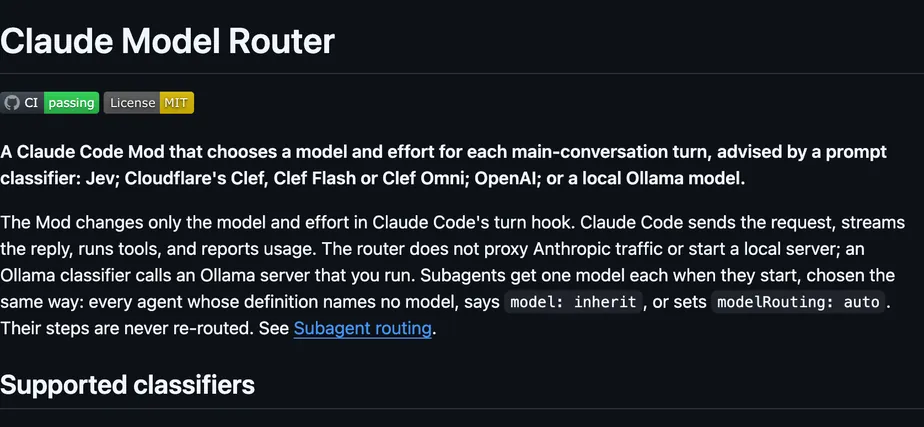
- 35routeralexei-ledPicks a model and effort for each turn from a classifier, and draws the tier above the prompt.Draws
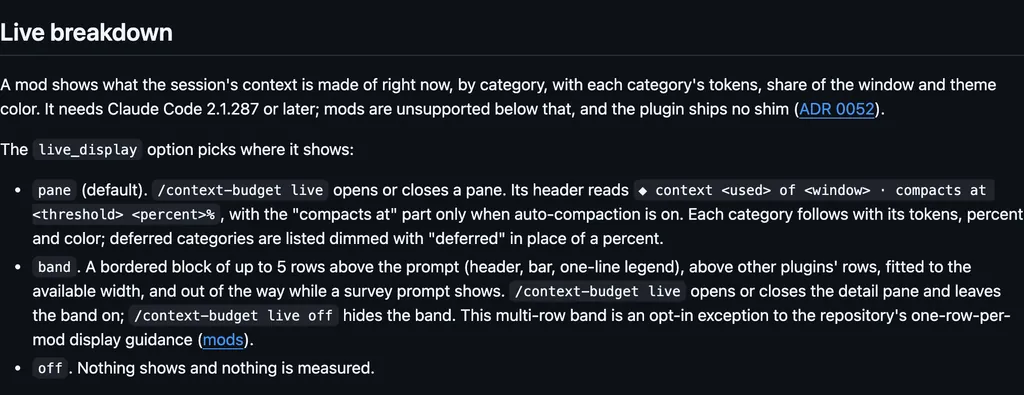
- 36context-budgetmelodic-softwareDraws the session's context by category, in a pane or a band above the prompt, and asks before a settings file is written.Draws · Holds
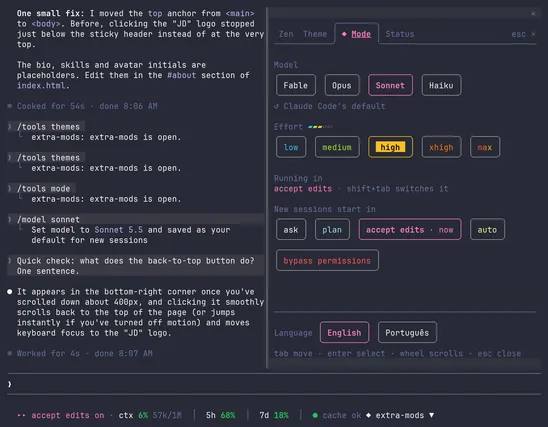
- 37extra-modsJhonatan-de-SouzaDraws a menu for Zen, themes, model and effort, and a status line of context, plan limits, and cache.Draws
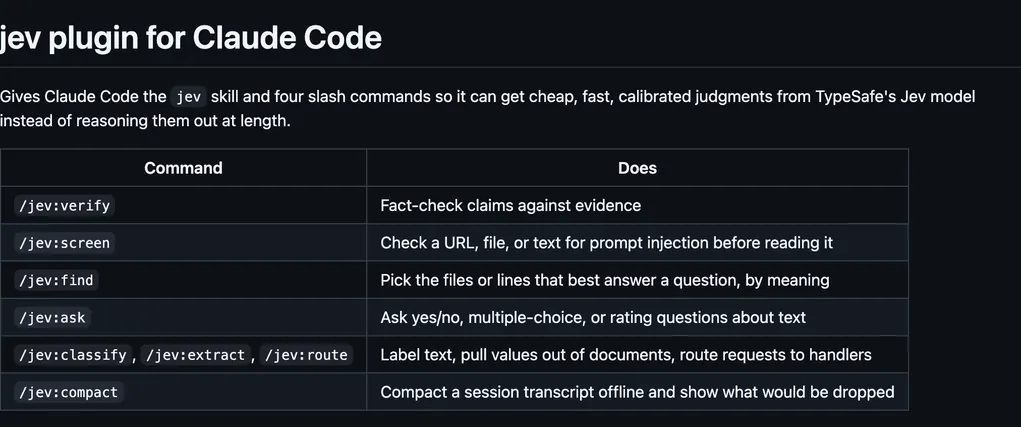
- 38jevNasrallah-ALHas Jev drop stale tool calls at compaction and keep the rest word for word, toasts what it kept, and adds slash commands for the jev CLI.Draws
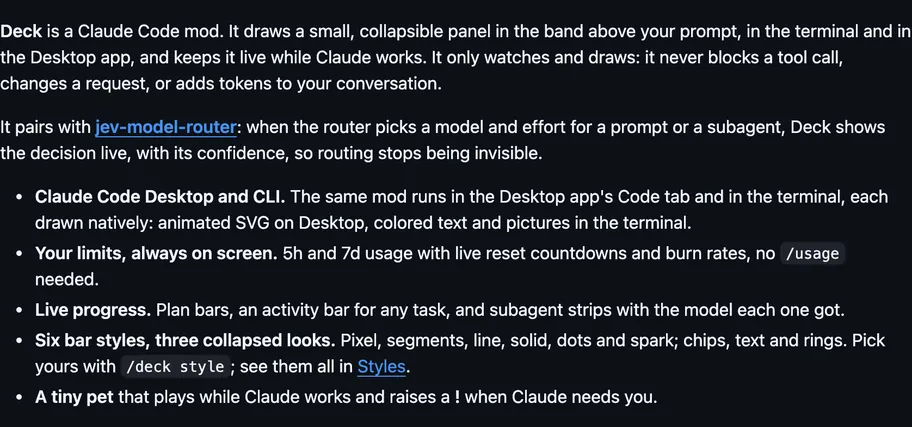
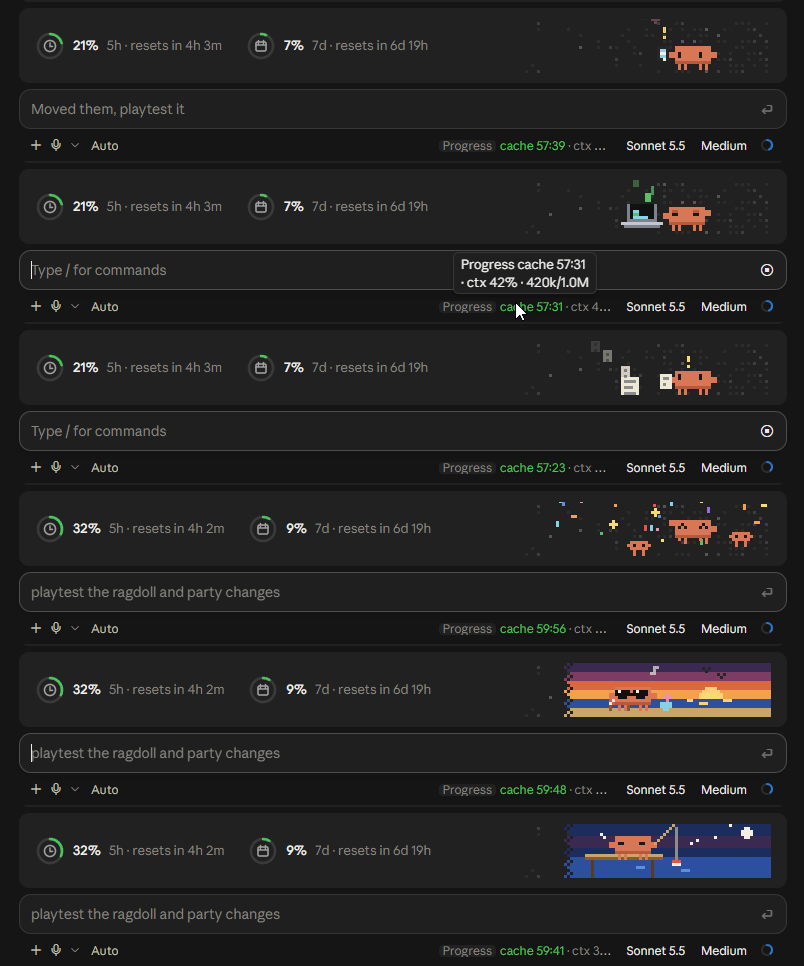
- 39decknvr0x5Draws a collapsible panel above the prompt for the plan, context, the 5-hour and 7-day limits, and a small pet.Draws
- 40desktop-statuslinecentminmodDraws a status band above the prompt in the Desktop app's Code tab, with context, plan limits, and the last turn.Draws
- 41pixel-buddyhamymarnieDraws the 5-hour and 7-day usage above the prompt, with what each window cost, a cache timer, and a pixel creature.Draws
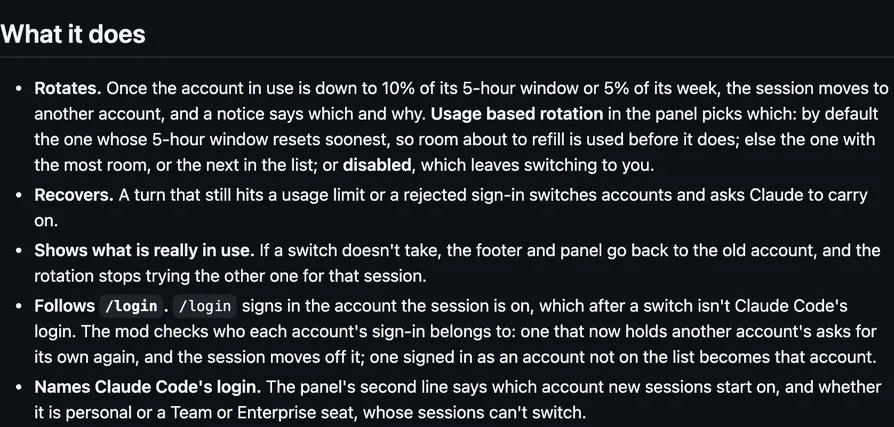
- 42account-rotatorivokundDraws each account's usage under the prompt, and can move the session to another account as a limit fills.Draws
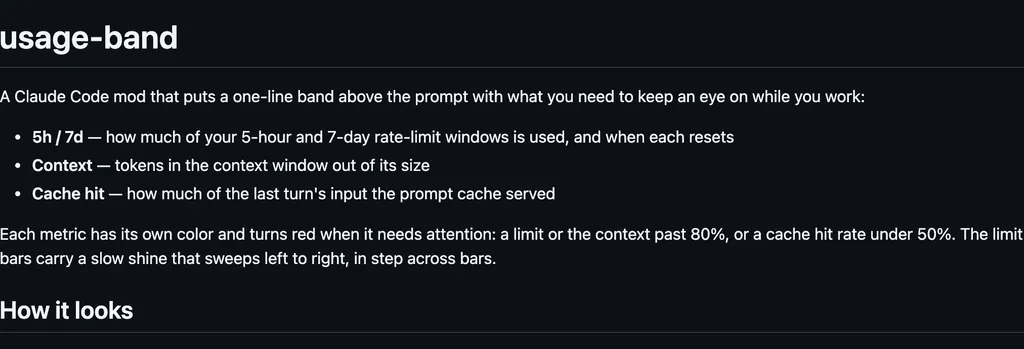
- 43usage-bandJetsonChanDraws one line above the prompt for the 5-hour and 7-day limits, the context, and the last turn's cache hit.Draws
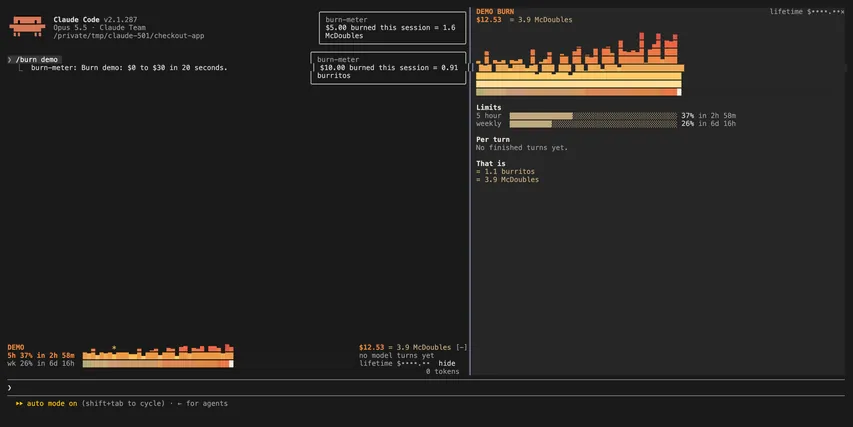
- 44burn-meterOneWave-AIDraws session spend as a fuse above the prompt, with the plan limits and a cost in burritos and McDoubles.Draws
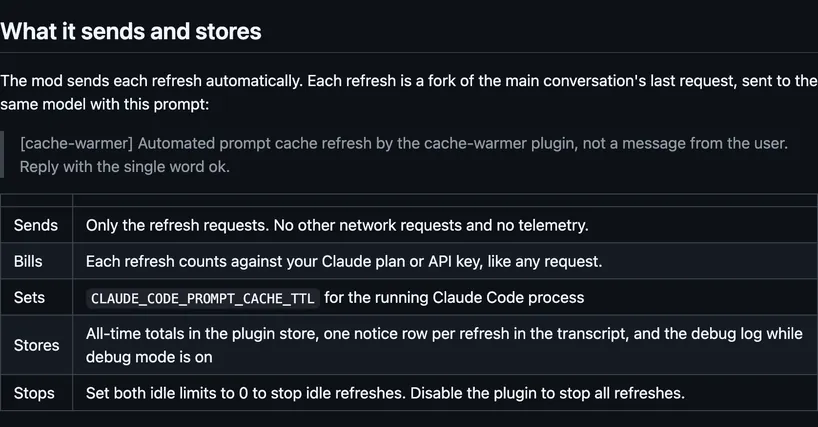
- 45cache-warmerpaulbkim-devResends the last request to keep the prompt cache warm when that saves at least $0.05, and draws a band with Clawd while it runs.Draws
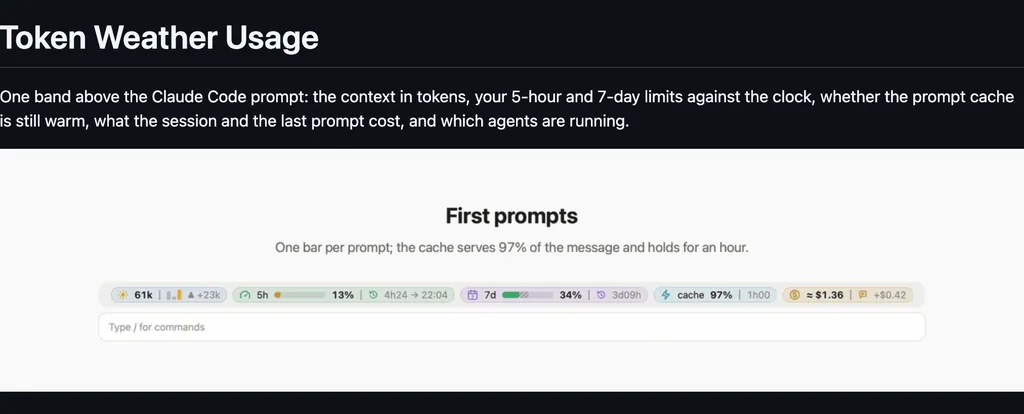
- 46token-weather-usageaugiefraDraws a band above the prompt for context size, the 5-hour and weekly limits, cache warmth, session cost, and running agents.Draws
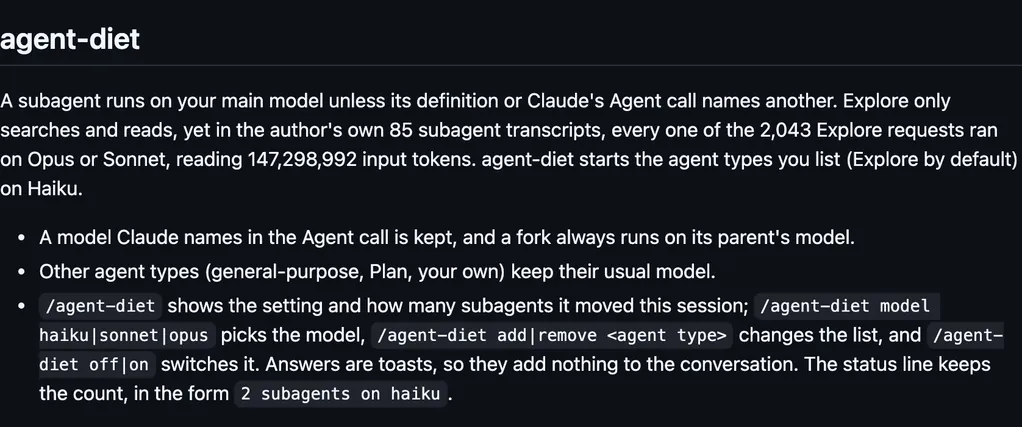
- 47agent-dietVedantAndhaleStarts Explore subagents, and other agent types you list, on Haiku or a model you pick instead of the main model, and counts how many it moved.Draws
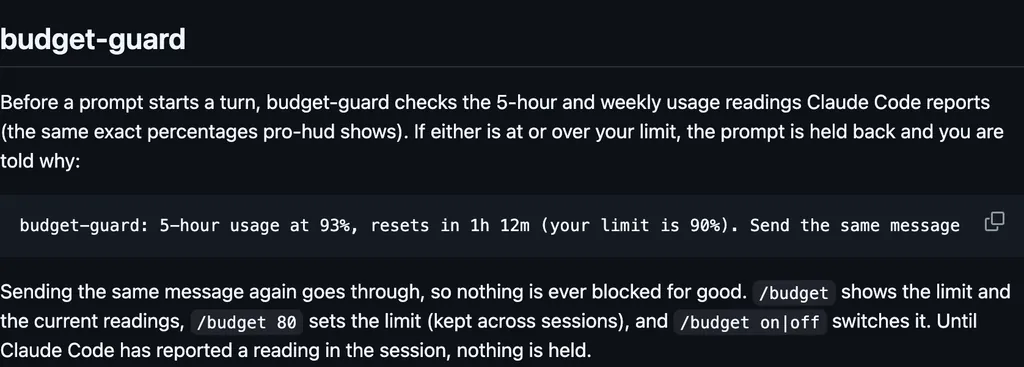
- 48budget-guardVedantAndhaleKeeps a prompt from being sent while the 5-hour or weekly usage is at or over your limit, until you send it again, and shows the limit with /budget.Draws
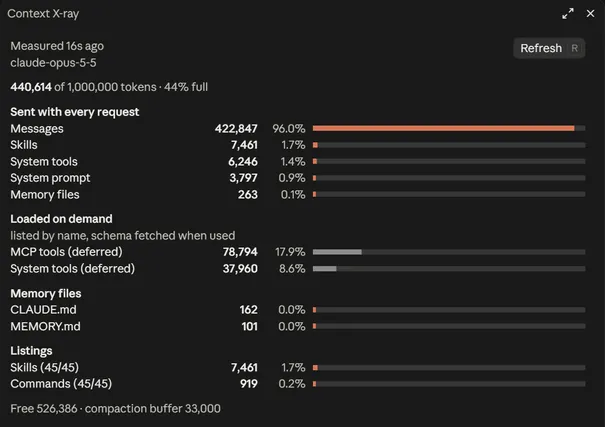
- 49context-xrayVedantAndhaleDraws a pane with the exact breakdown of what fills the context window, opened with /xray.Draws
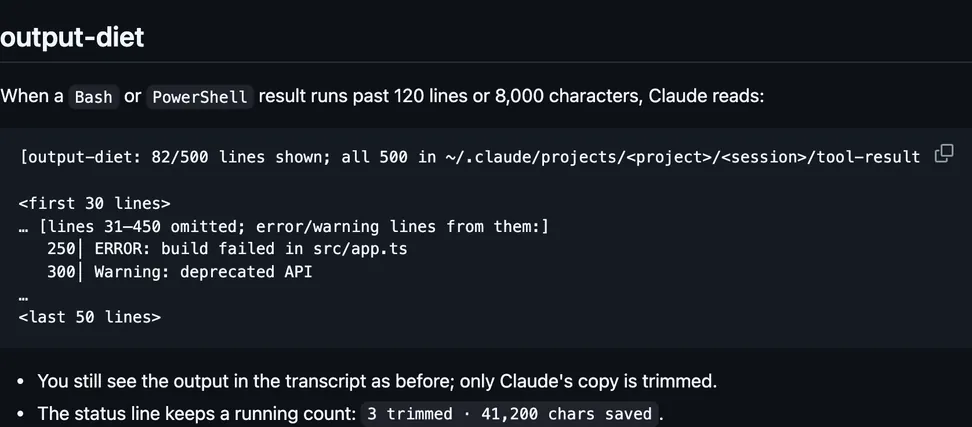
- 50output-dietVedantAndhaleTrims what Claude reads from a long shell, search, or subagent result, saves the full text, and counts the savings on the status line.Draws
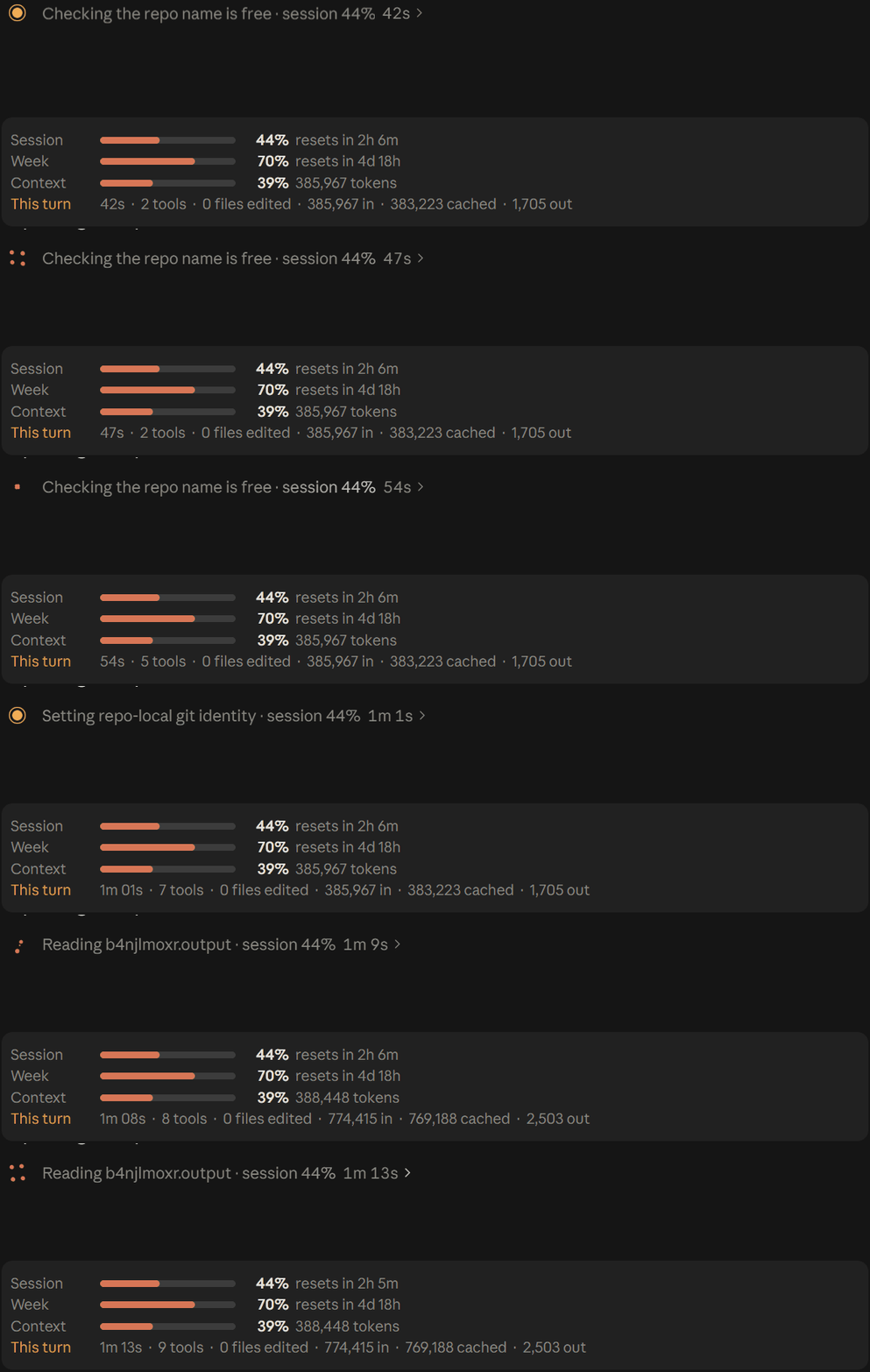
- 51pro-hudVedantAndhaleDraws the 5-hour session, the week, and context above the prompt in the desktop app, plus this turn and finished tool calls as one line.Draws
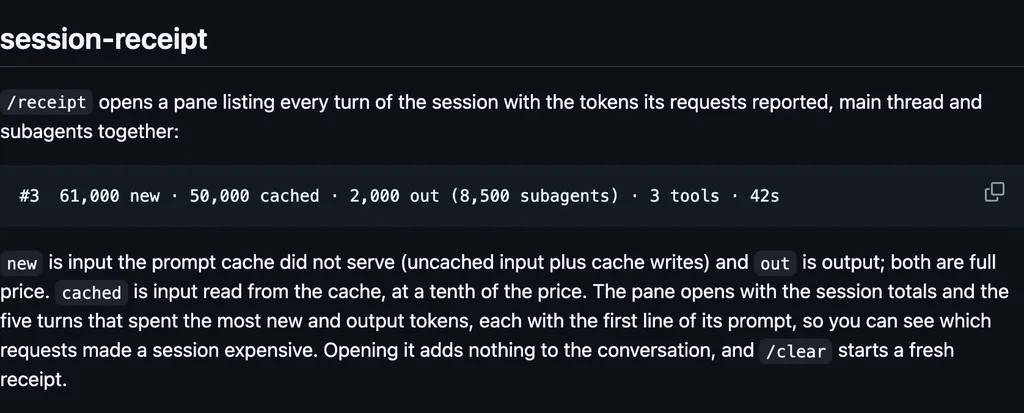
- 52session-receiptVedantAndhaleOpens a pane of every turn's tokens, with the five that spent the most, and toasts after a turn that used 3 or more session points.Draws
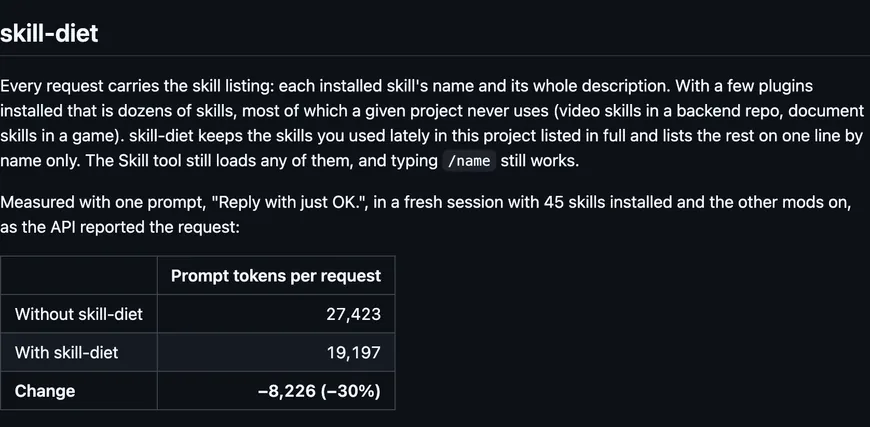
- 53skill-dietVedantAndhaleLists skills unused lately in this project by name only, so their descriptions leave the prompt, and counts those characters on the status line.Draws
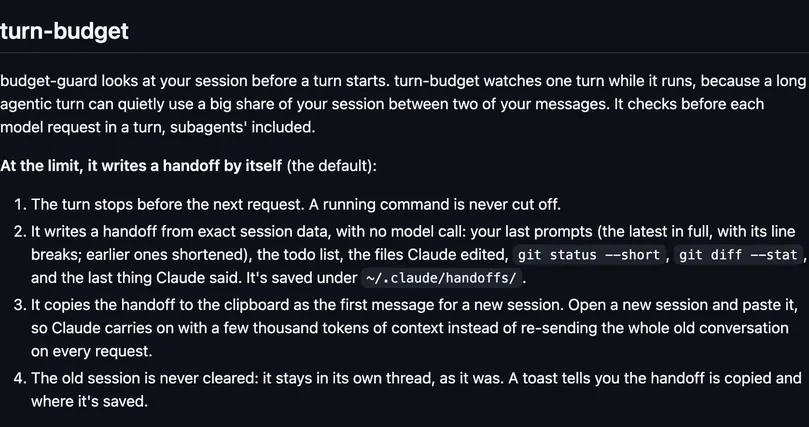
- 54turn-budgetVedantAndhaleStops a turn that passes the limit you set, writes a handoff, and copies it for a new session, leaving the old one in place. It can ask first instead.Draws
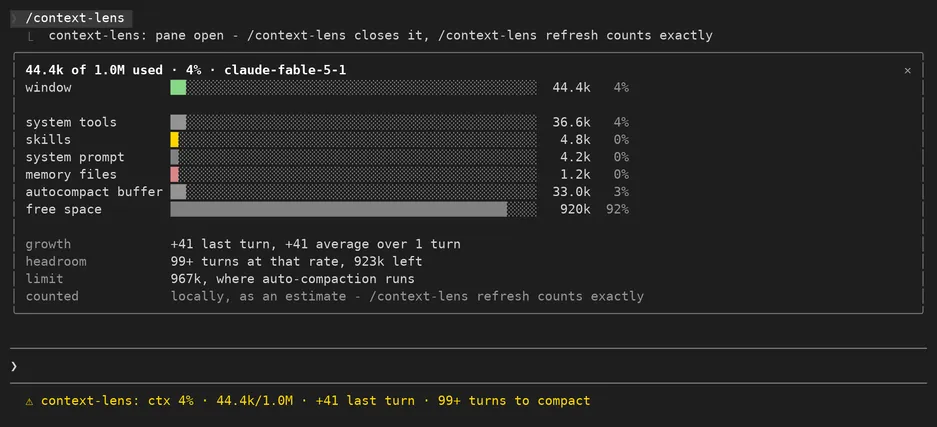
- 55context-lensArunjay4213Pins how full the context window is and what the last turn added, and /context-lens opens the breakdown by category.Draws
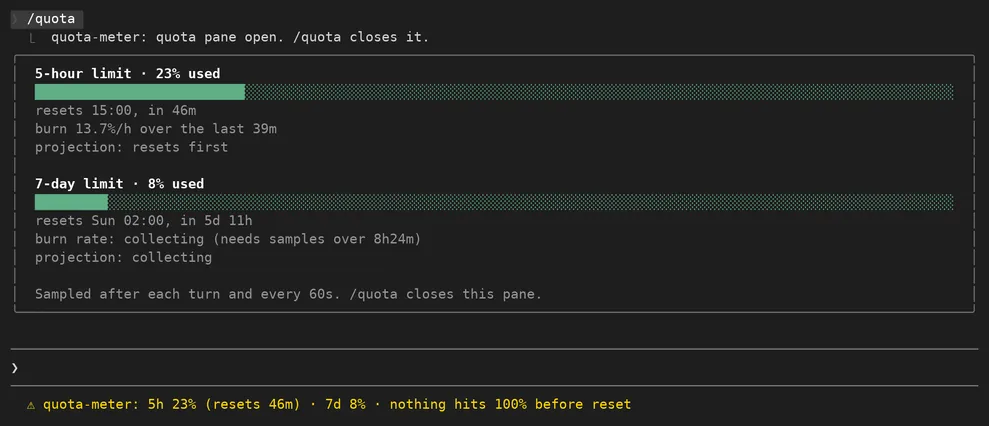
- 56quota-meterArunjay4213Pins the 5-hour and 7-day plan limits when they are reported, with the reset and whether the current pace fills them first.Draws
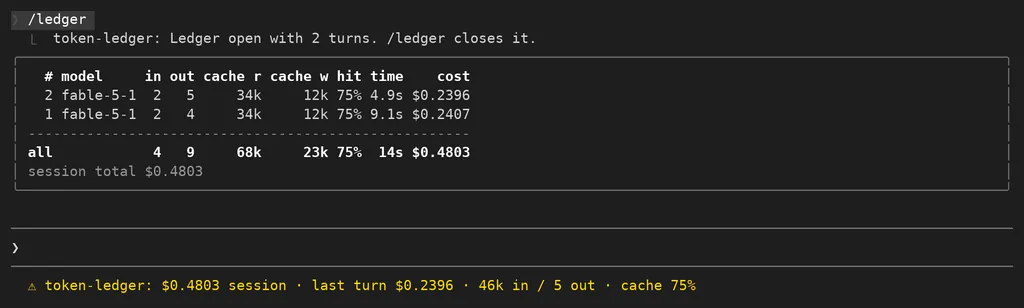
- 57token-ledgerArunjay4213Pins this session's cost and the last turn's tokens and cache hit, and /ledger lists each turn.Draws
- 58mod-packaz9713Seven mods in one install: a context forecast, a cache countdown, a follow-up queue, a plain retell, two holds on risky commands, and Snake.Draws · Holds
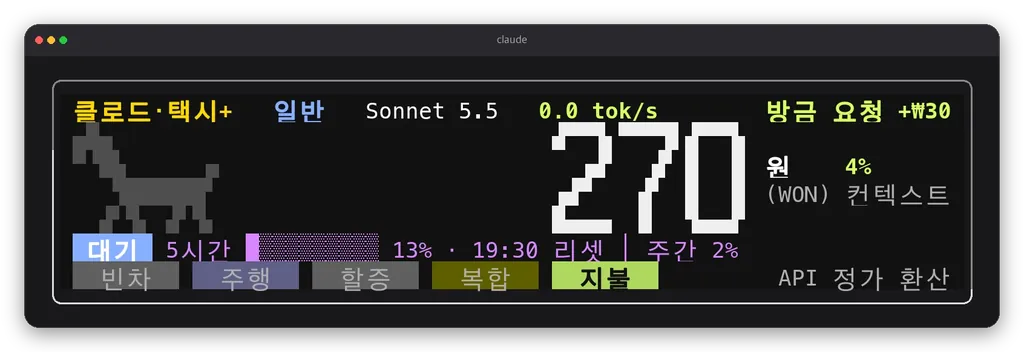
- 59taxi-meterdevbrother2024Draws this session's cost as a taxi fare, in won at API list price, with context fill and the plan limits.Draws
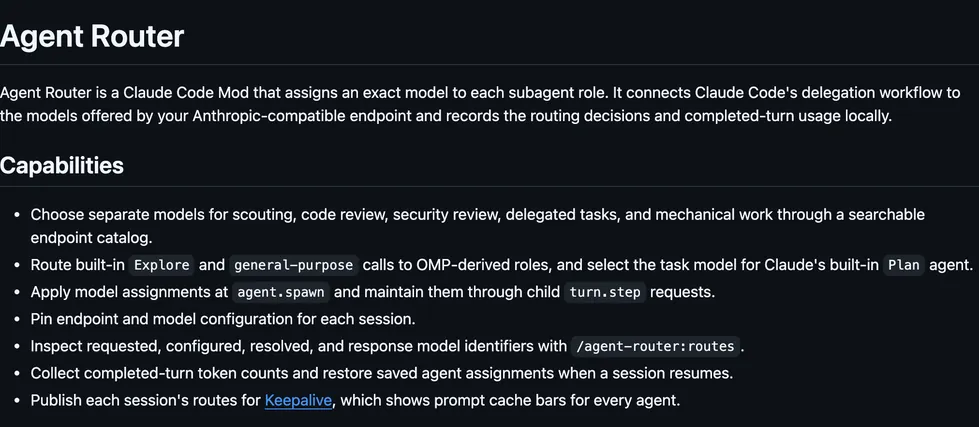
- 60agent-routeralexandernicholsonAssigns a model and effort to each subagent role from your endpoint's catalog, and draws that model beside the prompt.Draws · Holds
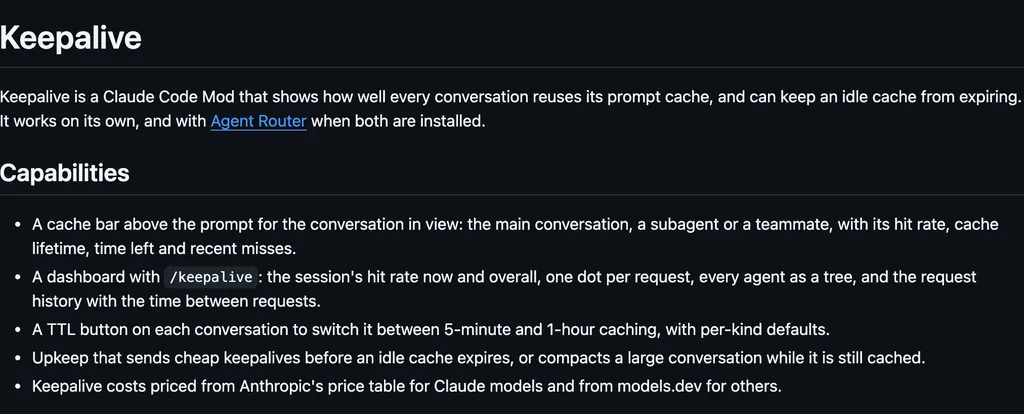
- 61keepalivealexandernicholsonDraws a prompt-cache bar for each conversation, and can keep an idle cache warm or compact it before it expires.Draws
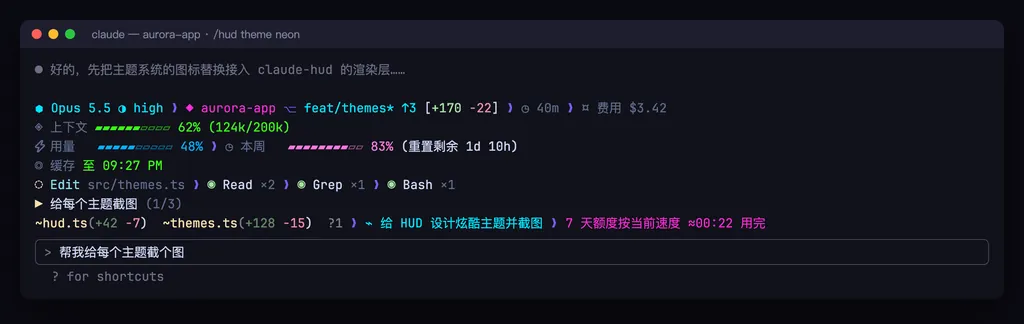
- 62hudhoobnnDraws model, context, and plan-usage gauges above the prompt, with git, the running tools, and a one-line task summary.Draws
- 63limits-meterice-lfernandesDraws plan limits and context above the prompt, in tokens and percent, with the model, effort, and a toast on a costly switch.Draws
- 64elizabeth-progressYaxin9LuoDraws Elizabeth from Gintama walking a context-window bar above the prompt, with the usage split, turns left, and rate limits.Draws
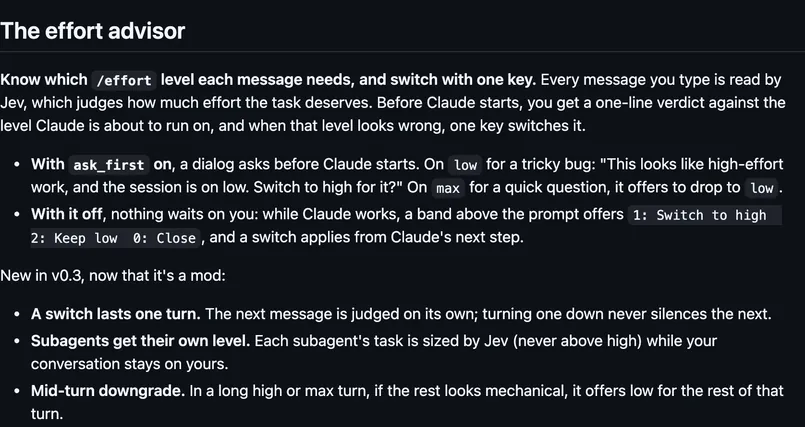
- 65spending-effort-with-jevYaxin9LuoAsks TypeSafe's Jev which /effort level a message needs, sends that message to api.typesafe.ai, and switches on your OK.Draws
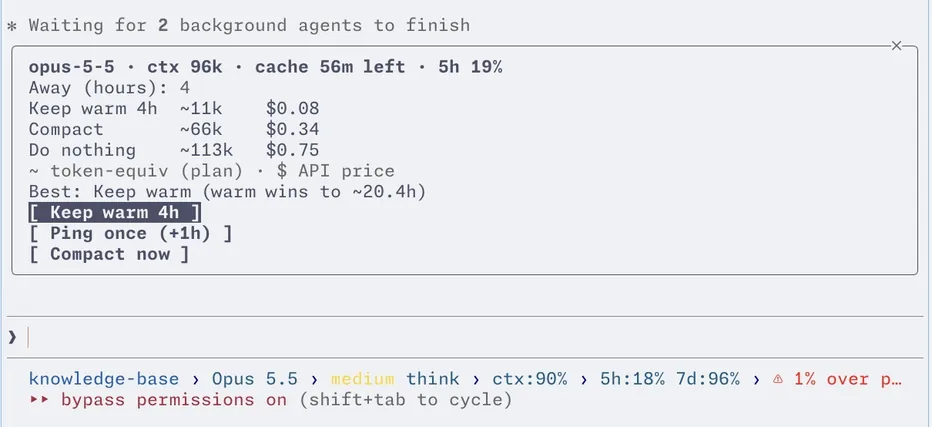
- 66cache-paneldanyuchnAfter 50 idle minutes, draws a prompt-cache line and a panel to keep it warm, ping it once, or compact, with a cost for each.Draws
- 67context-cardNongfsqDraws context fill, the prompt cache, and weekly plan usage in one line above the prompt, with a breakdown on click. One of two mods for running many sessions.Draws
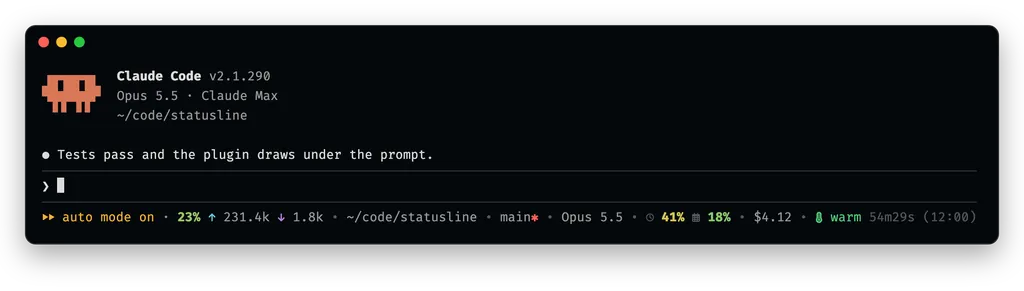
- 68statuslineryanclarkDraws context, the 5-hour and 7-day limits, and extra usage under the prompt, from statusline, a status-line binary you install first.Draws
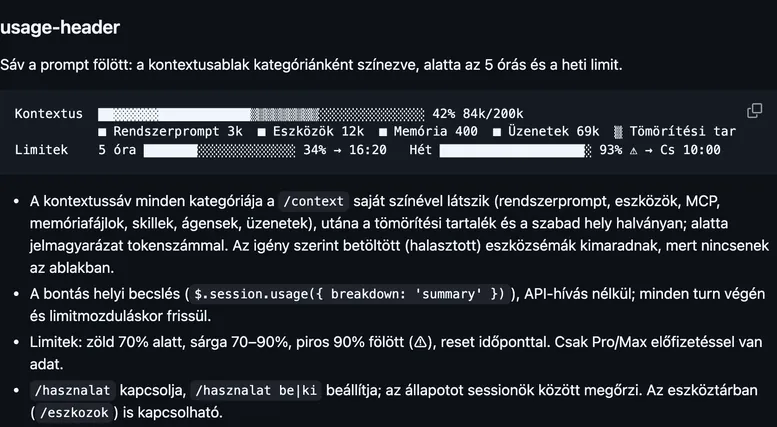
- 69usage-headerSzotaszDraws the context window above the prompt, a color per category, with the 5-hour and weekly limits under it.Draws
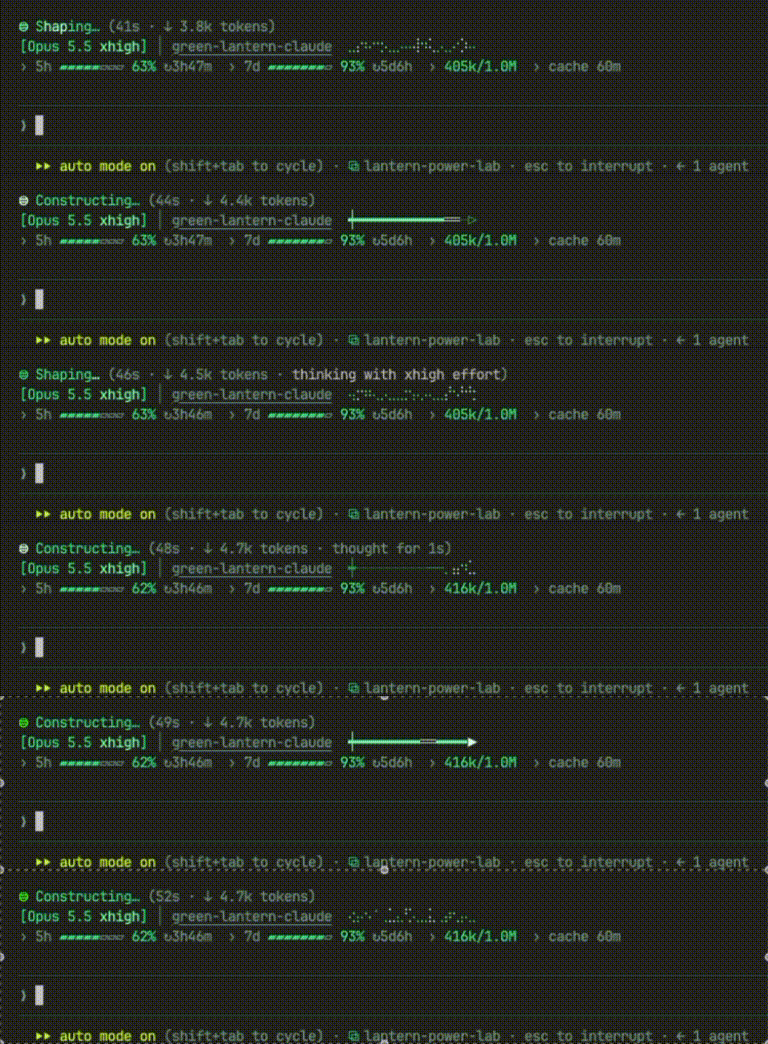
- 70green-lanternvogiaan1904Draws the 5-hour and 7-day limits as Green Lantern charge that drains as you use it, with a power-ring spinner and an emerald theme.Draws
- 71long-live-the-claudeLapis0x0Draws the 5-hour and 7-day limits, context, and cache time above the prompt. Long-run, off by default, keeps the cache warm and pauses near the limit.Draws
- 72usage-petmanson341349-beepDraws context, the 5-hour and weekly limits, and the cache hit rate above the prompt. The desktop Code tab draws four rings, with a pixel pet beside them.Draws
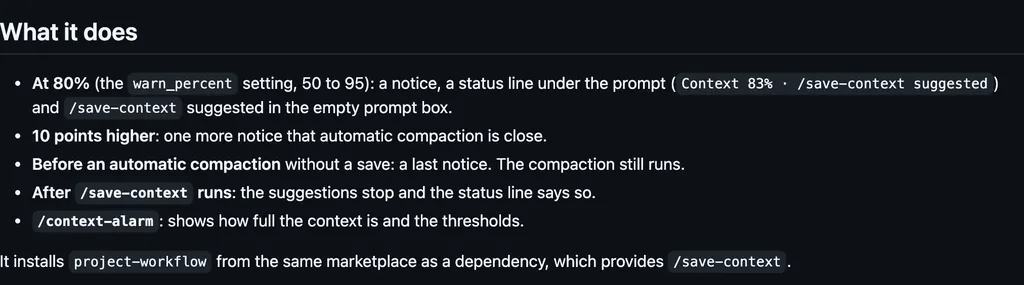
- 73context-alarmmutlumehmetWarns when the context window fills, with a status line under the prompt, and suggests /save-context before compaction.Draws
- 74cache-watchernikisgeDraws the cache time, the context, the plan limits, and this session's API value above the prompt, and a press can keep the cache warm.Draws
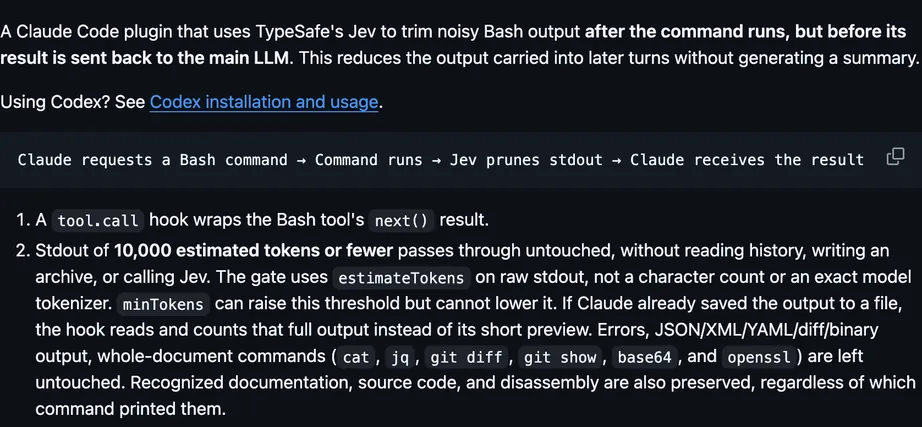
- 75fast-jev-outputtamaratranSends a long Bash result to TypeSafe's Jev, which trims it before Claude reads it, and toasts the cut. The full output stays in the project.Draws
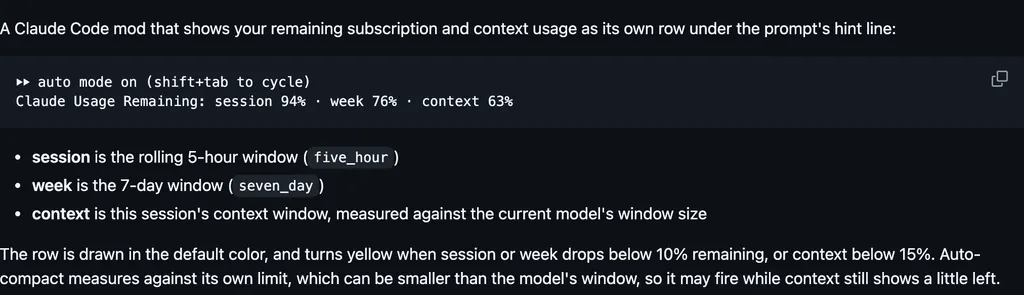
- 76usage-statusrobbytDraws a row under the prompt hint with the 5-hour and 7-day limits left and how full the context is.Draws
- 77brewmod-plan-effortkochetkov-maDraws a row above the prompt while Claude plans, naming the effort it raised to, xhigh by default.Draws
- 78cache-keepernateherkaiDraws whether this chat's prompt cache is warm or cold, what a cold rewrite would cost, and the plan limits, and can keep a big chat warm.Draws
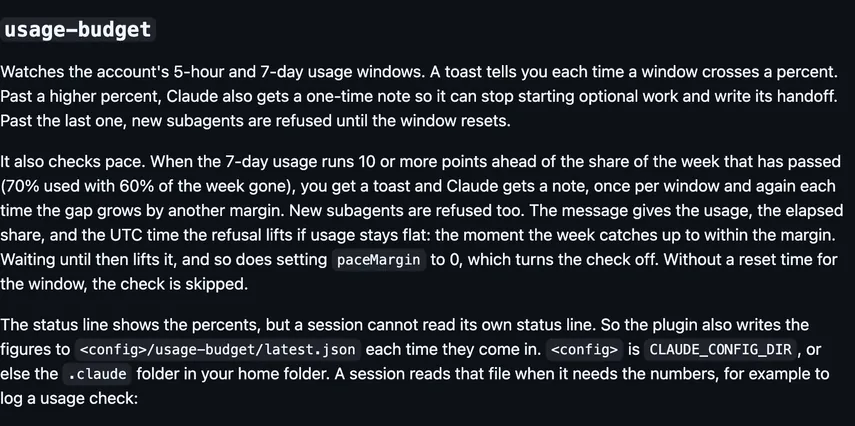
- 79usage-budgeterikdarlingdataToasts when the 5-hour or 7-day window crosses a percent, and refuses a new subagent past 95% by default.Draws · Holds
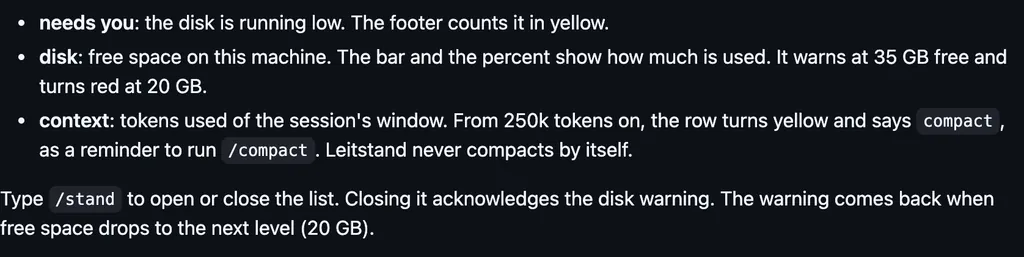
- 80leitstanddominikmartnDraws free disk space and context fill above the prompt, and names a hook of yours that just blocked a tool call.Draws
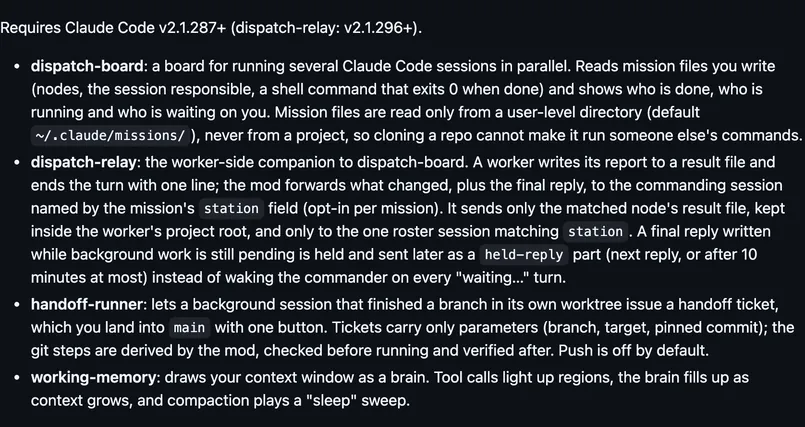
- 81working-memoryHangghostDraws the context window as a brain: tool calls light regions, it fills as context grows, and compact plays a sleep sweep.Draws
- 82jev-pilotAkramovic1Asks TypeSafe's Jev, through OpenRouter, to set each turn's effort, the subagent model, and the one skill a prompt needs, with a pilot that says what it chose.Draws
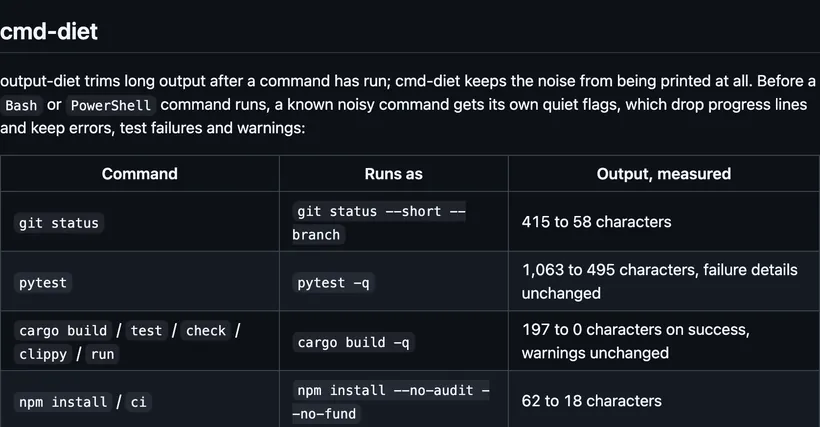
- 83cmd-dietVedantAndhaleAdds quiet flags to noisy shell commands before they run, so Claude reads the short output, and counts the quieted commands on the status line.Draws
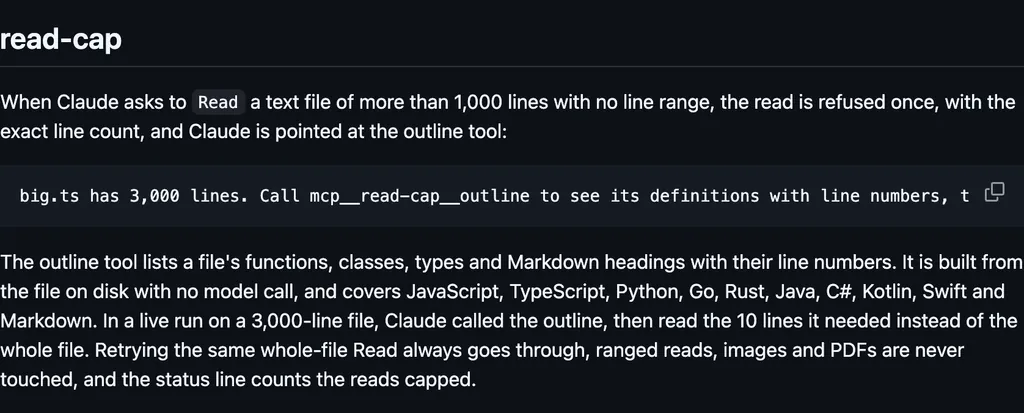
- 84read-capVedantAndhaleRefuses a whole-file read over 1,000 lines once, points Claude at an outline of that file, and counts the reads it capped.Draws · Holds
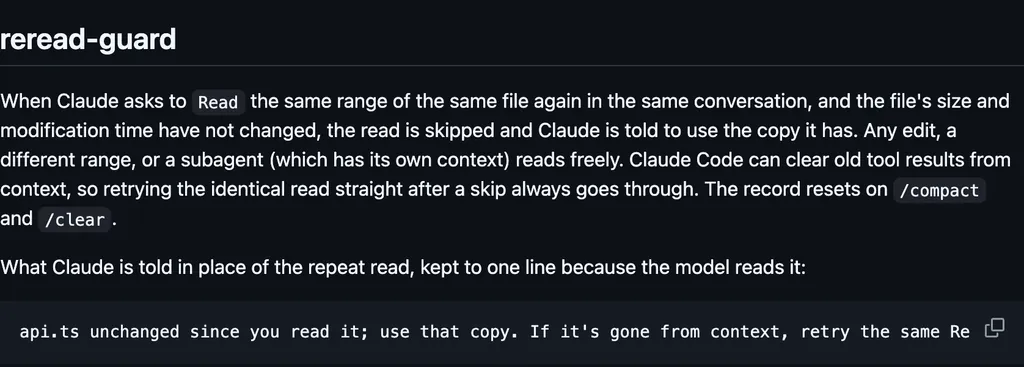
- 85reread-guardVedantAndhaleSkips a repeat read of a file that has not changed, tells Claude to use the copy it has, and counts the re-reads it skipped.Draws · Holds
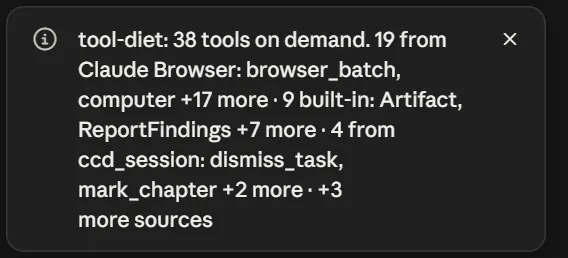
- 86tool-dietVedantAndhaleLists tools unused lately by name only, so their descriptions leave every request, and counts how many are on demand.Draws
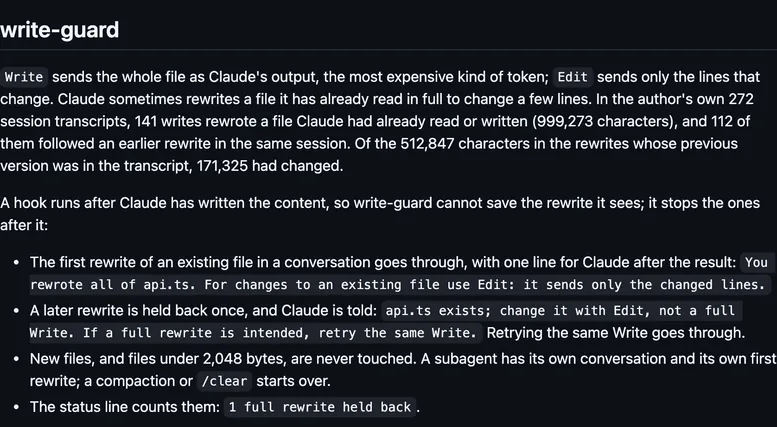
- 87write-guardVedantAndhaleLets the first full rewrite of an existing file through, holds the next one so Claude uses Edit, and counts the rewrites it held.Draws · Holds
- 88usage-hudronanworksDraws model, effort, context, and the 5-hour and weekly limits in a panel, and a pixel crab above the prompt that acts out the tool.Draws
- 89cache-maxxervayaan-labsDraws the prompt-cache time left and hit rate above the input, says why the cache was rebuilt, and can send a short request to keep it warm.Draws
- 90session-hudofeklevy11Draws four cards above the prompt: context left, the 5-hour limit, prompt clocks, and what the session cost.Draws
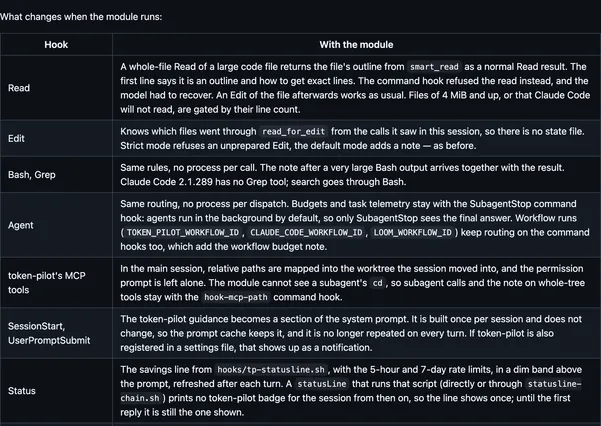
- 91token-pilotDigital-ThreadsFor Token Pilot, which cuts what Claude reads from code, draws tokens saved and the 5-hour and 7-day limits above the prompt, and outlines a big file Read.Draws · Holds
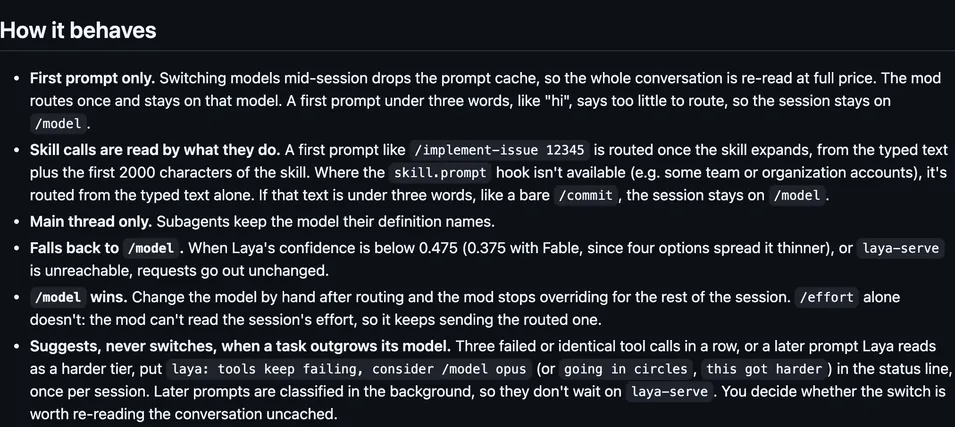
- 92laya-routermarcreichelRoutes the session once from its first prompt to a model and effort, and draws that route on the status line.Draws
- 93cache-clockray-amjadDraws a line above the prompt with the time until the prompt cache goes cold, the context fill, and a subagent clock, and has Claude write a handoff first.Draws
- 94antiburnantiburnDraws the five-hour and weekly limits above the prompt with reset times and even-pace markers, in the terminal and the desktop Code tab.Draws
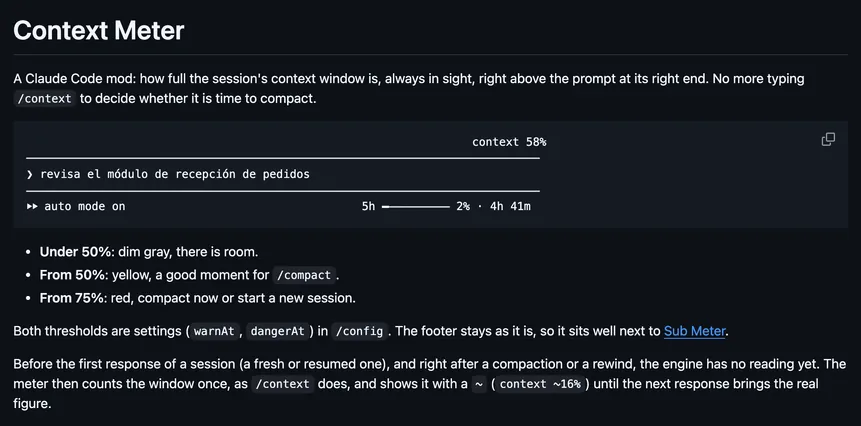
- 95context-metermidudevDraws how full the context window is at the right end of the band above the prompt: gray, then yellow from 50 percent, then red from 75.Draws
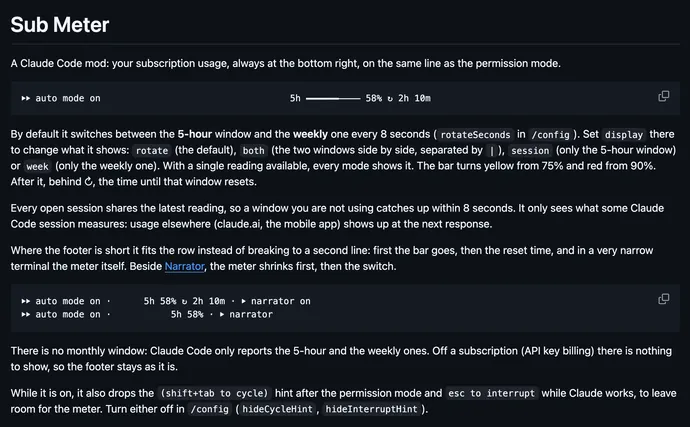
- 96sub-metermidudevDraws your 5-hour and weekly subscription usage at the bottom right, on the permission mode's line, with a bar and the time until it resets.Draws
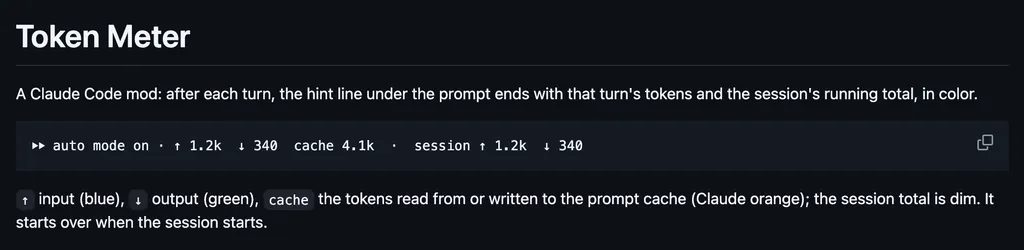
- 97token-metermidudevEnds the hint line under the prompt with the last turn's input, output, and cache tokens, and the session's running total, in color.Draws
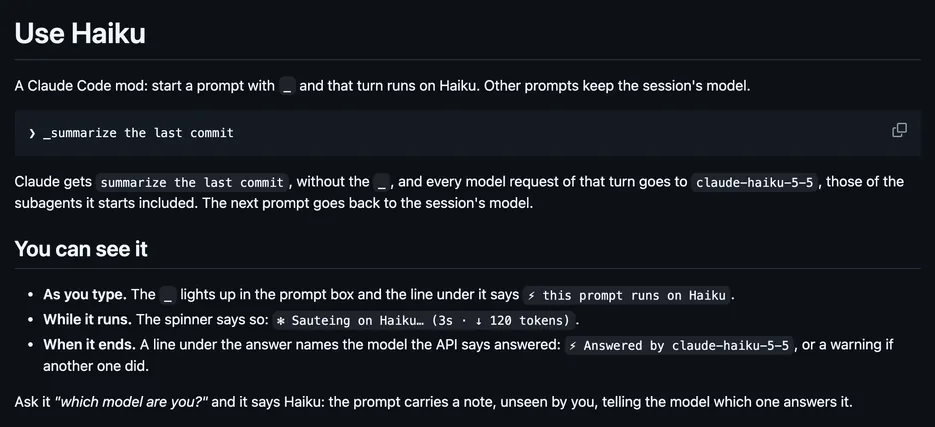
- 98use-haikumidudevRuns a prompt that starts with _ on Haiku, subagents included, and shows it as you type, while it runs, and under the answer.Draws
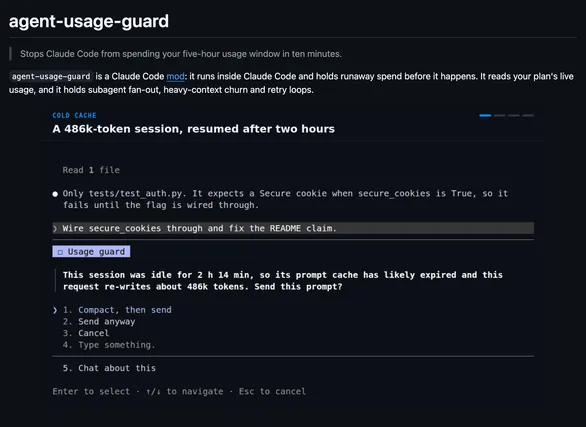
- 99agent-usage-guardrbartoliAsks before a subagent starts, a heavy prompt is sent, or a tool loop runs on, from the 5-hour and weekly usage, and refuses when nobody can answer.Holds
- 100optim-jevOqura-aiHas TypeSafe's Jev drop stale tool calls and their output when the session compacts, keeping the rest word for word, and draws a dashboard above the prompt.Draws






















































































1–100 of 183 mods in Usage
What makes a plugin a mod?
It draws inside the session, like a pane, a status line, or a band above the prompt, or it holds a command before it runs. Plugins that do neither are under Plugins.
How is a mod different from a hook or a skill?
A mod is JavaScript or TypeScript that Claude Code runs in its own process, so it can draw a pane or a band and rewrite tool calls, prompts, and commands. A hook in settings.json runs a shell command, HTTP request, or prompt on an event, and a skill is a SKILL.md file of instructions Claude reads. Neither can draw.
What can a mod reach?
Each mod page lists only what the author's README names: usage figures, file edits, tool calls, the network.
How do I install a mod?
Each mod page has the author's commands. Add the marketplace, then run claude plugin install with the mod's name, an @, and the marketplace's name, or /plugin install inside a session. It needs Claude Code 2.1.287 or later, or 2.1.286 in the Desktop app. A session that is already open loads it after /reload-plugins.
Why doesn't a mod I installed show up?
In a terminal session, /plugin shows a dim line under its tabs, such as 1 mod active · name. If yours is missing, check the version, and that you did not start with --safe-mode or --bare or leave a new folder's trust prompt unanswered. claude plugin test, run in a folder with no mod, says whether a setting, your organization's policy, or Anthropic has turned mods off. A session started with claude --debug logs a not loaded: line with the reason. A loaded mod draws nothing in claude -p or a cloud session, and the VS Code panel draws from extension 2.1.299.
How do I turn mods off?
Mods are on by default. To stop one, disable or uninstall its plugin in the Installed tab of /plugin. To stop every mod you installed, start with --safe-mode for one session, or set disableAllHooks to true in ~/, which also stops your settings hooks and status line. Undo the change to turn them back on.
Where do the pictures come from?
From the author's repo. When there is no demo, the card shows the GitHub page.