All shelves / Mods / Usage
antiburn
By antiburn
antiburn is a Claude Code usage mod by antiburn.
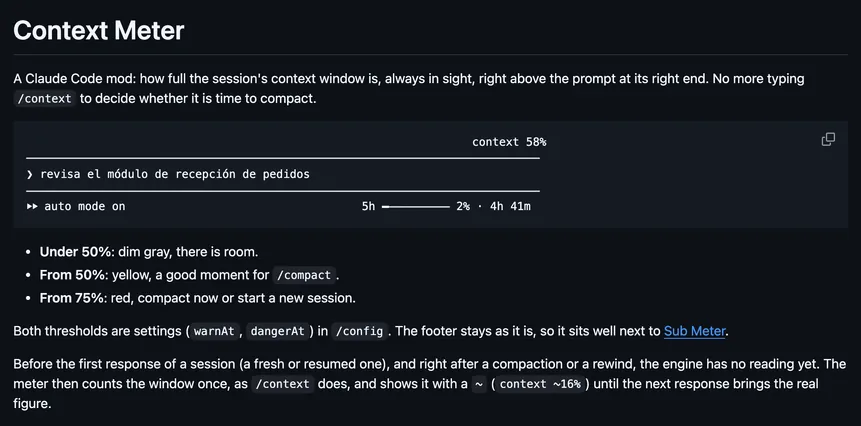
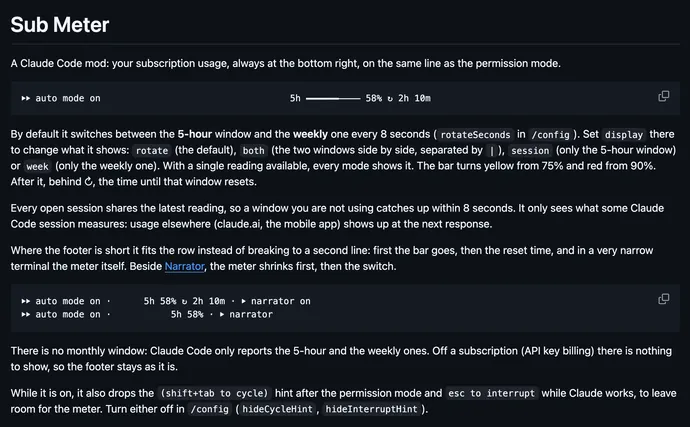
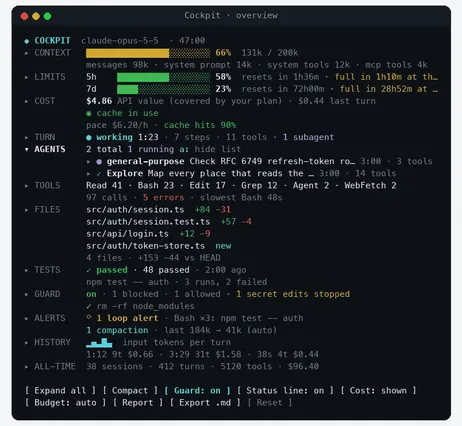
Draws the five-hour and weekly limits above the prompt with reset times and even-pace markers, in the terminal and the desktop Code tab.
Draws
Install
The marketplace name is antiburn.
claude plugin marketplace add https://github.com/antiburn/antiburn.git
claude plugin install antiburn@antiburn --scope user
It runs inside the Claude Code process. The side panel is only what the author's README names. Read the repo before you install, or run claude plugin validate on the plugin folder.
- Version
- 0.2.5
- License
- MIT
- Repo stars
- 210
- Last change
- 2026-10-23
What it can reach
- Draws in the session
- Reads usage or context figures
- Reaches the network or an outside service
- Calls another program on this machine
Works in the terminal or the Code tab in Claude Desktop, with the mod runtime enabled. Ordinary Claude chat and Cowork are outside it. The one-step install on Claude Code 2.1.275 or later is /plugin install antiburn --marketplace antiburn/antiburn. Open a new session after installing, or run /reload-plugins, and restart Claude Code if the mod does not appear. In Desktop, start a session in the Code tab. No configuration flag is needed. The strip starts when the mod loads, with the host's own readings first, partial ones included. Pace compares usage with the elapsed part of a limit window, and the author says it is a reference, not a forecast. Missing readings stay unavailable, and missing data is not zero usage. After Desktop attaches, empty or unavailable readings can fall back to an account request to https://api.anthropic.com/api/oauth/usage through Claude Code, a GET with no body. Claude Code keeps the credential. No prompt, conversation, project file, or quota content goes in the request, readings stay in memory, and there is no plugin telemetry. API-key sessions get no account fallback, and terminal-only sessions use the host's readings. A fallback reading is reused for 60 seconds, and failures back off. /antiburn shows usage, reset, and pace details as text, /antiburn refresh checks usage, and /antiburn help explains both. A meter's label or pace control reveals reset or pace details. In the terminal, Ctrl+X then Tab focuses the strip, and Enter activates a control. The logo opens https://antiburn.com, with cmd.exe start on Windows and open or xdg-open elsewhere, and Desktop uses a native link. The author's native checks covered Claude Code 2.1.304 and Claude Desktop 2.42304.2 on macOS, and the author says other hosts need their own checks.
The marketplace name is antiburn. The marketplace source is plugins/antiburn in the same repository. Antiburn is published by Cadence AI (Vic) Pty Ltd. The five-hour and weekly strip is why this page files it under usage. quota-meter pins the 5-hour and 7-day plan limits when they are reported, with the reset and whether the current pace fills them first. usage-meter draws the 5-hour and 7-day limits as small bars above the prompt, with the reset countdown and what this session cost. This one marks even pace on each meter, and draws in the desktop Code tab as well as the terminal.
Demo

What it hooks into
session.startWhen a session startssession.endWhen a session endsui.renderDraws into the sessionCommandOutputAbovePromptcommand.runWhen you run its slash commandclassic.SessionStartA Claude Code eventsession.attachA Claude Code eventsession.detachA Claude Code eventsession.measureWhen usage is measuredui.messageAdds a message to the sessionui.closeWhen its pane closesengine.createWhen Claude Code starts
Read from the on() calls in its hook modules. Open its source under Files to check what each one does.
Files
The author's README and source, 4 files. They load when you open them.
Facts
- Author
- antiburn
- Category
- Usage
- Marketplace
- antiburn
- Folder
- plugins/antiburn
- Version
- 0.2.5
- License
- MIT
- Repo stars
- 210
- Last change
- 2026-10-23
- Language
- Rust
- Files
- 24