All shelves / Mods / Usage
statusline
By ryanclark
statusline is a Claude Code usage mod by ryanclark.
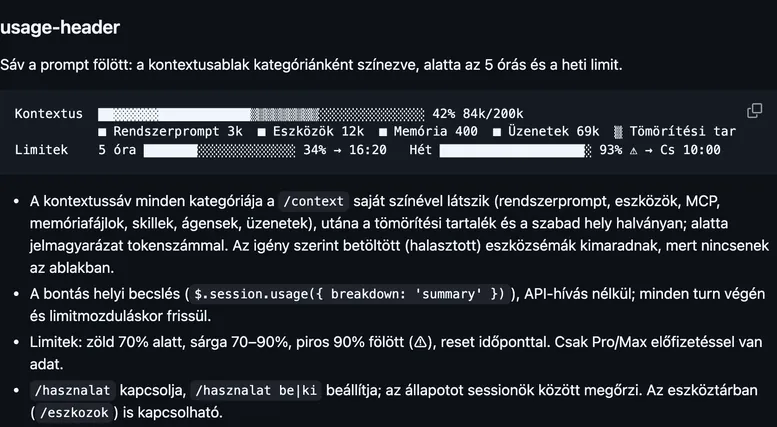
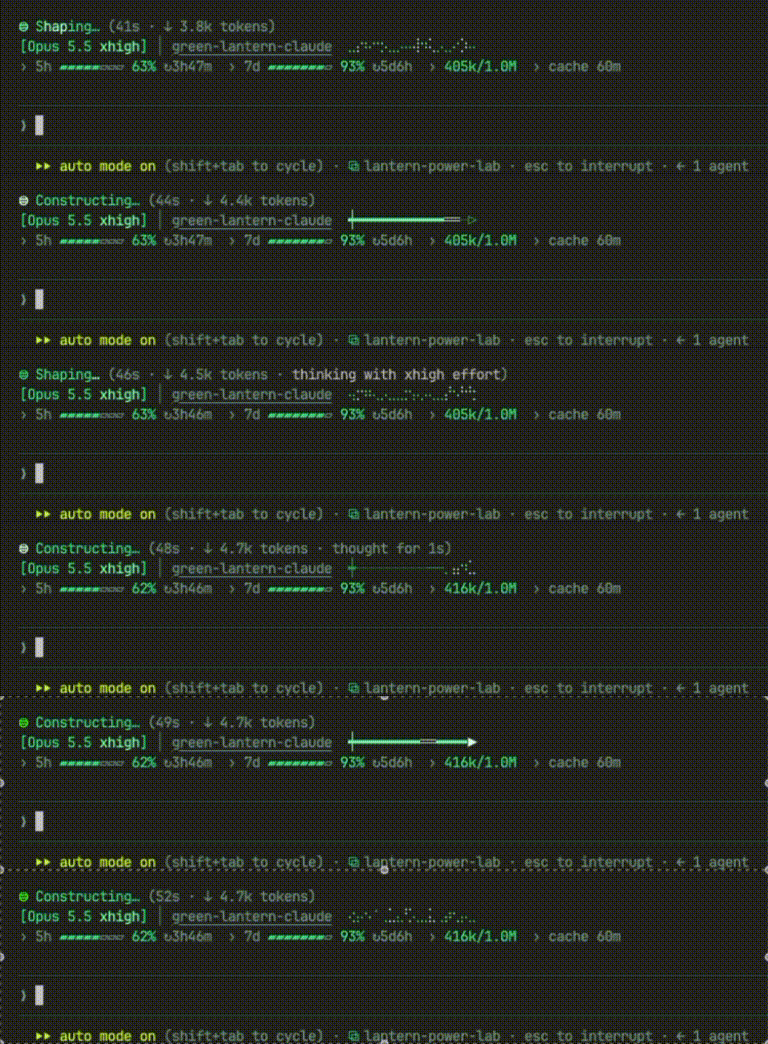
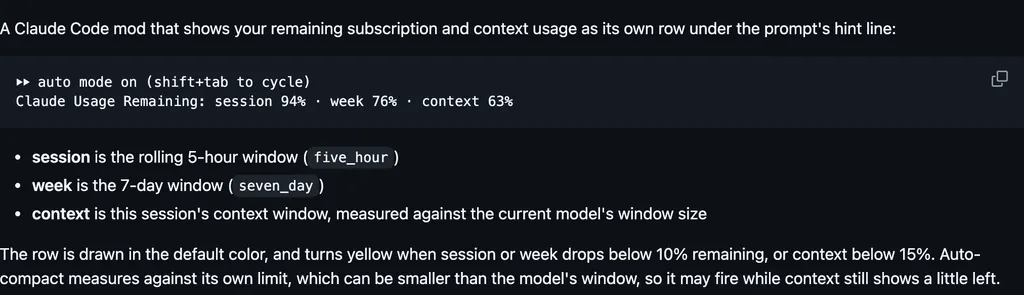
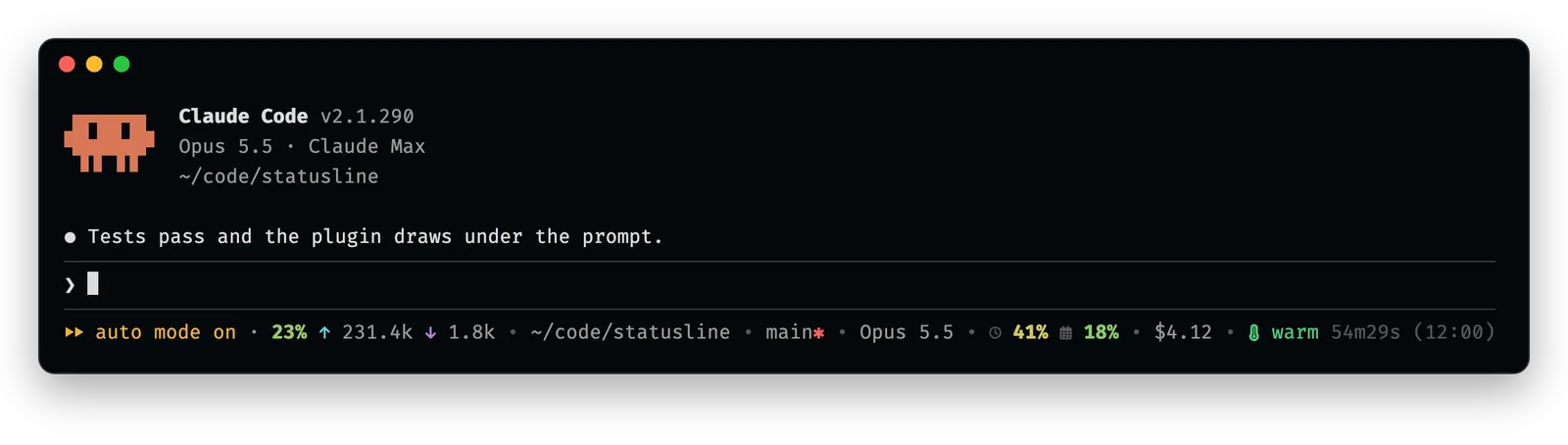
Draws context, the 5-hour and 7-day limits, and extra usage under the prompt, from statusline, a status-line binary you install first.
Draws
Install
The marketplace name is ryanclark.
/plugin install statusline --marketplace ryanclark/statuslineIt runs inside the Claude Code process. The side panel is only what the author's README names. Read the repo before you install, or run claude plugin validate on the plugin folder.
- Version
- 2.5.0
- License
- MIT
- Repo stars
- 6
- Last change
- 2026-10-15
What it can reach
- Draws in the session
- Reads usage or context figures
- Reaches the network or an outside service
- Calls another program on this machine
statusline is a native status line for Claude Code, and this plugin sits inside that project. Install the binary first with brew install ryanclark/tap/statusline. Needs Claude Code 2.1.287 or later. The recommended installer is statusline install --plugin. It creates ~/.statusline/settings.json if it is missing, adds the ryanclark marketplace, and installs the plugin. An existing statusLine in ~/.claude/settings.json is saved to ~/.statusline/native-statusline.json and removed, after a backup under ~/.statusline/backups/. A statusLine that already runs statusline is removed without asking. Anything else is removed only after you confirm. --keep-native leaves the native line. --dry-run shows the change. statusline install --native uninstalls the plugin and restores the saved statusLine. The in-session install line does not do that rewrite. placement defaults to below, which replaces the hint under the prompt. above uses the band over it. intervalMs defaults to 1000. cacheTtl defaults to 1h until a model switch reports the real one. The binary defaults to statusline. With no segments set, the line is the context percentage, input and output tokens, the 5-hour and 7-day limits, and extra usage. The 5-hour countdown shows above 70%. The 7-day countdown's threshold defaults to 100, which hides it. When a segment needs it, usage is fetched with the session's claude.ai login about once a minute, shared across chats. The 5-hour and 7-day limits share that request with extra usage. A layout with none of those segments makes no usage request. The author says the plugin's account request needs no Chrome cookie or Keychain access. Sessions on an API key or a third-party provider, and sessions where plugins cannot use the network, use per-chat limits and the cookie path for extra usage and credits. An update check runs in the background, and a successful check is cached for 24 hours. skip_update_check in ~/.statusline/settings.json turns that check off.
The install name is statusline. This page adds the author's name. The install line has no @suffix. The marketplace name is ryanclark. The plugin folder has no README. These lines are the repository README. The context percentage and the rate limits are why this page files it under usage. statusline-anywhere draws the status line you already configured, in color, above the prompt in Claude Desktop. In a terminal it stays out of the way. cost-meter draws session cost, context fill, and the 5-hour and 7-day windows on the status line, plus what each turn cost. This one draws the statusline binary's line, under the prompt by default, and refreshes it between turns. The usage request uses the session's own claude.ai login. The background update check is the network call. A git segment is off unless the layout adds one, and then git runs in the project directory.
Demo
What it hooks into
session.startWhen a session startssession.endWhen a session endssession.measureWhen usage is measuredturn.startWhen Claude starts a turnturn.completeWhen a turn endsturn.stepAt each step of a turnprompt.composeWhile you write a prompttool.callAround a tool call, where it can hold oneclassic.PermissionRequestA Claude Code eventclassic.PostToolUseA Claude Code eventclassic.UserPromptSubmitA Claude Code eventclassic.SessionStartA Claude Code eventprompt.submitWhen you send a promptclassic.StopA Claude Code eventclassic.SubagentStopA Claude Code eventclassic.PostToolUseFailureA Claude Code eventclassic.PermissionDeniedA Claude Code eventclassic.StopFailureA Claude Code eventclassic.PostModelSwitchA Claude Code eventsession.compactWhen the context is compactedui.renderDraws into the sessionPromptHintAbovePrompt
Read from the on() calls in its hook modules. Open its source under Files to check what each one does.
Files
The author's source, 3 files. They load when you open them.
Facts
- Author
- ryanclark
- Category
- Usage
- Marketplace
- ryanclark
- Folder
- crates/statusline/plugin
- Version
- 2.5.0
- License
- MIT
- Repo stars
- 6
- Last change
- 2026-10-15
- Language
- Rust
- Files
- 26