All shelves / Mods / Usage
hud
By hoobnn
hud is a Claude Code usage mod by hoobnn.
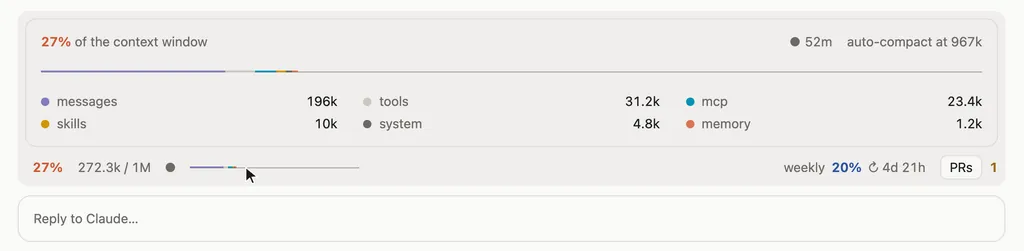
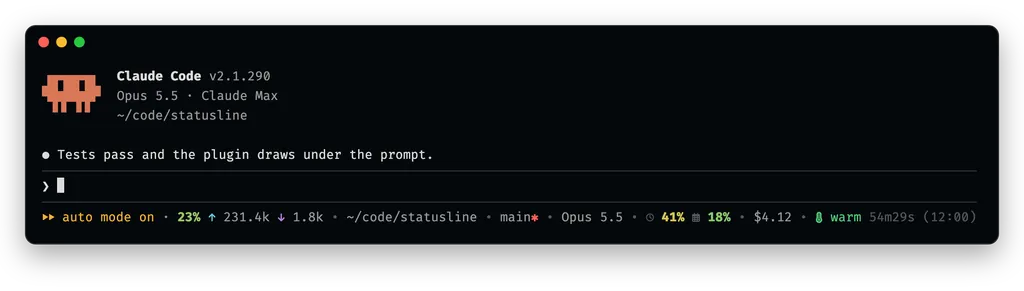
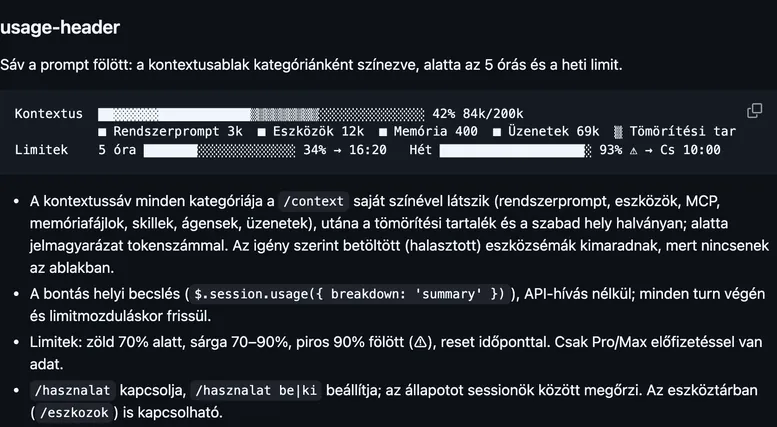
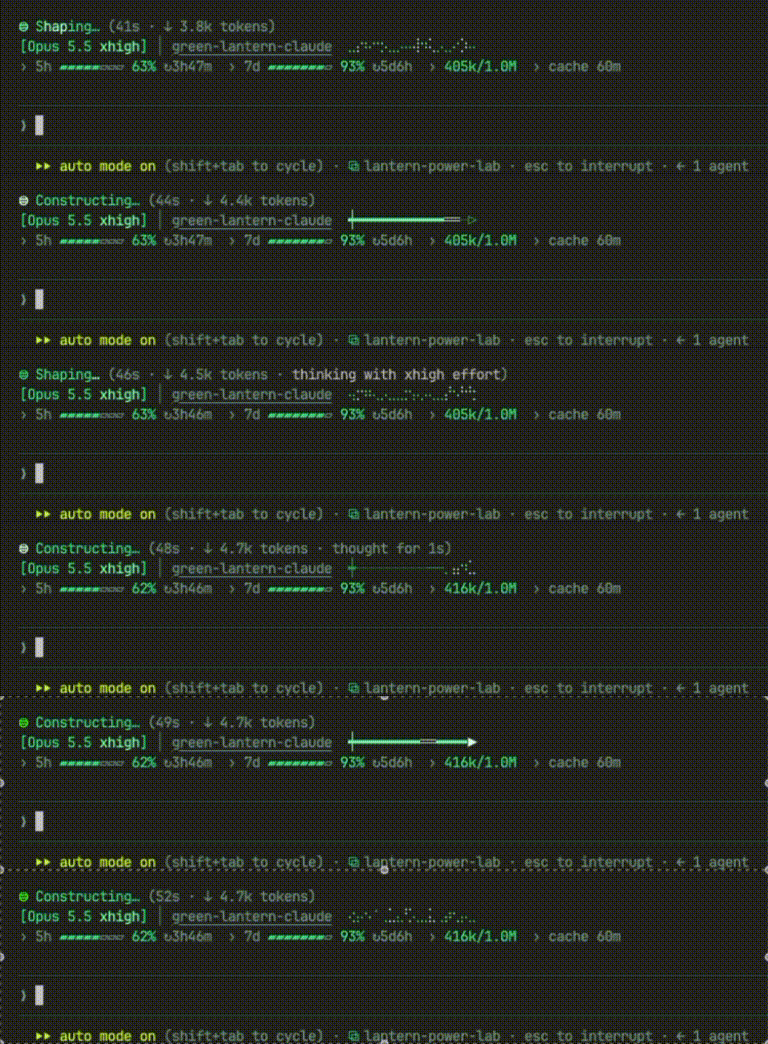
Draws model, context, and plan-usage gauges above the prompt, with git, the running tools, and a one-line task summary.
Draws
Install
The marketplace name is hoobnn-agent-mods.
claude plugin marketplace add hoobnn/hoobnn-agent-mods
claude plugin install hud@hoobnn-agent-mods
It runs inside the Claude Code process. The side panel is only what the author's README names. Read the repo before you install, or run claude plugin validate on the plugin folder.
- Version
- 0.11.2
- License
- MIT
- Repo stars
- 7
- Last change
- 2026-10-10
What it can reach
- Draws in the session
- Reads usage or context figures
- Sees tool calls
- Calls another program on this machine
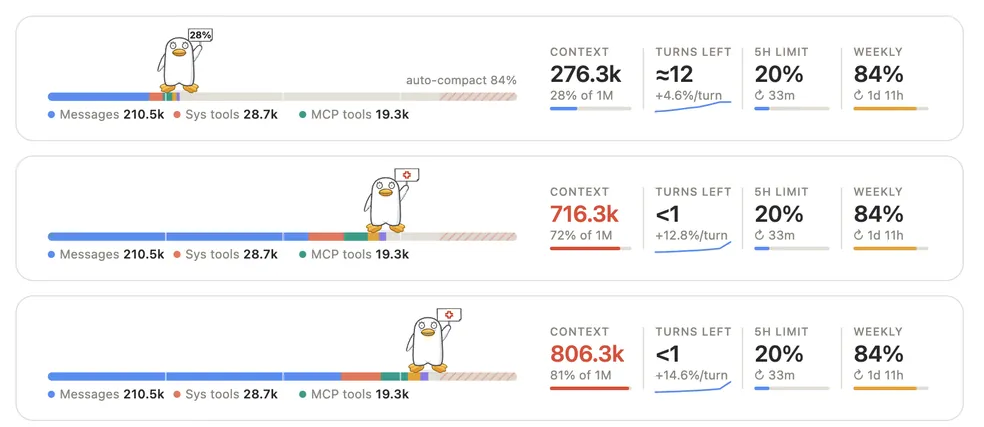
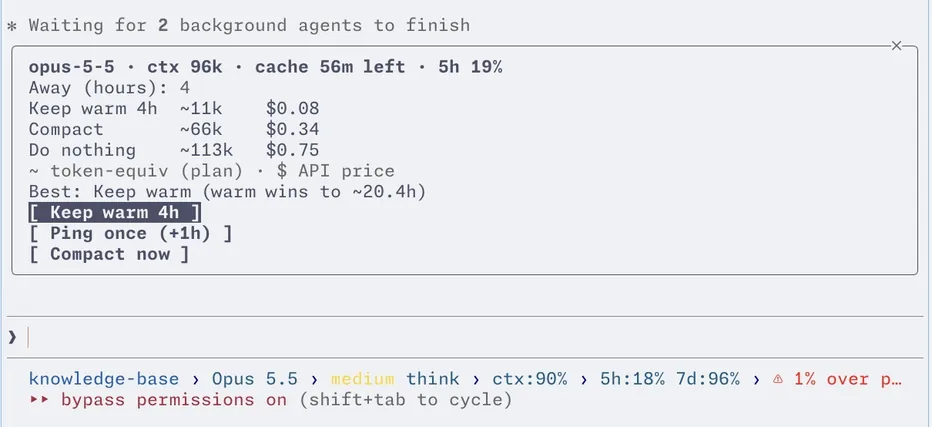
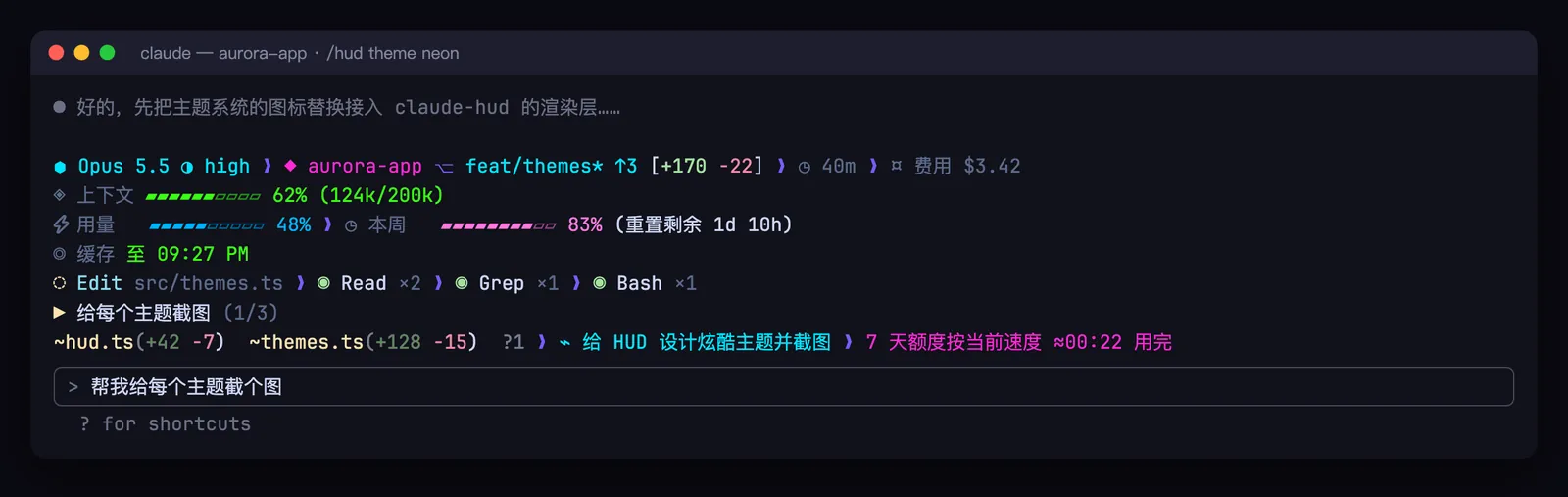
claude-hud is a status line for Claude Code. This mod is that project at version 0.10.0, rebuilt to draw inside the session, below the prompt or in a band above it. The position defaults to above, the theme to classic, and the HUD is shown by default. It shows the model and effort, the project and git branch with its changes, context and usage gauges, the running tools, and todos. Subagent lines are off by default, because Claude Code already lists running subagents. It reads an existing claude-hud config at ~/.claude/plugins/claude-hud/config.json and at ~/.claude/claude-hud.json, so /claude-hud:configure still applies. /hud shows or hides it. /hud off and /hud on set it, and so does the HUD button in the prompt footer. /hud theme switches the theme live, and /hud theme reset goes back to classic. The README says that choice is written to the theme option in /config. Model-scoped weekly limits, such as Fable's, are read from Claude Code's own cache in .claude.json. The README says no request is made. A one-line task summary is written after the first turn and then every 5 turns by default, from a model call on the conversation, served from the prompt cache. Set summaryEveryTurns to 0 to leave it off. It is skipped while a task list still has work left. The usage forecast is on by default and shows when a limit runs out at the current pace, if that comes before the reset. The 5-hour pace needs ten minutes of readings. A daily budget defaults to 0, which leaves it off. The 7-day spend sparkline stays off until showHistory is on. Context alerts, quota alerts, and the turn-growth line stay off until you set their thresholds. The tokens left before auto-compaction show once context is 60 percent of the way there, by default. After the prompt cache expires, the re-cache hint shows when the context holds at least 20000 tokens, by default. A toast when a long turn ends stays off until notifyAfterSeconds is set. The macOS chime goes with that toast and defaults to on. Git warnings start at 20 uncommitted paths and 5 unpushed commits, by default. extraCmd is empty by default. When you set it, and CLAUDE_HUD_ALLOW_EXTRA_CMD=1, that shell command's output shows as a label. /hud detail opens a pane of each tool's calls and time, the last turns, subagents, todos, and today's and the week's spend. Twelve themes. The anime mascot changes face with context and quota, and showMascot is on by default. While Remote Control is on, the first line adds that state and a link to the session on claude.ai. The README says git runs on this machine.
The install name is hud. This page adds the author's name. The context and usage gauges are why this page files it under usage. The same band also shows git, the running tools, and todos. pro-hud draws the 5-hour session, the week, and context in the desktop app. so-hud draws Session Orchestrator status and a warning band. This one is a claude-hud port of model, context, and plan use. The task summary is a model call on your own Claude login, served from the prompt cache, so this page does not list network access. The Remote Control label links to the session on claude.ai. The README says the bridge id is read from a local session file. Git, and extraCmd when you set it, are the local programs. The marketplace holds six Claude Code mods. This one installs on its own.
Demo
What it hooks into
session.startWhen a session startscommand.runWhen you run its slash command/hudui.renderDraws into the sessionSessionModeAbovePromptPromptHintPanesession.attachA Claude Code eventprompt.submitWhen you send a promptsession.receiveA Claude Code eventsession.measureWhen usage is measuredsession.compactWhen the context is compactedstate.setA Claude Code eventui.messageAdds a message to the sessionsession.detachA Claude Code eventtool.callAround a tool call, where it can hold oneturn.stepAt each step of a turnturn.startWhen Claude starts a turnturn.completeWhen a turn endsprompt.editWhen you edit the prompt
Read from the on() calls in its hook modules. Open its source under Files to check what each one does.
Slash commands 1
/hud
Files
The author's README and source, 4 files. They load when you open them.
Facts
- Author
- hoobnn
- Category
- Usage
- Marketplace
- hoobnn-agent-mods
- Folder
- claude-code/hud
- Version
- 0.11.2
- License
- MIT
- Repo stars
- 7
- Last change
- 2026-10-10
- Language
- TypeScript
- Files
- 106