All shelves / Mods / Usage
Claude Code usage mods
183 mods
Usage mods draw the context window, the plan limits, or how long the prompt cache has left, above the prompt. By their READMEs, 148 read usage or context figures, 44 reach the network or an outside service, and 15 send session text to a model outside your Claude login.
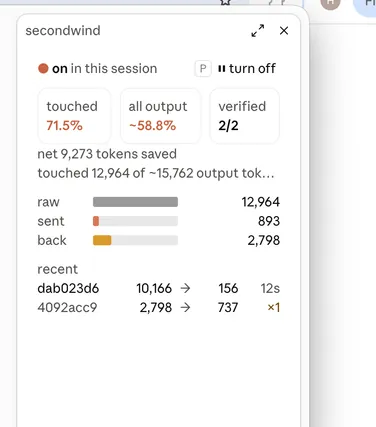
claude plugin install <mod>@<marketplace>Run in a terminal. Some mods need a restart.- 101secondwindorchetronCompresses Bash output of 512 bytes or more through the local secondwind binary, keeps the full text one call away, and draws a pane of the net tokens saved.Draws
- 102session-hudbradtraversyDraws a strip above the prompt with the git branch, warned on main, context used against a target you set, and weekly usage, and a Details pane of the rest.Draws
- 103time-blamekaranb192Splits each turn's time between Claude, each tool, your approvals, and the rest, under the answer, and /blame opens a panel of the whole session's split.Draws
- 104subagent-tunerKruhlikauPicks each subagent's model and effort by asking you in a pane, from a recommendation for the task, or from your saved default, with a band above the prompt.Draws · Holds
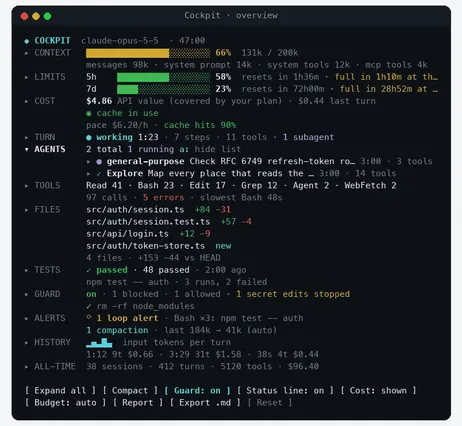
- 105cockpitdrkokorevOpens a panel beside the transcript with context, rate limits, cost, subagents, tool calls, changed files, and tests, and asks before rm -rf or a force push.Draws · Holds
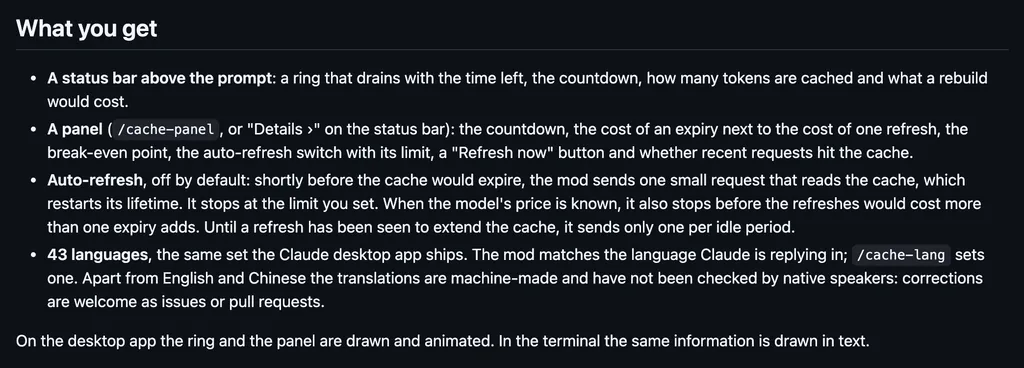
- 106cache-refresherolddonkeyDraws a bar above the prompt with the time until the prompt cache expires and what a rebuild would cost, and can refresh the cache while you are away.Draws
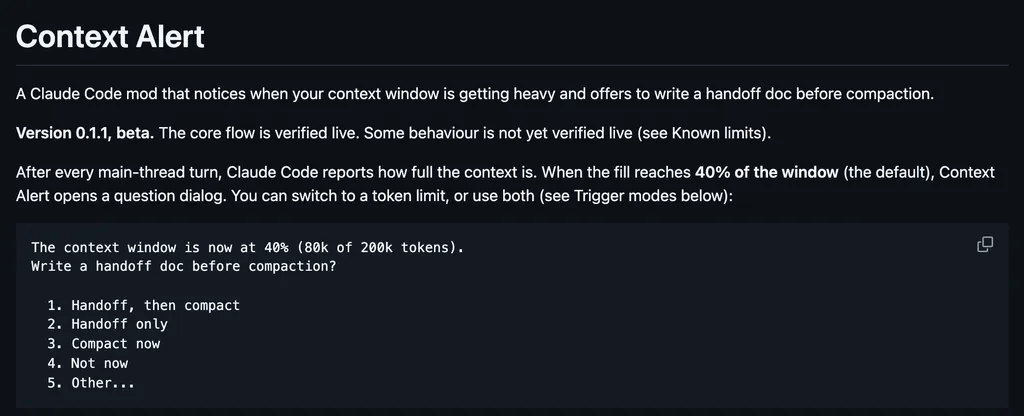
- 107context-alertnathanonnOpens a question dialog when the context window reaches 40 percent, offering to write a handoff doc and then compact, write one only, or compact now.Draws
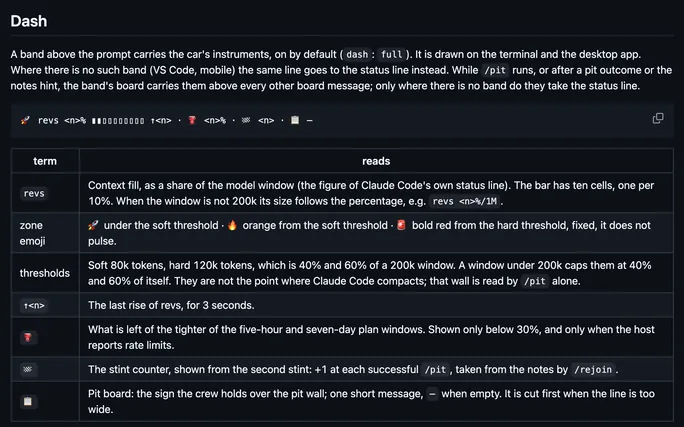
- 108stintdigital-stoic-orgDraws a band above the prompt with context fill, plan headroom, and the stint count, and /pit saves notes, clears, and starts the fresh context from them.Draws
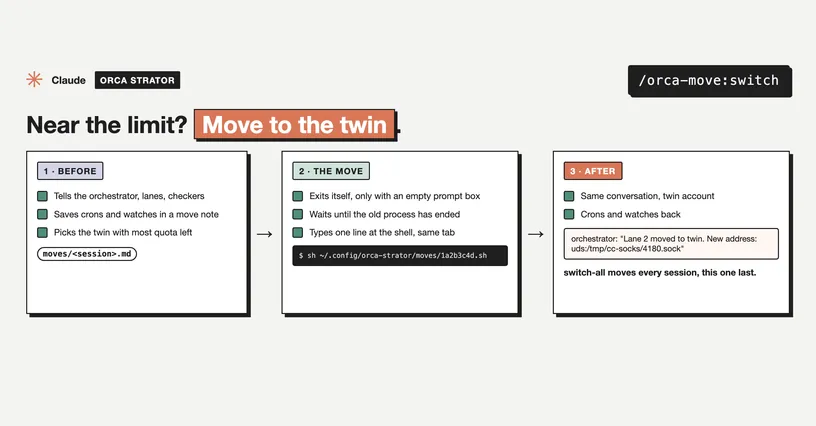
- 109orca-movemutlumehmetMoves a session to a twin account as one nears its usage limit: it runs /exit once the prompt box is empty, or shows a toast asking you to clear it.Draws
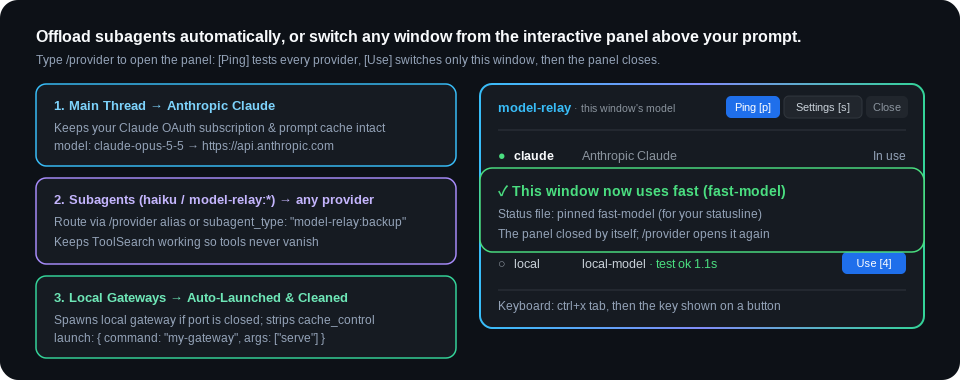
- 110model-relaycablateOpens a panel above the prompt to switch this window to another model provider, routes subagents to providers, and fails over when Claude returns a 429.Draws
- 111rtk-gainrtk-aiDraws what RTK saves while Claude works: a band above the prompt, the saving in the spinner, and a /rtk-gain pane where a viking breaks the saved tokens.Draws
- 112tokendoctorrsaryevShows where your Claude Code tokens went, audits your settings with 33 checks, and changes a setting only after a dialog shows the change and you press Apply.Draws
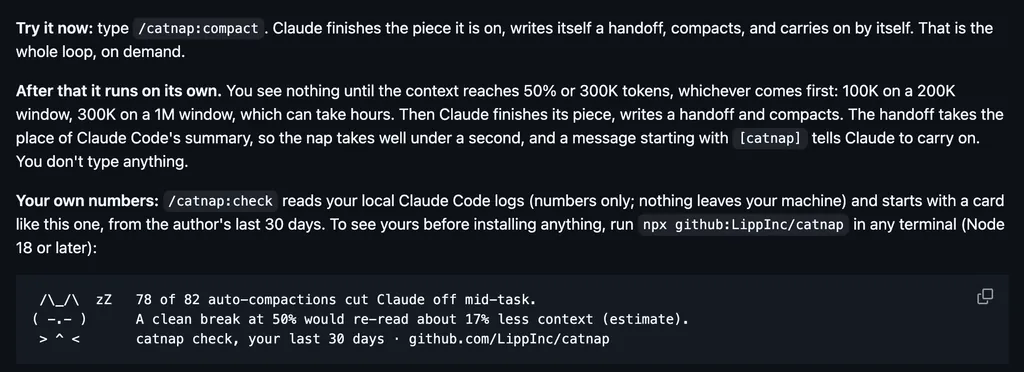
- 113catnapLippIncHas Claude compact at a clean break: from 50% of the context it asks Claude to finish the piece it is on, write a handoff, and compact, then carry on by itself.Draws
- 114pitwallaxlaserDraws live cost, cache, and limits above the prompt and in a side panel, with a card per subagent you can stop, and fourteen themes that repaint Claude Code.Draws
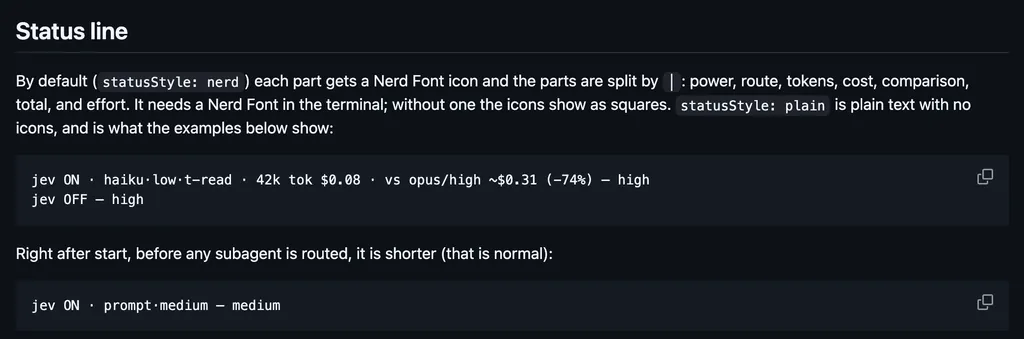
- 115jev-routerdominicricoAsks TypeSafe's Jev which Claude model and effort fit each prompt, step, and subagent, runs it there, and draws every pick in a band above the prompt.Draws
- 116usage-statsomeerdvrnOpens a /usage-stats pane of this machine's Claude Code tokens over 7 days, 30 days, or all time, by day, project, and model, with Linear issues closed.Draws
- 117claujev-modCivalskiDraws a status line of the checks and actions TypeSafe's Jev made today for the ClauJev plugin, with the effort Jev suggests, and can apply that effort.Draws · Holds
- 118jev-orchestratorhiyokuSends each subagent's task to TypeSafe's Jev, which picks its model, effort, and tool profile, and draws the picks, tokens, and cost on the status line.Draws
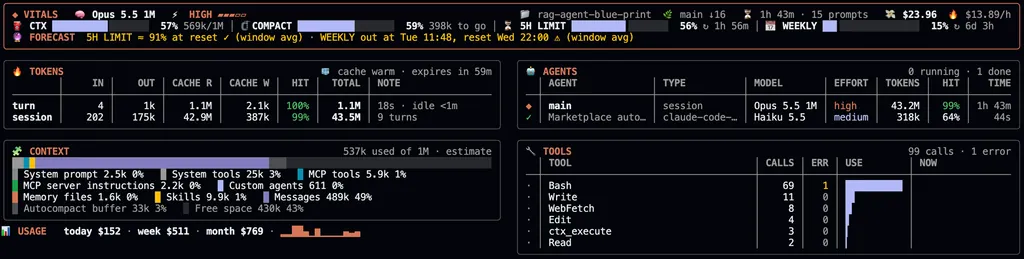
- 119vitalsnaicudDraws a framed live dashboard above the prompt: model, effort, context, plan limits with a forecast, cost, tokens and cache, subagents, shells, and tools.Draws
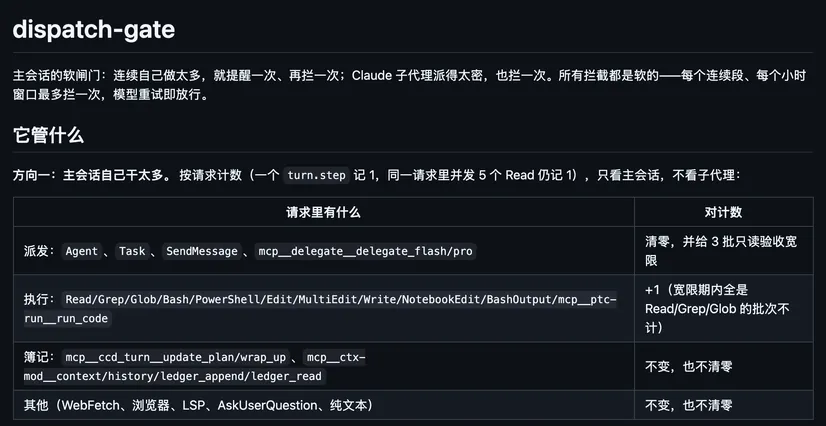
- 120dispatch-gatewdsewdser-bitRefuses one tool call once the main session has made 8 requests in a row itself, and a subagent past 3 an hour, so Claude hands work out. A retry goes through.Holds
- 121usage-baromeerdvrnDraws your 5-hour and 7-day plan limits under the prompt, used or left, with the git branch and file counts, the model, context, and the session's cost.Draws
- 122limitsRyan-LTDraws a band above the prompt with the 5-hour and weekly limits, a pace warning, and context fill, and toasts at 75%, 90%, and 100%.Draws
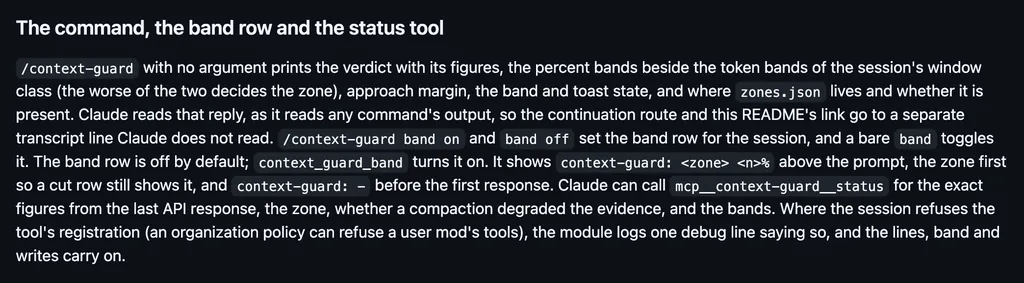
- 123context-guardmelodic-softwareShows a toast when the session's context crosses into a worse zone, smart, acceptable, or dumb, and can draw the zone and percent in a row above the prompt.Draws
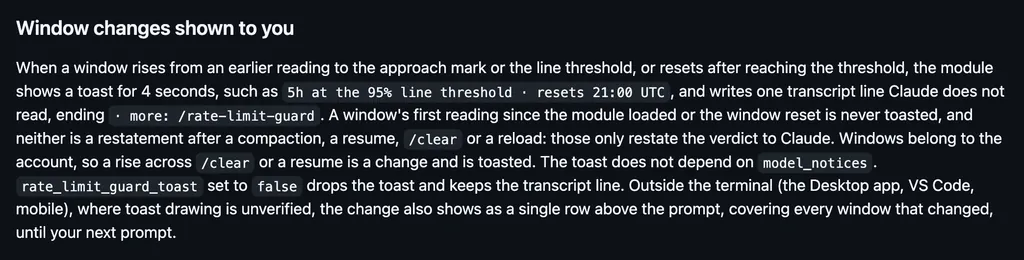
- 124rate-limit-guardmelodic-softwareShows a toast when the account's 5-hour or 7-day rate-limit window reaches 90% or 95% and when it resets, and can draw both windows in a row above the prompt.Draws
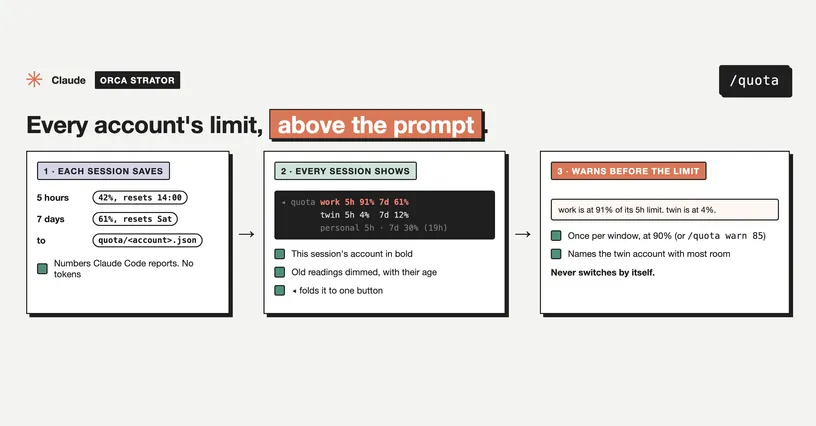
- 125orca-quotamutlumehmetDraws the 5-hour and 7-day usage of every Claude account on this machine in one band above the prompt, and warns once before the current account hits its limit.Draws
- 126context-keepermishgoldenbergOpens a pane of what fills the context window with tips to trim it, and saves a handoff note of the goal, decisions, files, and TODOs to .claude/checkpoints/.Draws
- 127usage-metermishgoldenbergOpens a pane of the 5-hour and 7-day plan limits with reset countdowns, burn rate and when a limit fills, session cost, cache hit ratio, and tokens per turn.Draws
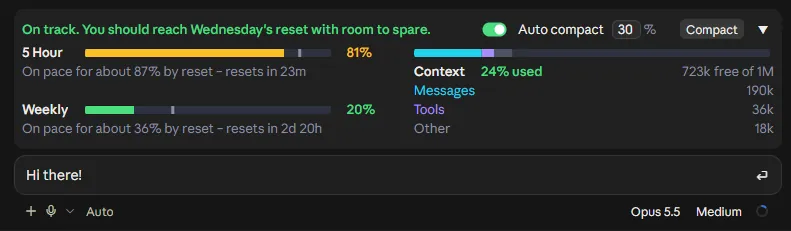
- 128usage-quotaanantraghunathDraws the 5-hour and weekly limits with a forecast at reset and the context window above the prompt, with a Compact button and Auto compact at a set percent.Draws
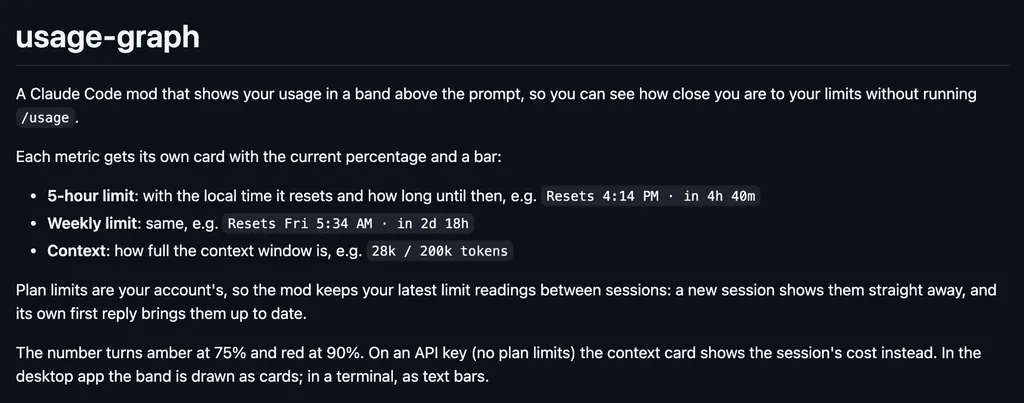
- 129usage-graphdonvitoDraws cards above the prompt for the 5-hour limit, the weekly limit, and the context window, each with its percentage, a bar, and when it resets.Draws
- 130wavy-usageBatuhanCakmakkDraws liquid-filled rings above the prompt for the 5-hour and 7-day limits, the context, and the prompt cache, a jet for the effort, and a pane of recent turns.Draws
- 131usage-band-modjonathanlocksDraws one line above the prompt with the model, session cost, context, the 5-hour and weekly limits, and a per-model weekly limit, led by a pixel crab mascot.Draws
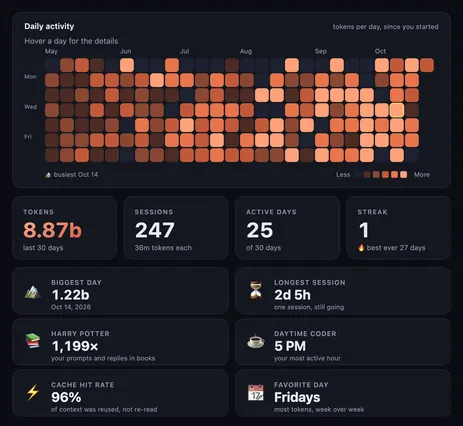
- 132usage-statsconnorchuang32Opens /usage-stats in the desktop app: a heat map of tokens per day, trends and models tabs, and a Wrapped-style card you can save as an SVG.Draws
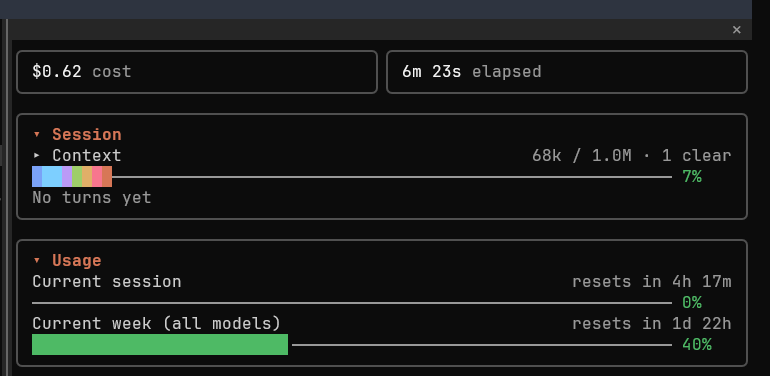
- 133session-infodougcunhaOpens a pane of the session: context, cost, prompt cache, plan usage, agents, checks, CI runs, and Git, and holds a prompt that would rewrite an expired cache.Draws · Holds
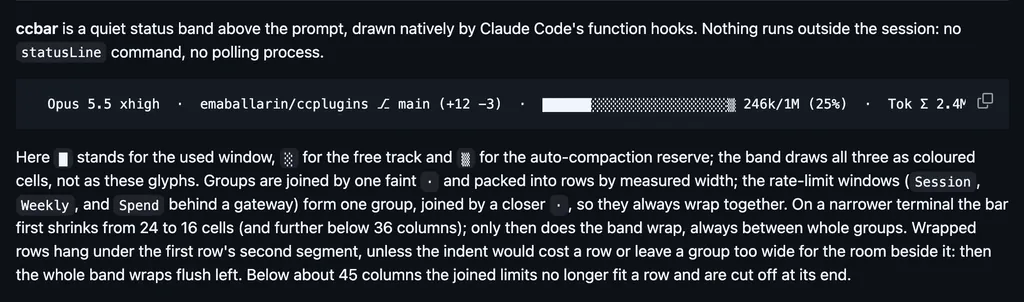
- 134ccbaremaballarinDraws a quiet band above the prompt: model and effort, the GitHub repo and branch with lines changed, a context bar split as /context, tokens, and plan limits.Draws
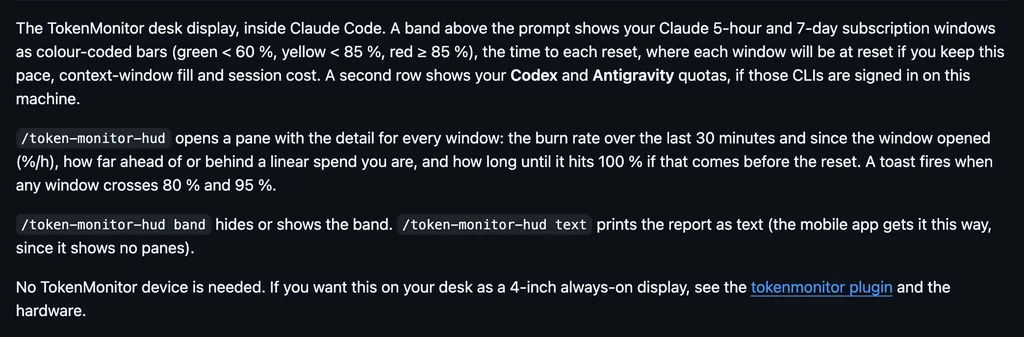
- 135token-monitor-hudfractal-manifoldDraws the 5-hour and 7-day windows above the prompt with reset times and where each lands at this pace, plus Codex and Antigravity quotas if they're signed in.Draws
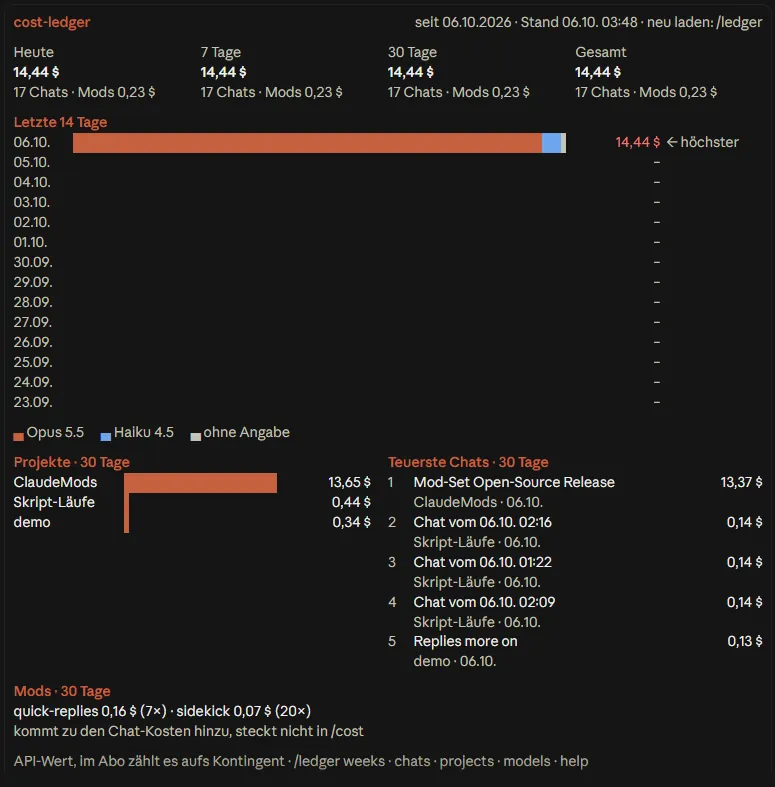
- 136cost-ledgerFynnXlandKeeps a ledger of what every chat cost, plus other mods' model calls, and draws /ledger: today, 7 and 30 days, projects, top chats, models, and plan limits.Draws
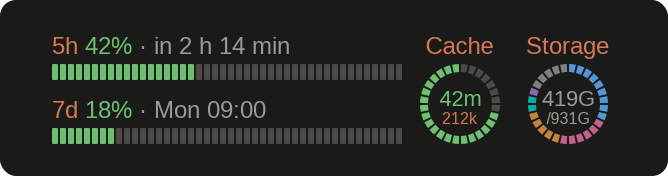
- 137limit-barsFynnXlandDraws the 5-hour and weekly limits as two slim bars above the prompt, a ring for how long the prompt cache stays warm, and asks before a costly cold send.Draws
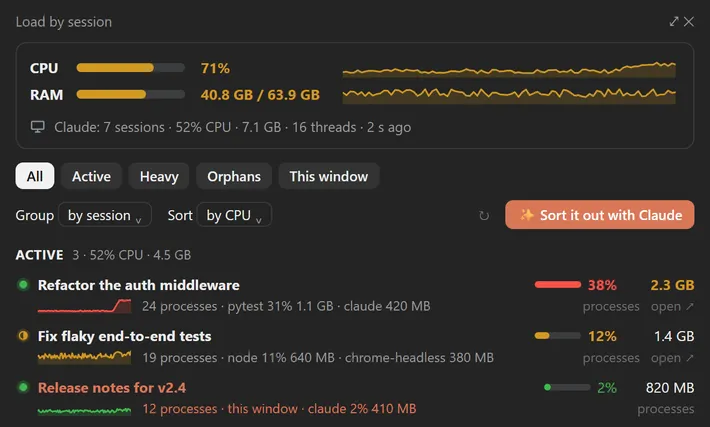
- 138claude-loadGerruxOpens a /load pane of CPU and memory per Claude Code session, with orphaned dev servers you can end, and draws a load line above the prompt under high load.Draws
- 139smart-compacthellosverreOffers /compact in a dialog above the prompt at good moments: after a commit, when tests go green, before the prompt cache expires, or when Claude asks.Draws
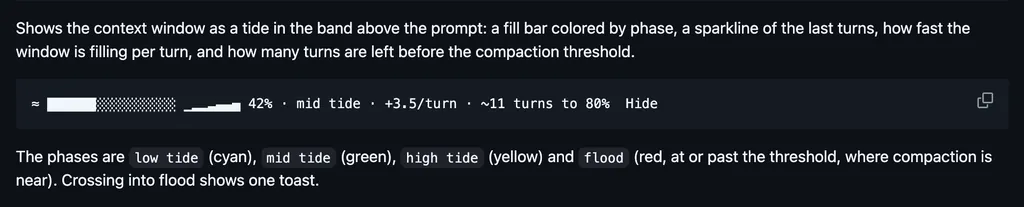
- 140tideHula-Hoop-AIDraws the context window as a tide above the prompt: a fill bar by phase, a sparkline of recent turns, the rise per turn, and turns left before compaction.Draws
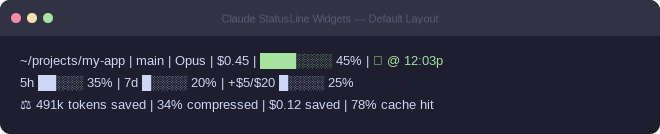
- 141cache-ttl-statuslineJerrettDavisDraws session, plan-limit, and Headroom lines with model, cost, context, and a cache TTL that turns yellow then red, below the prompt or, in mod mode, above it.Draws
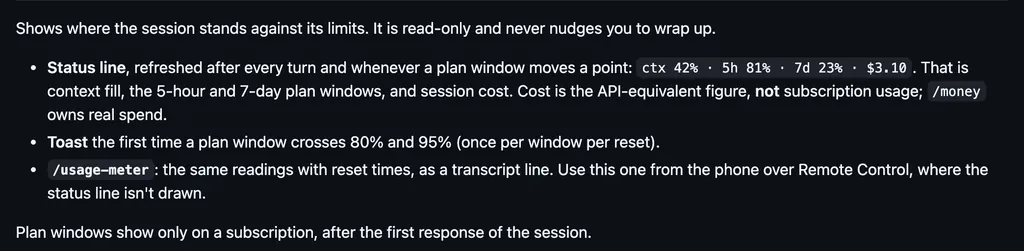
- 142usage-meterLeeHigma0201Shows context fill, the 5-hour and 7-day plan windows, and session cost on the status line, and toasts when a plan window crosses 80% and 95%.Draws
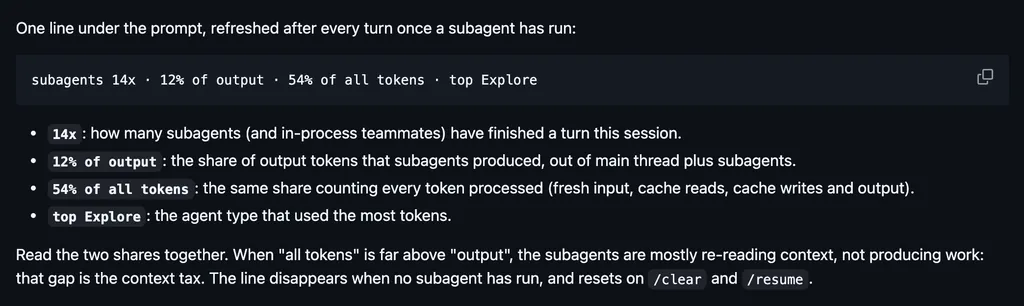
- 143subagent-meterNarenDawarShows on the status line how many subagents ran, their share of output tokens and of all tokens, and the agent type that used the most.Draws
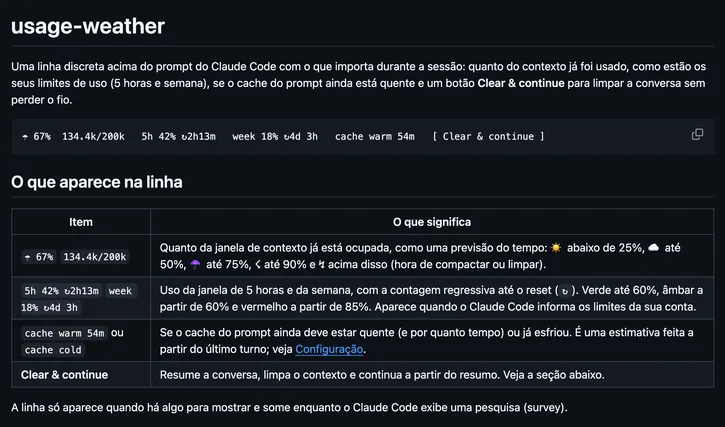
- 144usage-weatherptpmediabrDraws one line above the prompt with the context as a weather icon, the 5-hour and weekly limits with resets, cache warmth, and a Clear & continue button.Draws
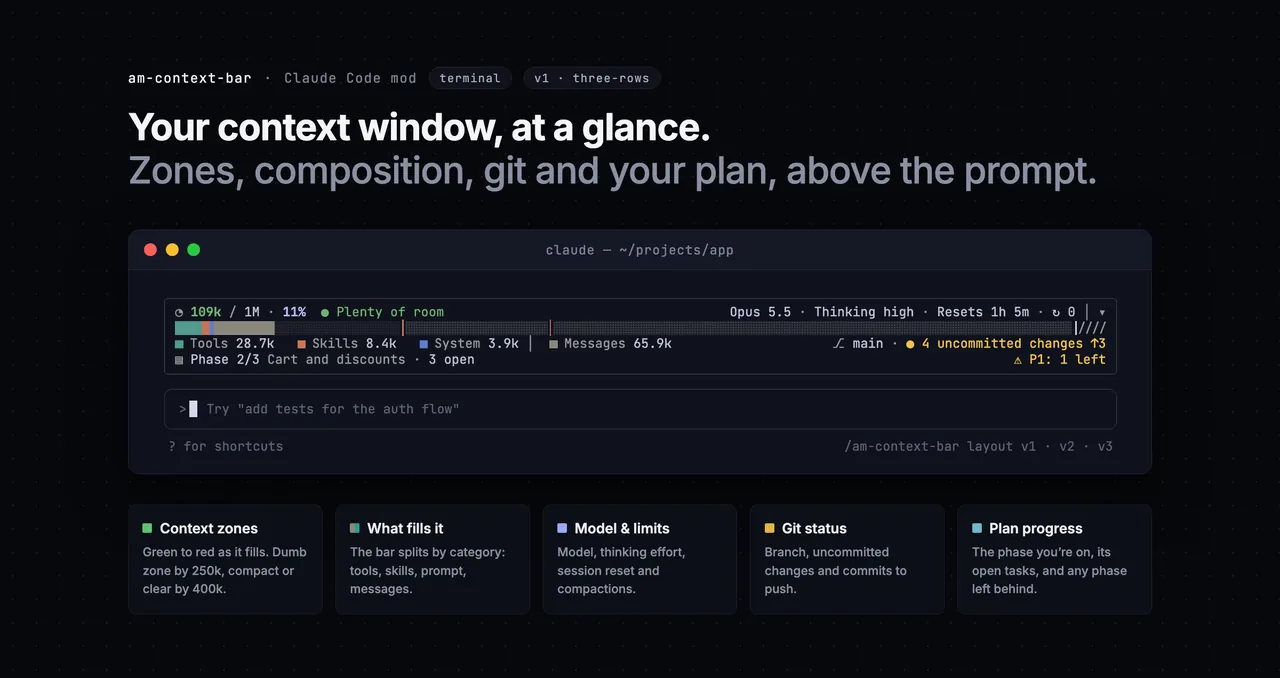
- 145am-context-barromnycristopherDraws a card above the prompt with context use against where quality drops, what fills it, turns left, limits, git status, and the phase of a plan you're on.Draws
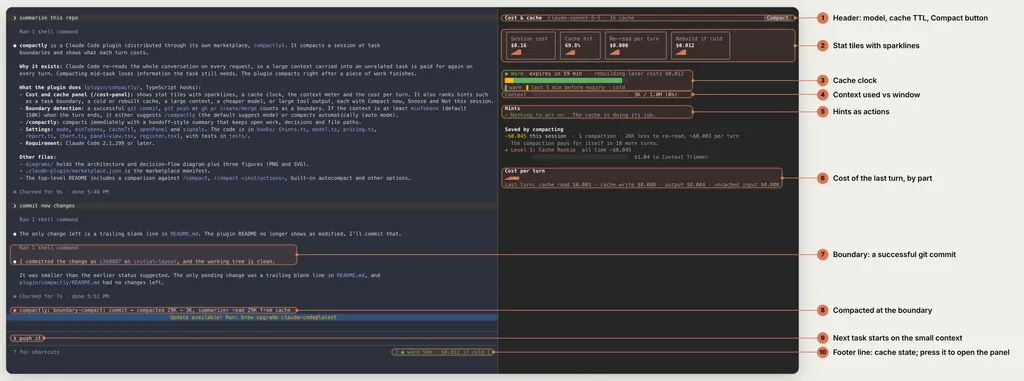
- 146compactlyswapnildahiphaleOpens a cost and cache pane with each turn's cost and when the cache goes cold, and compacts at a natural break a Sonnet judge picks, with a handoff summary.Draws
- 147cache-meterT-AI-LabsDraws one row above the prompt with how much of the last turn the prompt cache served, how long it stays warm, and a Keep warm switch that refreshes it.Draws
- 148context-meterT-AI-LabsDraws one row above the prompt with the context fill against an auto-compact threshold you pick, and Compact and Clear buttons.Draws
- 149usage-limitsT-AI-LabsDraws one row above the prompt with how much of the 5-hour and weekly limits is used, with the time until each resets.Draws
- 150context-usageT-AI-LabsDraws the context fill with an auto-compact threshold, Compact and Clear buttons, and the 5-hour and weekly limits in two rows above the prompt.Draws
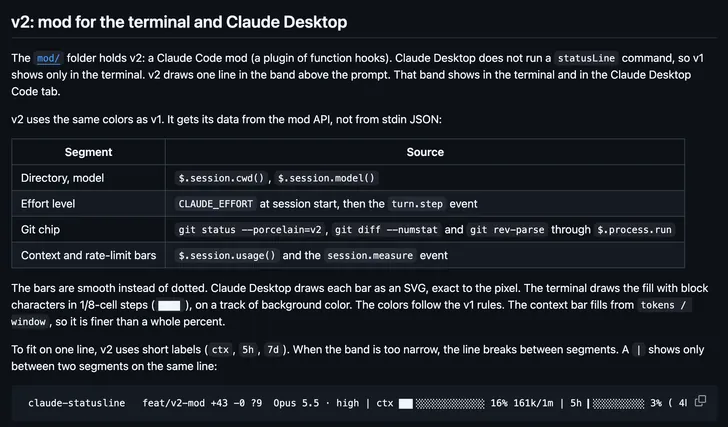
- 151rich-statuslineTheBabaYagaDraws one line above the prompt with the directory, git branch and changes, model and effort, and bars for context and the 5-hour and 7-day limits.Draws
- 152cachebeat404MayankKeeps the prompt cache warm while you are away with a small background request, and draws a beating heart under the prompt and a beat count under your turn.Draws
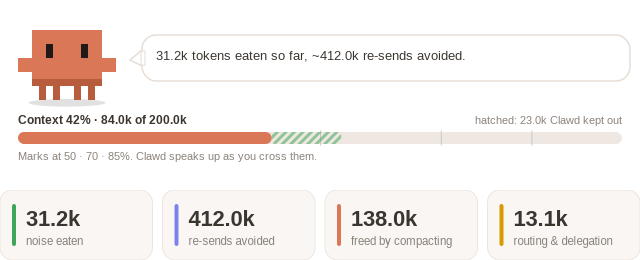
- 153tokensaverAGregDevPuts Clawd in a pane and a band above the prompt, trims noisy shell output before Claude reads it, warns as the context fills, and routes subagents by tier.Draws
- 154colorwheelAlexeyHRDesignDraws a band in the desktop app with your 5-hour and 7-day limits on its edges and the context as weather, and redraws replies with full-width diagrams.Draws
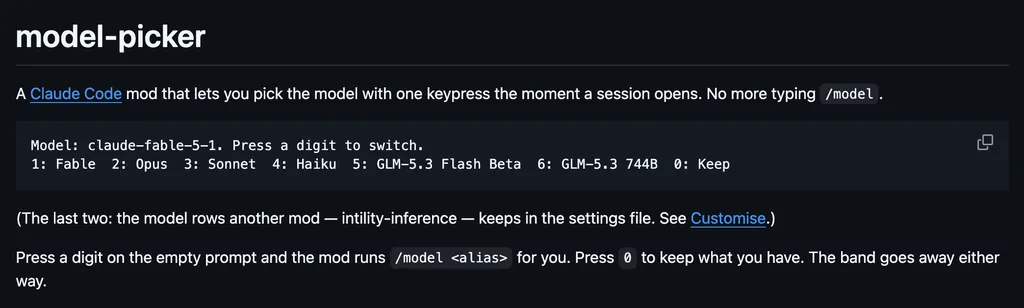
- 155model-pickeralfredtmDraws a band above the prompt when a session opens that lists the models by digit, and runs /model for the one you press; 0 keeps the current one.Draws
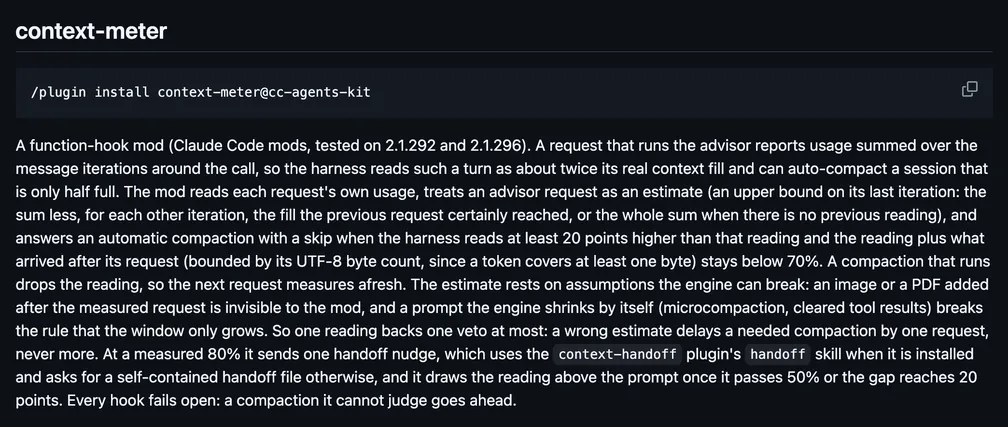
- 156context-meterAndrewDongminYooDraws the measured context fill above the prompt past 50%, and skips an auto-compact set off when an advisor request makes the session read twice as full.Draws
- 157effort-cycleAnercoSteps the effort level of the agent in view with Ctrl+↑ and Ctrl+↓, and draws it as a colored meter in the footer and in each subagent's tasks list row.Draws
- 158dotclaudeCarloArnoneOpens a Workspace pane of live context, rate-limit, and cost traces with ten panels, and refuses Claude's file edits until your message approves.Draws · Holds
- 159dashbandEgonLeitnerDraws how long the prompt cache has left, the context fill, and the 5-hour and weekly limits against their pace, in the footer and as a band above the prompt.Draws
- 160codemodeejklockGives Claude one tool that runs a JavaScript script calling the session's own tools, so only the output returns, and draws its nested calls live in the row.Draws
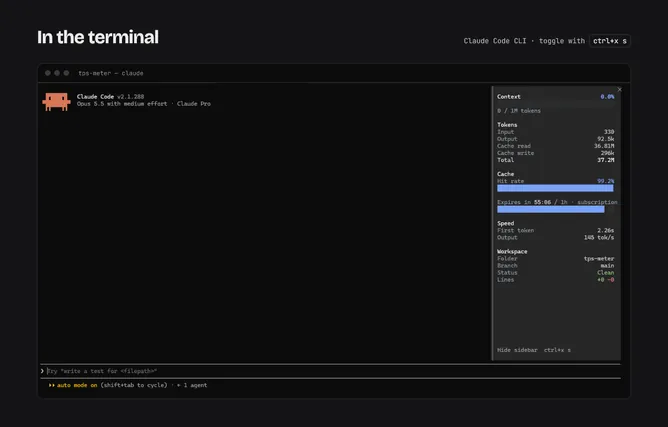
- 161sidebarFayequePDocks a stats sidebar beside the chat: tasks, context, tokens, the limits or cost a session used, cache hit rate and expiry, output speed, and git.Draws
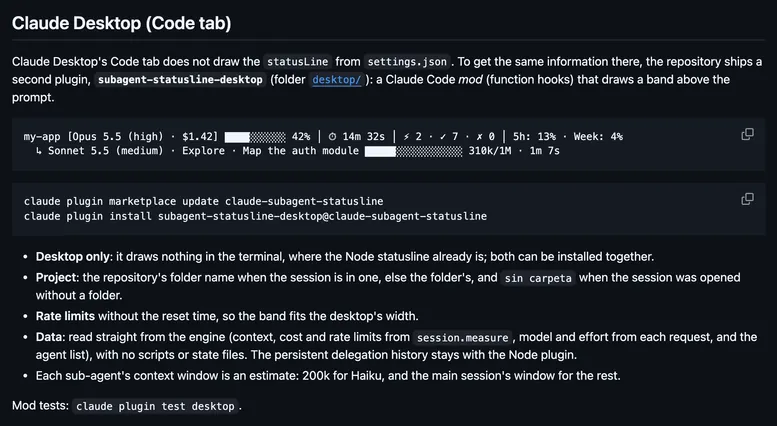
- 162subagent-statusline-desktopGerardoFC8Draws the subagent statusline as a band above the prompt in the desktop app: model, effort, cost, context, running subagents, and the 5-hour and weekly limits.Draws
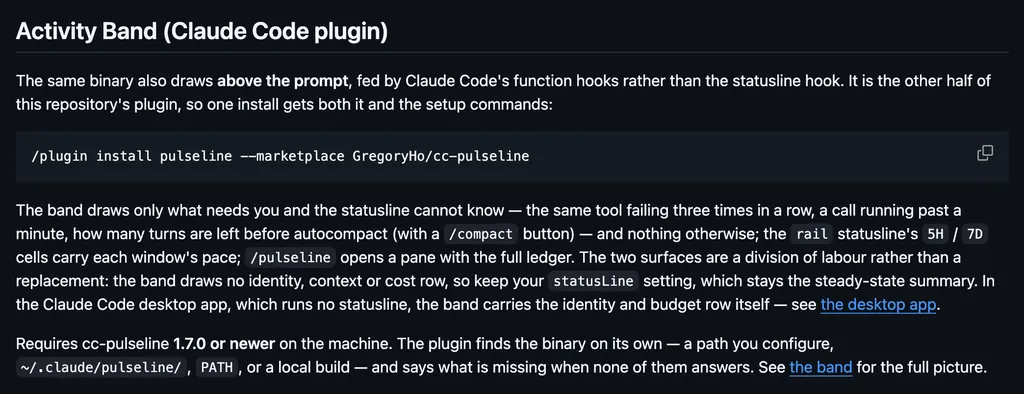
- 163pulselineGregoryHoDraws a band above the prompt when a tool fails three times in a row, a call runs past a minute, or autocompact is a few turns off; /pulseline opens a ledger.Draws
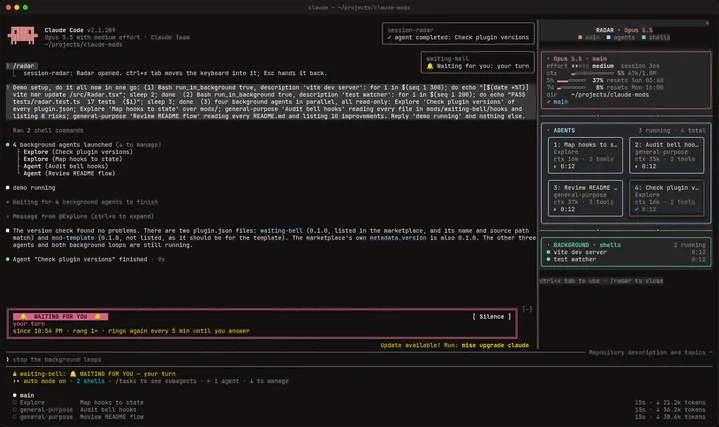
- 164session-radaribrahimkobeissyDocks a sidebar of limits, context, subagents, MCP servers, skills, background shells, and the task list, with a toast when a shell or agent ends.Draws
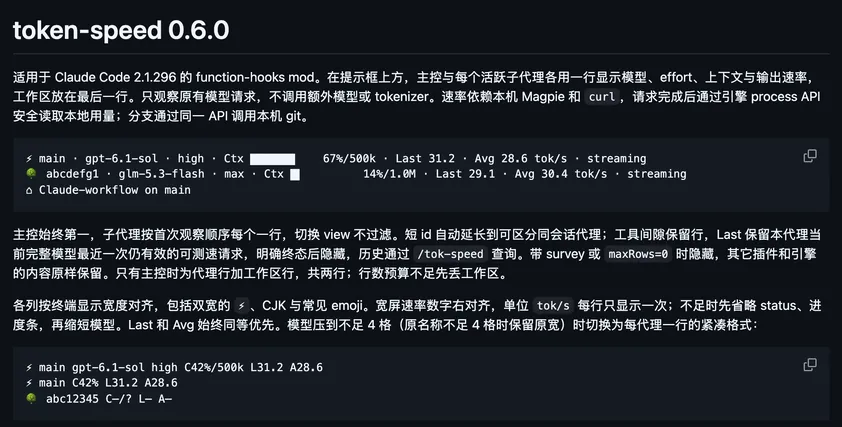
- 165token-speedliuyejinghongDraws a line above the prompt for the main agent and each running subagent: model, effort, context fill, and the last and 24-hour output speed from Magpie.Draws
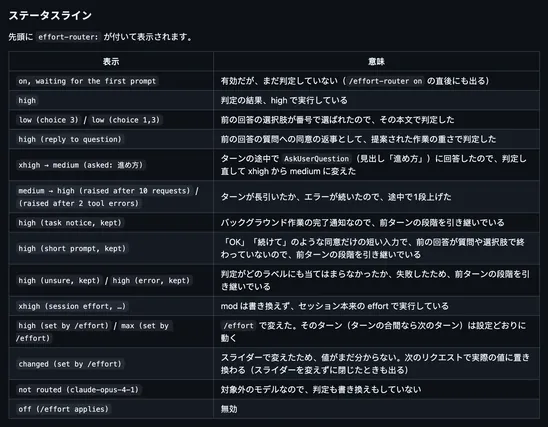
- 166effort-routernextscapePicks the main thread's effort for each prompt with a Haiku judgment, raises it a level when a turn runs long, and shows the level on the status line.Draws
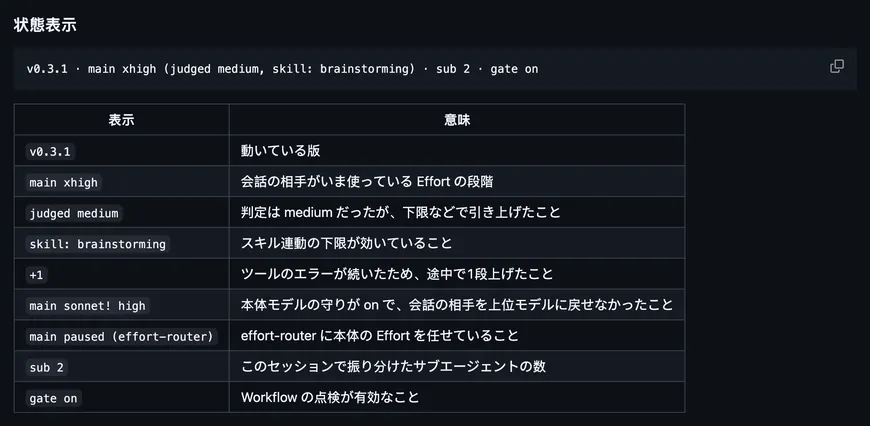
- 167quality-routernextscapePicks each prompt's effort and each subagent's model and effort with Haiku, refuses rule-breaking Workflow scripts, and shows its state on the status line.Draws · Holds
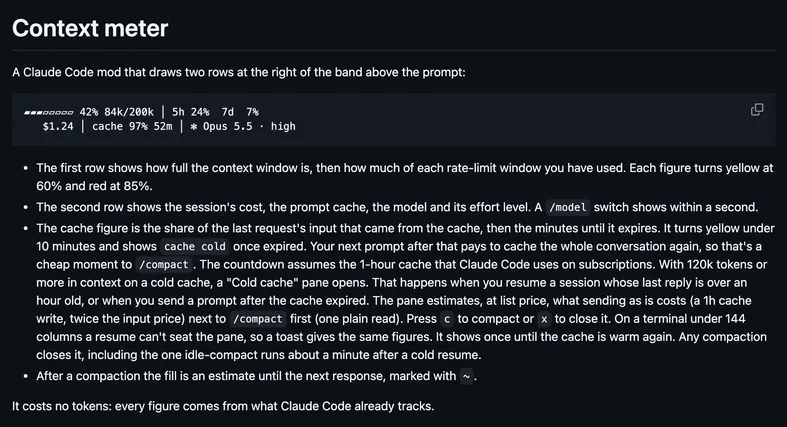
- 168context-meternoash-xrcDraws two rows at the right of the band above the prompt: context fill, the rate-limit windows, session cost, the prompt cache, the model, and its effort.Draws
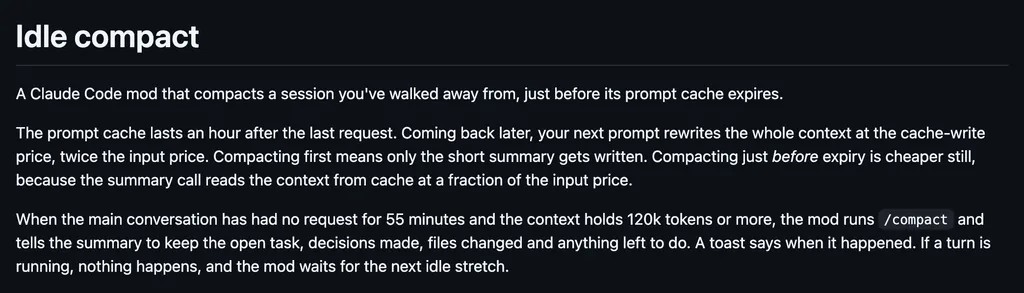
- 169idle-compactnoash-xrcRuns /compact on a session idle for 55 minutes with 120k tokens or more, just before the prompt cache expires, and shows a toast when it did.Draws
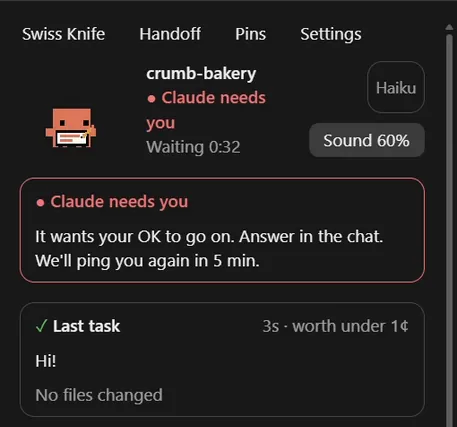
- 170swiss-knifenocodehackChimes and turns its strip red when Claude needs you, forecasts when plan limits run out, writes handoffs, and asks before destructive commands.Draws · Holds
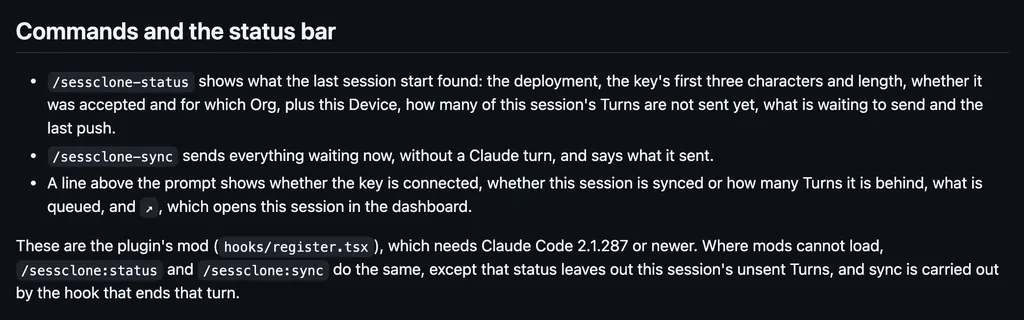
- 171sesscloneNotTahaAliReports each turn's tokens, model, and timings to a SessClone dashboard, with a line above the prompt that shows whether this session is synced.Draws
- 172context-widgetoMaN-RodDraws the context window as a stacked bar, one color per /context category, on a card under the prompt or docked beside the transcript.Draws
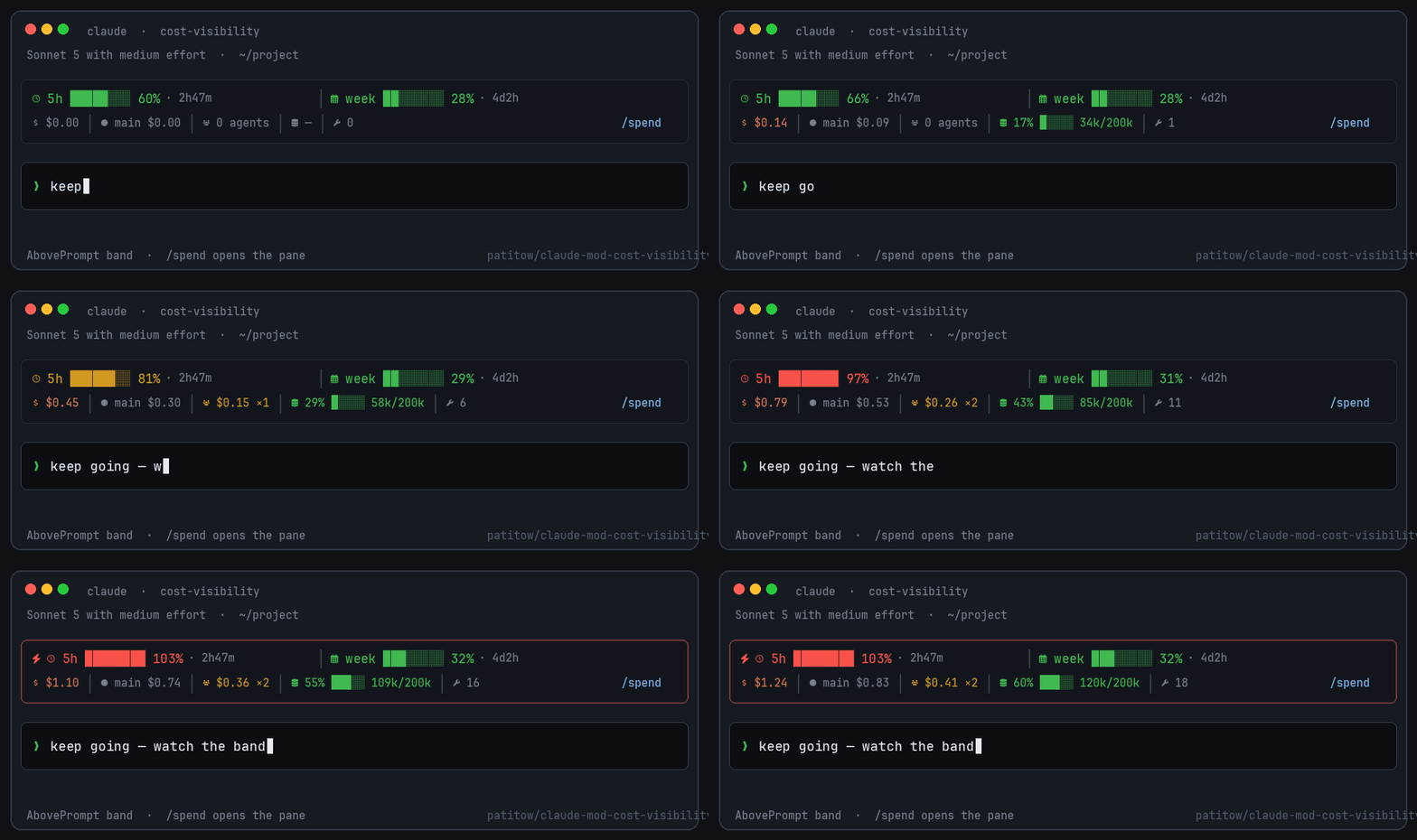
- 173cost-visibilitypatitowDraws a two-line band above the prompt with the plan windows, this chat's list-price cost split into main and subagents, and context. /spend opens a pane.Draws · Holds
- 174usage-barspepperonasShows the 5-hour and 7-day limits as animated bars under the prompt, with a reset countdown, a pace mark, a projection, and six styles.Draws
- 175clawd-dashpinkpixel-devDraws a session dashboard under the prompt: plan limits, context, cost, model, effort, git status, and file changes, beside a pixel Clawd who reacts.Draws
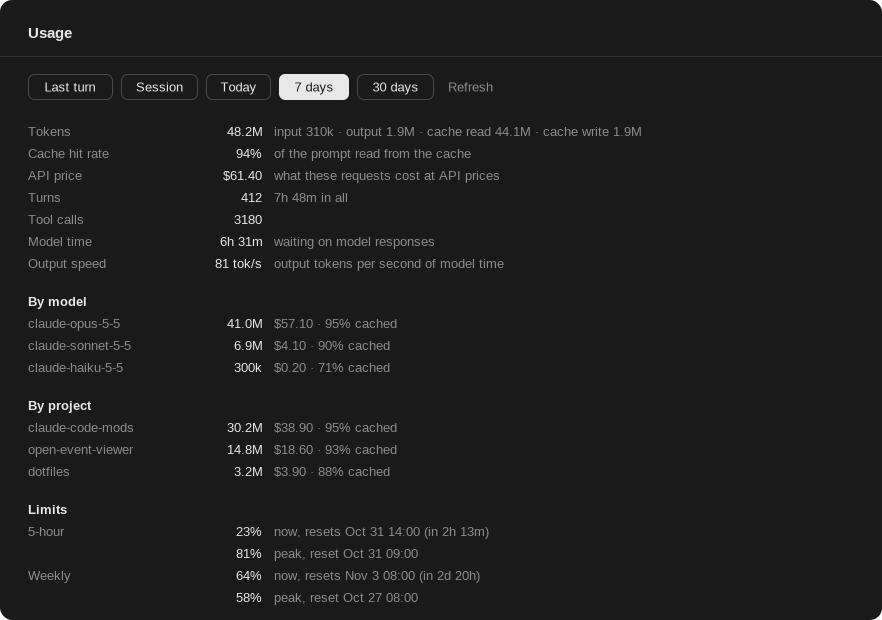
- 176usage-paneT-AI-LabsOpens a /tokens pane that adds up tokens, cache hit rate, and API price by day, model, and project, and lists each session's prompts by cost and why.Draws
- 177ribbonrobonuggetsDraws a slim band above the prompt with the 7-day and 5-hour usage left and when each resets, and whether the prompt cache is warm or cold with the next cost.Draws
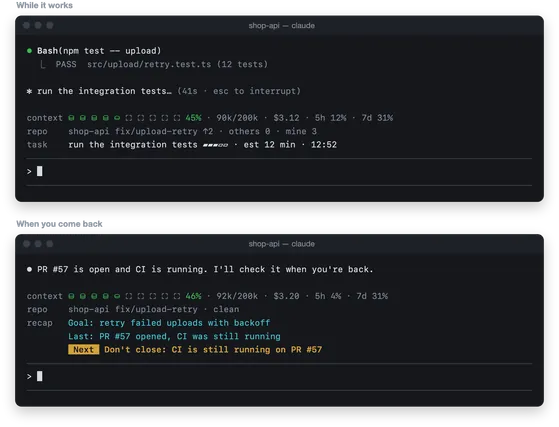
- 178hudlycfyiDraws a heads-up display above the prompt: context fill, repo state, turn progress with time estimates, and a recap with an automatic /whats-next after a break.Draws
- 179automodemralexivyPicks the model and effort for each prompt, draws a bar above the prompt with context, cache countdown, cost, and savings, and denies git writes from subagents.Draws · Holds
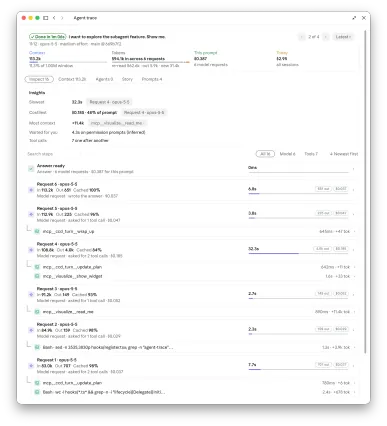
- 180agent-tracekrika2810Draws a pane beside the chat that lists every step after a prompt: each model request, tool call, and subagent, with time, tokens, context, and API-rate cost.Draws
- 181idle-compactdavidarCompacts an idle session after 50 minutes, while the prompt cache is still warm, and pins a status line under the prompt with the before and after sizes.Draws
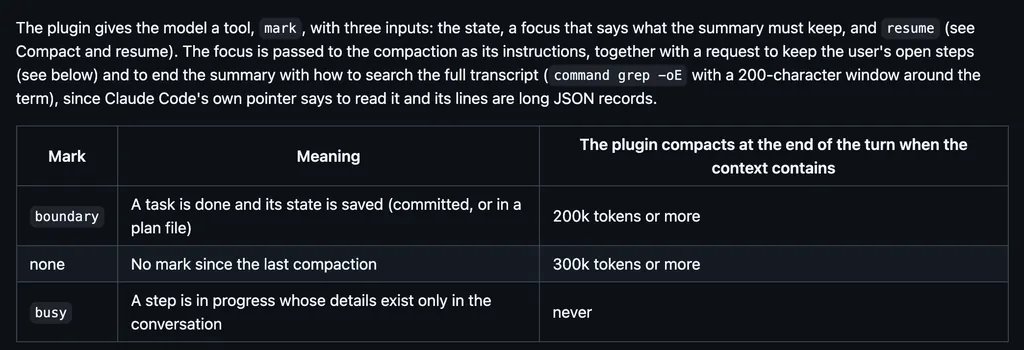
- 182compact-timinglbzepoqoLets the model mark task boundaries and compacts at the end of a turn once the context passes 200k tokens, then resumes the work; a toast shows each compaction.Draws
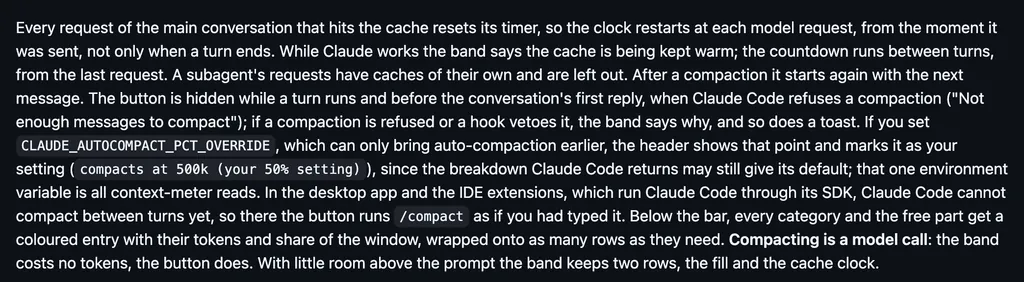
- 183context-metervumichienDraws a band above the prompt with what fills the context window by category, a countdown to when the prompt cache expires, and a Compact button.Draws



























































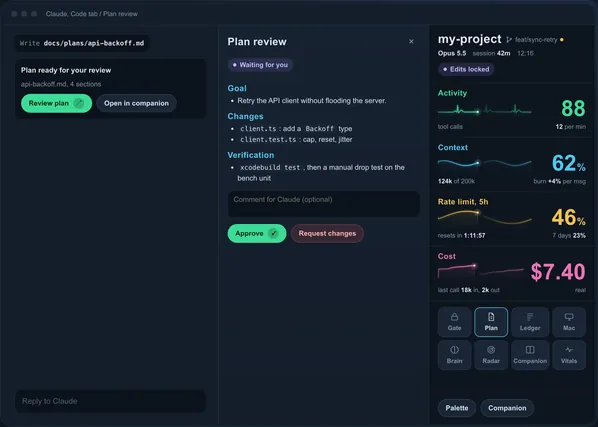

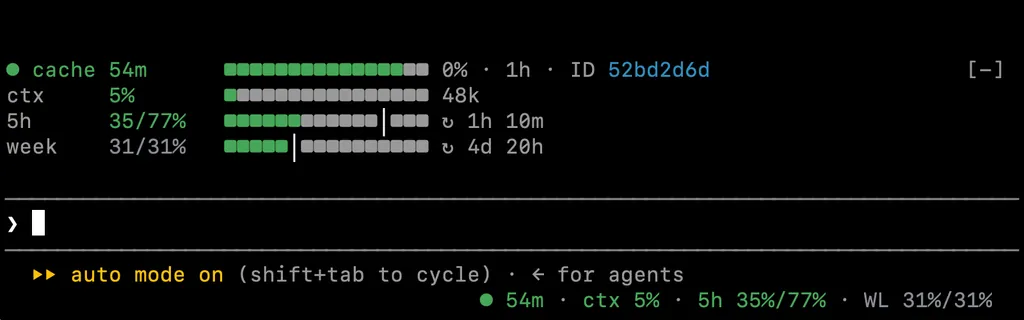

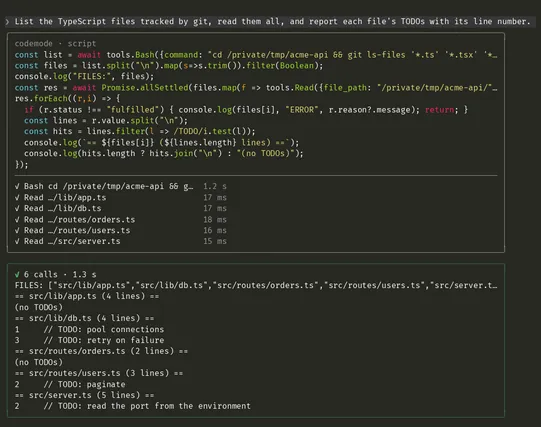























101–183 of 183 mods in Usage
What makes a plugin a mod?
It draws inside the session, like a pane, a status line, or a band above the prompt, or it holds a command before it runs. Plugins that do neither are under Plugins.
How is a mod different from a hook or a skill?
A mod is JavaScript or TypeScript that Claude Code runs in its own process, so it can draw a pane or a band and rewrite tool calls, prompts, and commands. A hook in settings.json runs a shell command, HTTP request, or prompt on an event, and a skill is a SKILL.md file of instructions Claude reads. Neither can draw.
What can a mod reach?
Each mod page lists only what the author's README names: usage figures, file edits, tool calls, the network.
How do I install a mod?
Each mod page has the author's commands. Add the marketplace, then run claude plugin install with the mod's name, an @, and the marketplace's name, or /plugin install inside a session. It needs Claude Code 2.1.287 or later, or 2.1.286 in the Desktop app. A session that is already open loads it after /reload-plugins.
Why doesn't a mod I installed show up?
In a terminal session, /plugin shows a dim line under its tabs, such as 1 mod active · name. If yours is missing, check the version, and that you did not start with --safe-mode or --bare or leave a new folder's trust prompt unanswered. claude plugin test, run in a folder with no mod, says whether a setting, your organization's policy, or Anthropic has turned mods off. A session started with claude --debug logs a not loaded: line with the reason. A loaded mod draws nothing in claude -p or a cloud session, and the VS Code panel draws from extension 2.1.299.
How do I turn mods off?
Mods are on by default. To stop one, disable or uninstall its plugin in the Installed tab of /plugin. To stop every mod you installed, start with --safe-mode for one session, or set disableAllHooks to true in ~/, which also stops your settings hooks and status line. Undo the change to turn them back on.
Where do the pictures come from?
From the author's repo. When there is no demo, the card shows the GitHub page.