ClaudeCodeMod

All shelves / Mods / Usage

cache-ttl-statusline

By JerrettDavis

cache-ttl-statusline is a Claude Code usage mod by JerrettDavis.

Draws session, plan-limit, and Headroom lines with model, cost, context, and a cache TTL that turns yellow then red, below the prompt or, in mod mode, above it.

Draws

Install

The marketplace name is claude-statusline-widgets.

In Claude Code
/plugin marketplace add JerrettDavis/ClaudeStatusLineWidgets
/plugin install cache-ttl-statusline@claude-statusline-widgets
Open the repo

It runs inside the Claude Code process. The side panel is only what the author's README names. Read the repo before you install, or run claude plugin validate on the plugin folder.

Version
1.6.1
License
MIT
Repo stars
4
Last change
2026-10-26

What it can reach

  • Draws in the session
  • Reads usage or context figures
  • Reaches the network or an outside service
  • Calls another program on this machine

Or the same two lines with claude plugin from a shell. Restart Claude Code, or run /reload-plugins. The default hook mode writes a classic statusLine command to settings.json at session start and draws below the prompt. /statusline-mode mod switches to the mod, which draws above the prompt with no settings.json entry and needs Claude Code 2.1.287 or later. The usage line fetches your rate limits every 60 seconds with the OAuth credentials in ~/.claude/.credentials.json. The Headroom line needs ANTHROPIC_BASE_URL pointed at a Headroom proxy. The ccfooter-config TUI, a separate npm install that needs Node.js 22.12 or newer, arranges the 62 widgets.

The marketplace name is claude-statusline-widgets, and it holds only this plugin; the README calls it Claude StatusLine Widgets. The context, cost, and plan-limit lines are why this page files it under usage. cache-timer, by arasovic, draws a countdown above the prompt until the prompt cache expires. statuspane, by xuanji86, draws a card with the model, a context gauge, the plan limits, and session cost. This one draws up to three lines from 62 widgets you arrange in a TUI: the session line ends in the cache TTL, a clock time that turns yellow then red as it nears expiry, the usage line has the 5-hour and 7-day bars, and the Headroom line shows a compression proxy's savings. By default it is a classic status line below the prompt; only mod mode draws it in the session, above the prompt.

Demo

The author's drawing of the default layout with example data: ~/projects/my-app, main, Opus, $0.45, a context bar at 45%, and the cache TTL at 12:03p; then the 5-hour bar at 35%, the 7-day bar at 20%, and overage at $5 of $20; then the Headroom line, 491k tokens saved, 34% compressed, $0.12 saved, and 78% cache hit.
From the author's repo.

What it hooks into

  • session.startWhen a session starts
  • command.runWhen you run its slash command/statusline-mode
  • classic.SessionStartA Claude Code event
  • turn.completeWhen a turn ends
  • session.measureWhen usage is measured
  • ui.renderDraws into the sessionAbovePrompt

Read from the on() calls in its hook modules. Open its source under Files to check what each one does.

Slash commands 1

  • /statusline-modeShow or switch the status line install mode (hook | mod)

Hooks 1

  • SessionStart · *node "${CLAUDE_PLUGIN_ROOT}/scripts/configure-statusline.js" "${CLAUDE_PLUGIN_ROOT}"

Files

The author's README and source, 4 files. They load when you open them.

Facts

Author
JerrettDavis
Category
Usage
Marketplace
claude-statusline-widgets
Repo
JerrettDavis/ClaudeStatusLineWidgets
Version
1.6.1
License
MIT
Repo stars
4
Last change
2026-10-26
Language
TypeScript
Files
118

Other mods in Usage

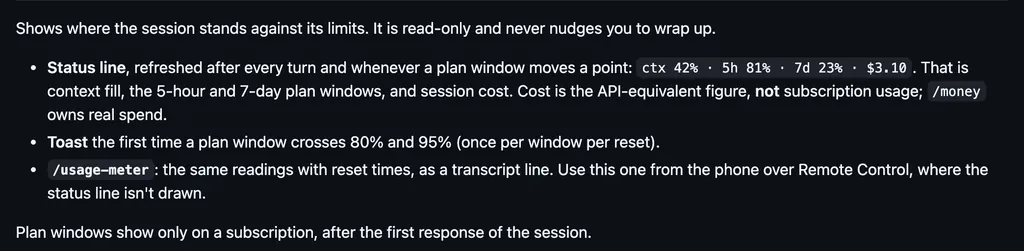
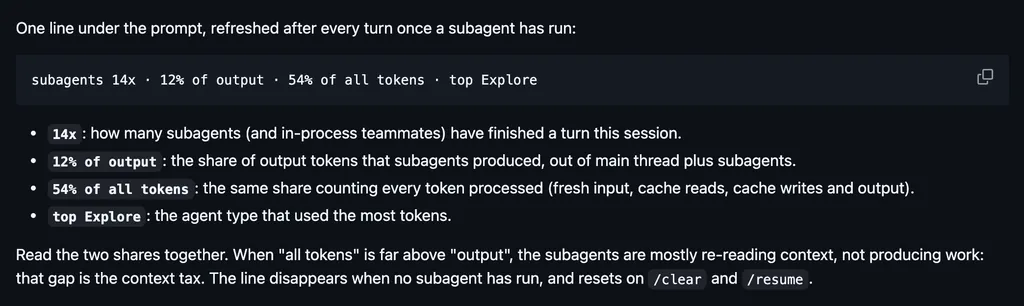
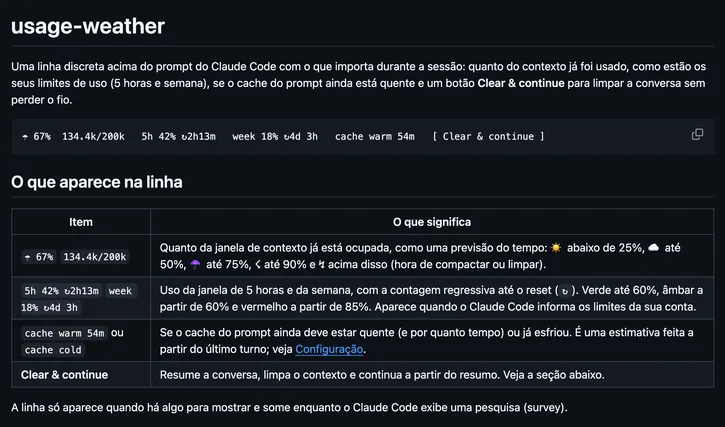
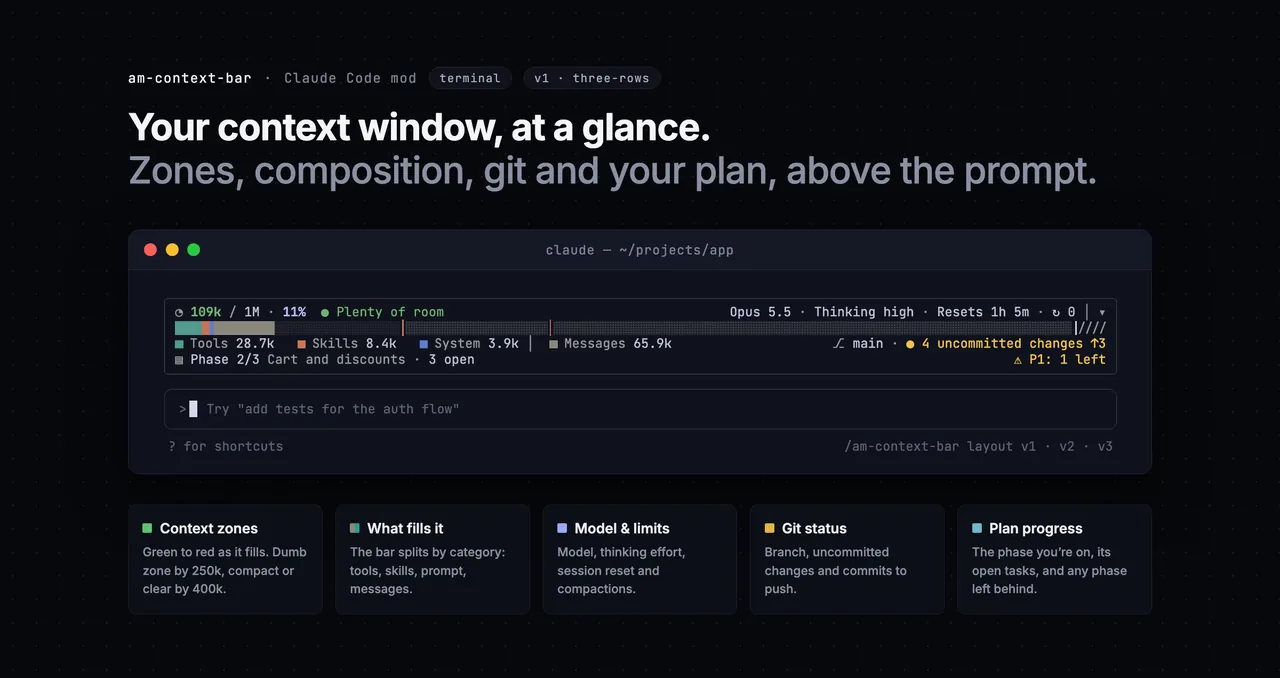
usage-meterLeeHigma0201Shows context fill, the 5-hour and 7-day plan windows, and session cost on the status line, and toasts when a plan window crosses 80% and 95%.subagent-meterNarenDawarShows on the status line how many subagents ran, their share of output tokens and of all tokens, and the agent type that used the most.usage-weatherptpmediabrDraws one line above the prompt with the context as a weather icon, the 5-hour and weekly limits with resets, cache warmth, and a Clear & continue button.am-context-barromnycristopherDraws a card above the prompt with context use against where quality drops, what fills it, turns left, limits, git status, and the phase of a plan you're on.compactlyswapnildahiphaleOpens a cost and cache pane with each turn's cost and when the cache goes cold, and compacts at a natural break a Sonnet judge picks, with a handoff summary.cache-meterT-AI-LabsDraws one row above the prompt with how much of the last turn the prompt cache served, how long it stays warm, and a Keep warm switch that refreshes it.context-meterT-AI-LabsDraws one row above the prompt with the context fill against an auto-compact threshold you pick, and Compact and Clear buttons.usage-limitsT-AI-LabsDraws one row above the prompt with how much of the 5-hour and weekly limits is used, with the time until each resets.context-usageT-AI-LabsDraws the context fill with an auto-compact threshold, Compact and Clear buttons, and the 5-hour and weekly limits in two rows above the prompt.rich-statuslineTheBabaYagaDraws one line above the prompt with the directory, git branch and changes, model and effort, and bars for context and the 5-hour and 7-day limits.cachebeat404MayankKeeps the prompt cache warm while you are away with a small background request, and draws a beating heart under the prompt and a beat count under your turn.tokensaverAGregDevPuts Clawd in a pane and a band above the prompt, trims noisy shell output before Claude reads it, warns as the context fills, and routes subagents by tier.
All 183 in Usage