All shelves / Mods / Usage
cost-visibility
By patitow
cost-visibility is a Claude Code usage mod by patitow.
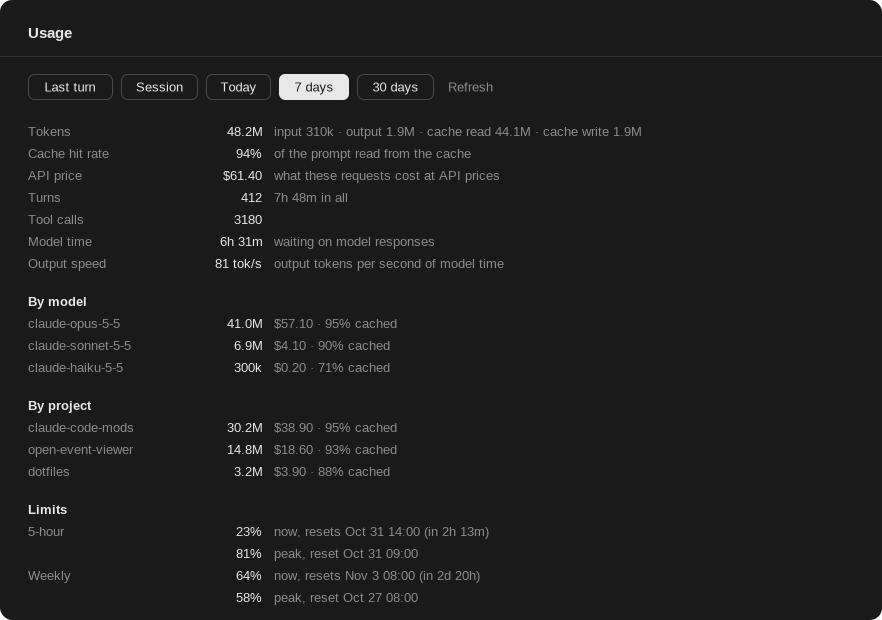
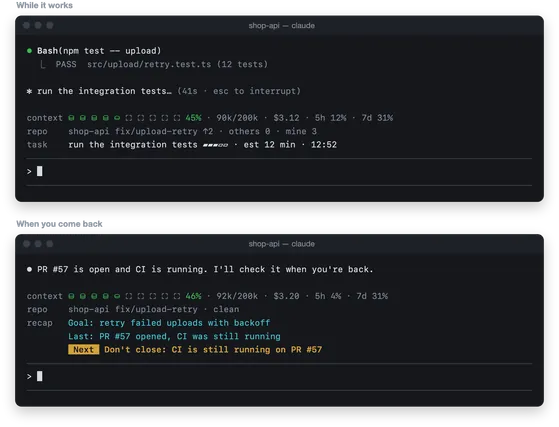
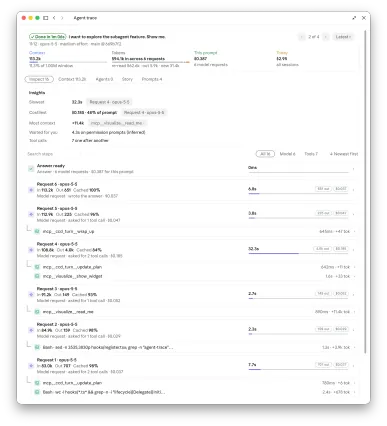
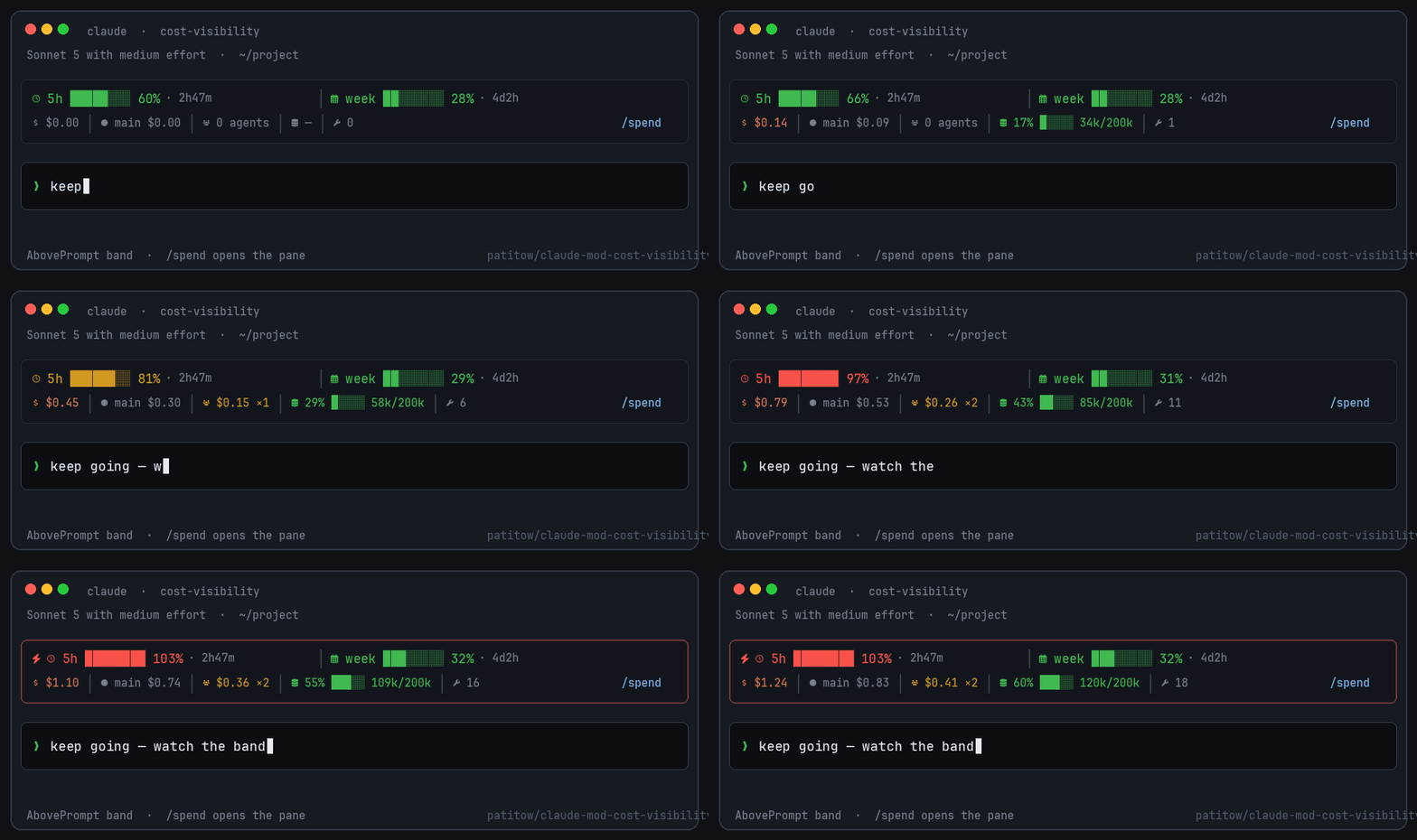
Draws a two-line band above the prompt with the plan windows, this chat's list-price cost split into main and subagents, and context. /spend opens a pane.
DrawsHolds a command
Install
The marketplace name is claude-mod-cost-visibility.
claude plugin marketplace add patitow/claude-mod-cost-visibility
claude plugin install cost-visibility@claude-mod-cost-visibility
It runs inside the Claude Code process. The side panel is only what the author's README names. Read the repo before you install, or run claude plugin validate on the plugin folder.
- Version
- 0.2.0
- License
- MIT
- Repo stars
- 3
- Last change
- 2026-10-06
What it can reach
- Draws in the session
- Reads usage or context figures
- Holds a command
Claude Code 2.1.287 or newer, and a Nerd Font set as the terminal font for the band's icons; without one you get boxes, and the meters and numbers still work. Restart Claude Code after installing. The repo's install.sh checks for a Nerd Font and prints the commands, and a clone loads with claude --plugin-dir. Dollars are API list-price estimates; on a Team or subscription plan they are a burn meter, not your invoice. Cost guards are off by default; /spend caps on, or Cost guards in /config, turns them on.
The marketplace, claude-mod-cost-visibility, holds only this plugin. Cost and plan windows are why this page files it under usage. cost-meter, by Singh-AP, draws session cost, context, and the windows on the status line, with an optional budget that asks before the next tool call. turn-budget, by VedantAndhale, stops a turn that passes the limit you set. This one splits this chat's cost between the main session and subagents, shows a gateway spend cap where there is one, and adds a suffix to the spinner. With cost guards on, it blocks /code-review at max, xhigh, ultra, or braba, background agents, and multi-angle fan-out, through prompt.submit and agent.spawn gates. The README says it makes no network calls and sends nothing to the model.
Demo
What it hooks into
session.startWhen a session startsconfig.setA Claude Code eventsession.measureWhen usage is measuredturn.completeWhen a turn endstool.callAround a tool call, where it can hold oneagent.spawnWhen a subagent startsprompt.submitWhen you send a promptcommand.runWhen you run its slash command/spendui.renderDraws into the sessionAbovePromptSpinnerPane
Read from the on() calls in its hook modules. Open its source under Files to check what each one does.
Slash commands 1
/spendCost HUD pane. /spend · /spend close · /spend caps [on|off]
Files
The author's README and source, 4 files. They load when you open them.
Facts
- Author
- patitow
- Category
- Usage
- Marketplace
- claude-mod-cost-visibility
- Folder
- plugins/cost-visibility
- Version
- 0.2.0
- License
- MIT
- Repo stars
- 3
- Last change
- 2026-10-06
- Language
- JavaScript
- Files
- 5