usage-quota is a Claude Code usage mod by anantraghunath.
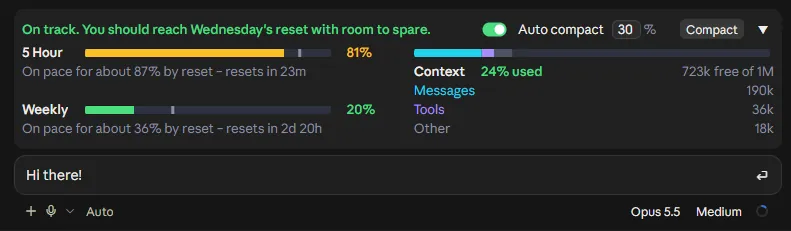
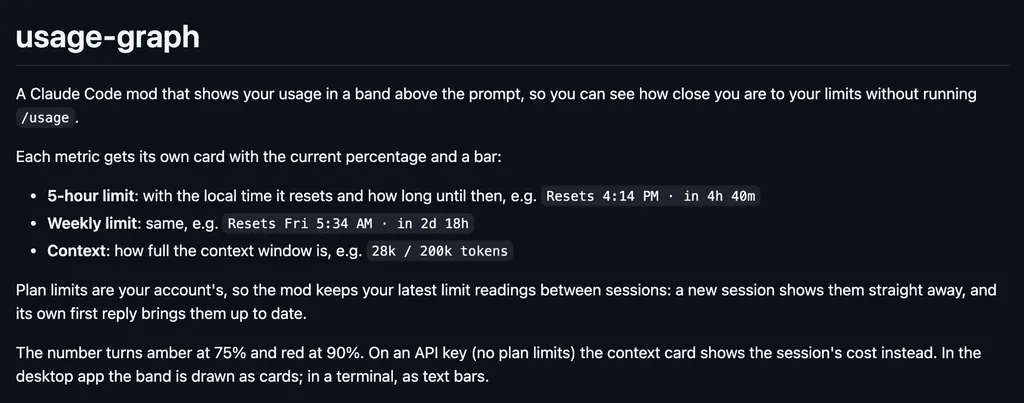
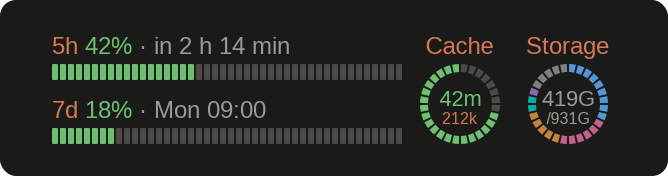
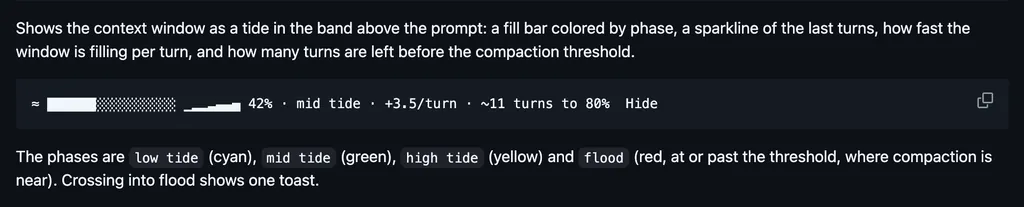
Draws the 5-hour and weekly limits with a forecast at reset and the context window above the prompt, with a Compact button and Auto compact at a set percent.
Draws
Install
The marketplace name is claude-code-usage-quota-mod.
It runs inside the Claude Code process. The side panel is only what the author's README names. Read the repo before you install, or run claude plugin validate on the plugin folder.
Version
0.1.6
License
MIT
Repo stars
27
Last change
2026-10-10
What it can reach
Draws in the session
Reads usage or context figures
Reaches the network or an outside service
Runs a command when you press
Calls another program on this machine
Needs Claude Code 2.1.287 or later, signed in with a Pro or Max plan. Run /reload-plugins after installing; if the band does not appear, restart Claude Code. In the desktop app, the README has you ask Claude in the Code tab to install the usage-quota plugin from the GitHub marketplace anantraghunath/claude-code-usage-quota-mod, then quit and reopen the app. From your own shell, the two claude plugin lines do the same. Installed before v0.1.5? The plugin was renamed from claude-code-usage-quota to usage-quota, so remove the old one and install again. The 5 Hour and Weekly limits are your whole Claude account's, Claude chat and Cowork included. Auto compact compacts the session once the context reaches 30% by default, set from 15 to 99, and never mid-reply; each session keeps its own setting, and a new session starts with it off. In the terminal, the arrow control expands and collapses the band. /quota turns the band off and on.
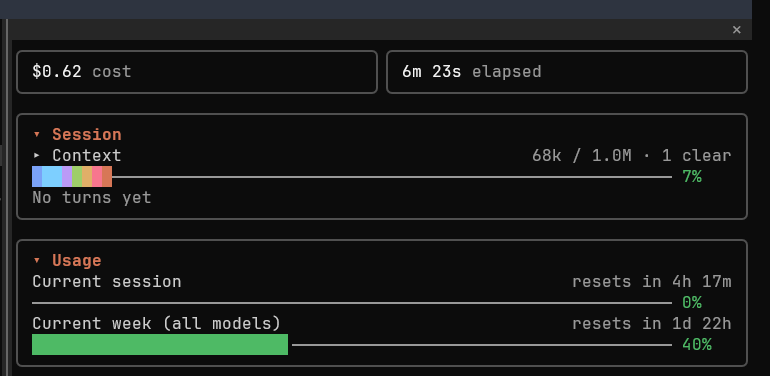
The marketplace name is claude-code-usage-quota-mod, and it holds only this plugin. The plan limits and the context window are why this page files it under usage. usage-band draws one line for the 5-hour and 7-day limits, the context, and the last turn's cache hit. statuspane draws a card with the limits and a context gauge you press to run /compact. This one forecasts where each limit will be at its reset, from your usual pace, and can compact the session by itself at a context percent you set. In the source, Auto compact compacts through the session itself, and types /compact where that way is refused, as the desktop app does.
Demo
From the author's repo.
What it hooks into
session.startWhen a session starts
session.measureWhen usage is measured
ui.focusA Claude Code eventAbovePrompt
ui.pressA Claude Code eventAbovePrompt
prompt.editWhen you edit the prompt
turn.startWhen Claude starts a turn
turn.completeWhen a turn ends
command.runWhen you run its slash command/quota
ui.renderDraws into the sessionAbovePrompt
Read from the on() calls in its hook modules. Open its source under Files to check what each one does.
Slash commands 1
/quotaToggle the Claude Code Usage Quota band above the prompt
Files
The author's README and source, 4 files. They load when you open them.