All shelves / Mods / Usage
ribbon
By robonuggets
ribbon is a Claude Code usage mod by robonuggets.
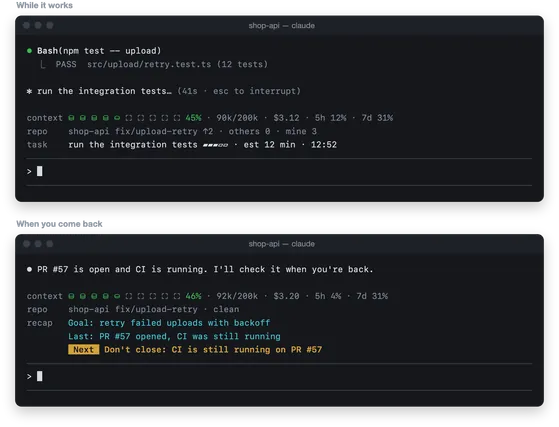
Draws a slim band above the prompt with the 7-day and 5-hour usage left and when each resets, and whether the prompt cache is warm or cold with the next cost.
Draws
Install
The marketplace name is robonuggets.
/plugin install ribbon --marketplace robonuggets/ribbonIt runs inside the Claude Code process. The side panel is only what the author's README names. Read the repo before you install, or run claude plugin validate on the plugin folder.
- Version
- 1.0.0
- License
- MIT
- Repo stars
- 236
- Last change
- 2026-10-20
What it can reach
- Draws in the session
- Reads usage or context figures
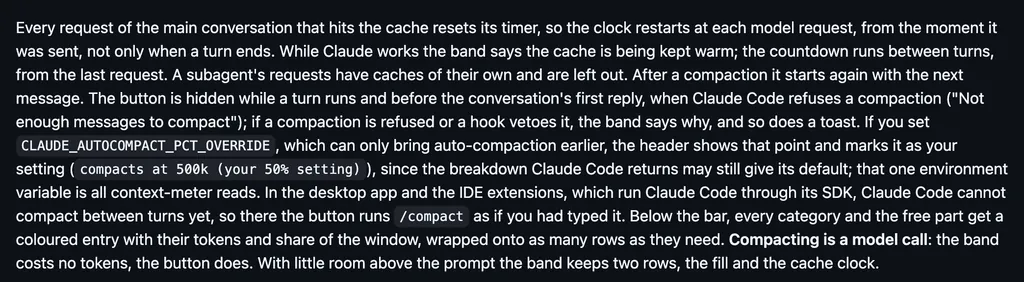
Type y when it asks Add marketplace?, pick the user scope, and start a new session. From a shell, the README gives claude plugin install ribbon --marketplace robonuggets/ribbon, which installs for all your projects and adds the marketplace on its own. After your first reply the band also tracks the prompt cache, which keeps your chat cheap to continue for one hour after your last message. Prices are estimates from a price table in hooks/cache-art.ts, not from your bill. Subagents don't count: only your main chat resets the cache clock. Click Show to open the cache card and Hide to fold it; warm starts folded and cold starts open.
The marketplace, robonuggets, holds only this plugin. Seeing the limits and the cache clock in one row is why this page files it under usage. cache-meter, by T-AI-Labs, draws one row above the prompt with how much of the last turn the prompt cache served, how long it stays warm, and a Keep warm switch that refreshes it. usage-meter, by hamzafer, draws the 5-hour and 7-day plan limits as small bars above the prompt, with the reset countdown and what this session cost. This one puts both in a single slim row: 7D in orange and 5H in yellow, each dot bar showing what is left, not what is used, with when it resets, and a bold LOW when a window drops under 15%. The cache shows WARM, in red with the robot bobbing, with the minutes left and what your next message costs, or COLD, in blue with the robot frozen, with the price first. The cache card shows how long you have been idle, how many tokens are in the cache, and what the next message costs on each model, with your model marked YOU. The layout adapts from one row to stacked blocks to a plain-text terminal form. The README says it costs nothing to run and never calls a model.
Demo

What it hooks into
session.startWhen a session startssession.measureWhen usage is measuredclassic.SessionStartA Claude Code eventturn.stepAt each step of a turnturn.completeWhen a turn endsui.renderDraws into the sessionAbovePrompt
Read from the on() calls in its hook modules. Open its source under Files to check what each one does.
Files
The author's README and source, 4 files. They load when you open them.
Facts
- Author
- robonuggets
- Category
- Usage
- Marketplace
- robonuggets
- Version
- 1.0.0
- License
- MIT
- Repo stars
- 236
- Last change
- 2026-10-20
- Language
- TypeScript
- Files
- 19