All shelves / Mods / Review
Claude Code review mods
145 mods
Review mods draw this turn's edits, a running review, a diagram, or the Markdown Claude changed. By their READMEs, 42 read this turn's file edits, 31 reach the network or an outside service, and 13 send session text to a model outside your Claude login.
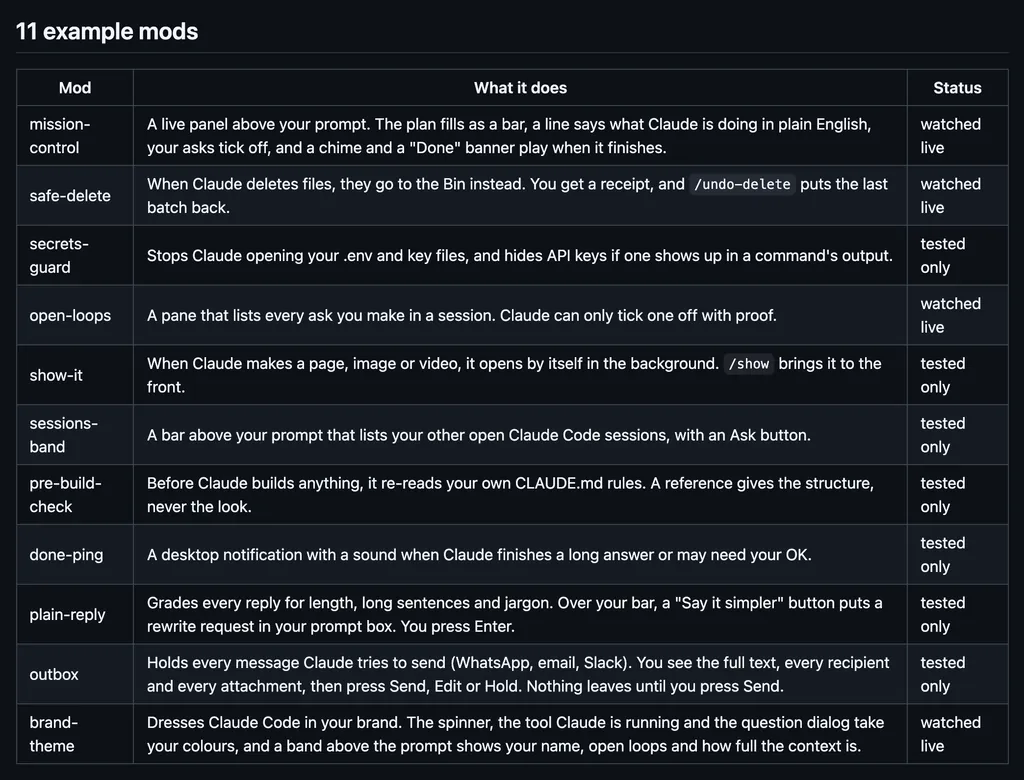
claude plugin install <mod>@<marketplace>Run in a terminal. Some mods need a restart.- 101plain-replycharlie947Grades each reply for length, long sentences, and jargon in a band above the prompt. Over your bar, Say it simpler puts a rewrite request in the prompt box.Draws
- 102prompt-coachmishgoldenbergBefore a vague prompt is sent, has a small model suggest a sharper one in a question dialog, and you pick Send improved, Send mine, or Edit.Draws
- 103changesmishgoldenbergOpens a pane of every file Claude created or edited this session with +/- counts from git, and one-click why?, summarize all, and self-review.Draws
- 104review-inboxSummerRiversoundDraws a band above the prompt for the pull requests waiting on you, and a drawer of them, each summarized in plain language, with your own PRs and your issues.Draws
- 105creation-logUginimOpens a pane of the new files Claude wrote and the links it published, grouped by session, with Open, Show in folder, and Copy path on each.Draws
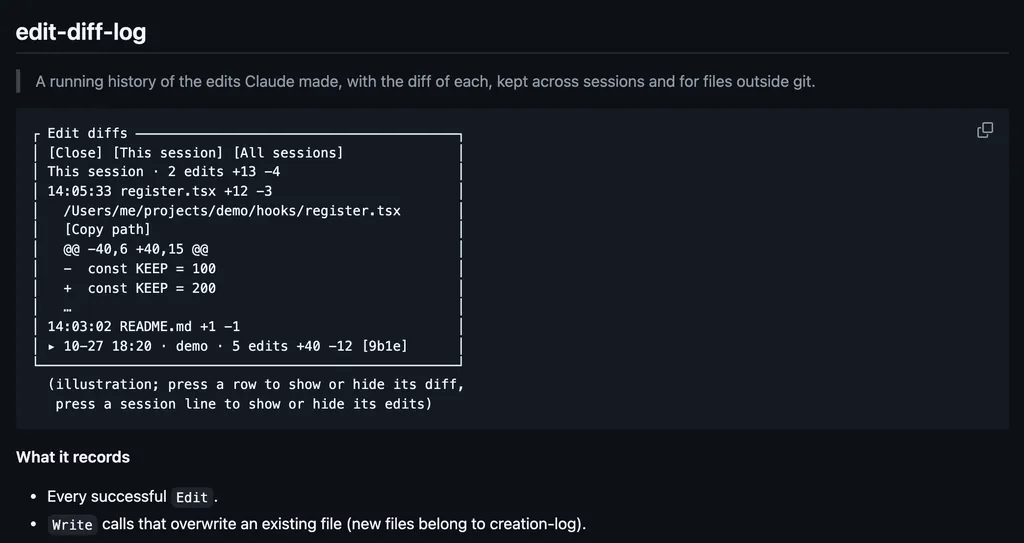
- 106edit-diff-logUginimOpens a pane of every file edit Claude made, each with its unified diff, grouped by session and kept across sessions, for files outside git too.Draws
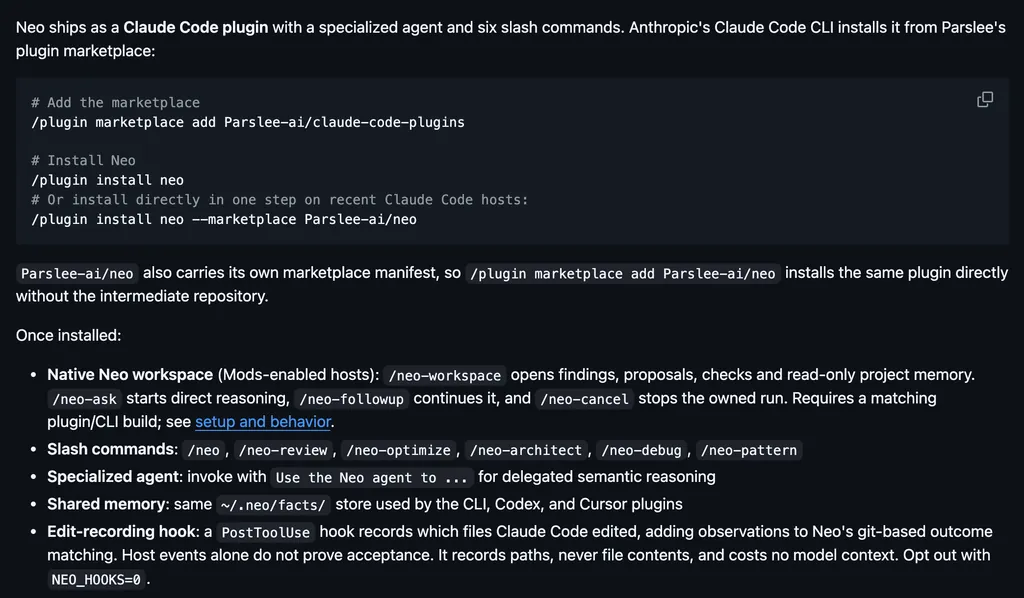
- 107neoParslee-aiDraws a band with Neo's latest finding and a pane to ask Neo, a second model with project memory that also reviews Claude's edits and checks plans on its own.Draws
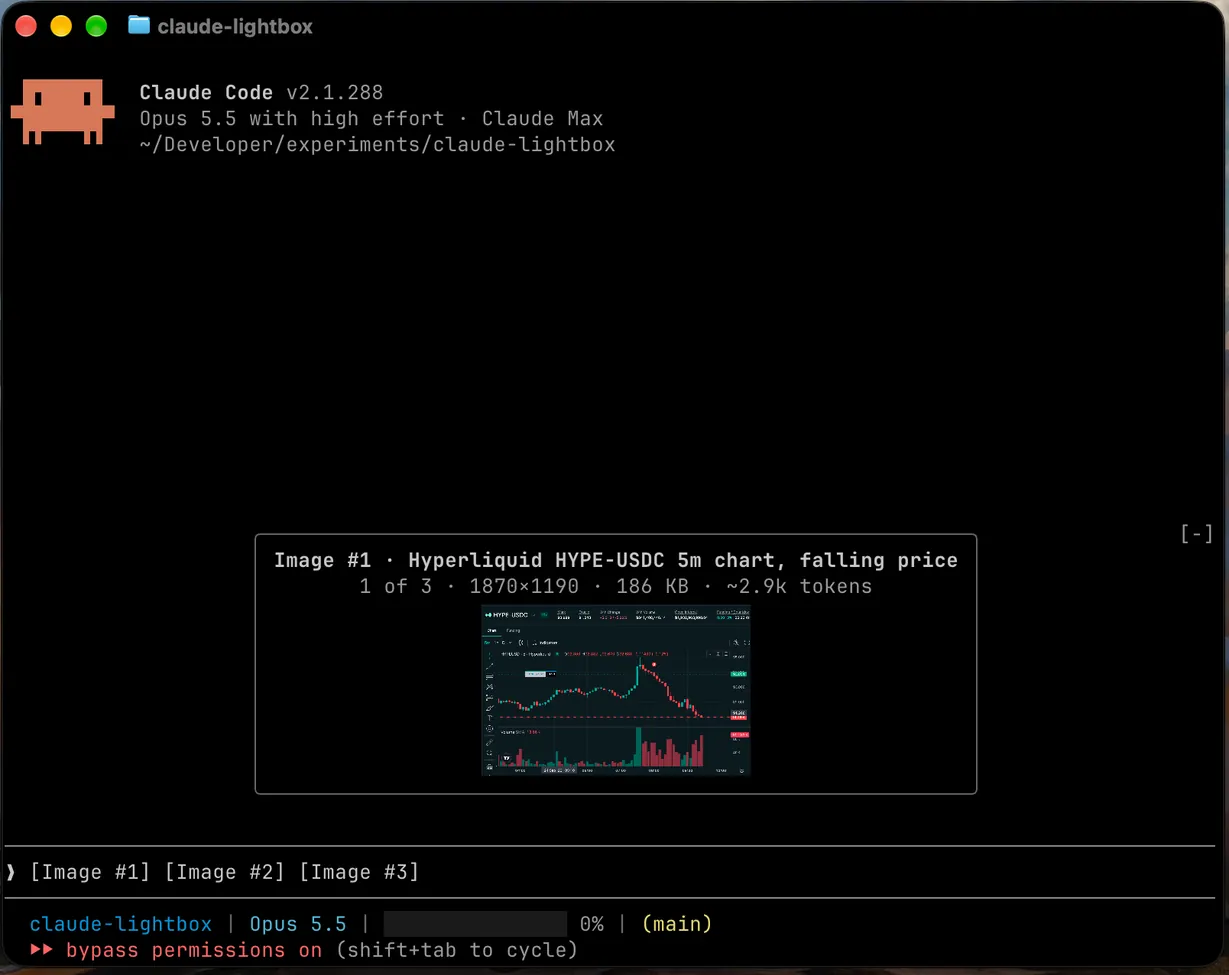
- 108lightboxarihantbansalShows each image you paste as a large preview above the prompt, with a caption, the size Claude reads it at, and a token estimate, then thumbnails as you type.Draws
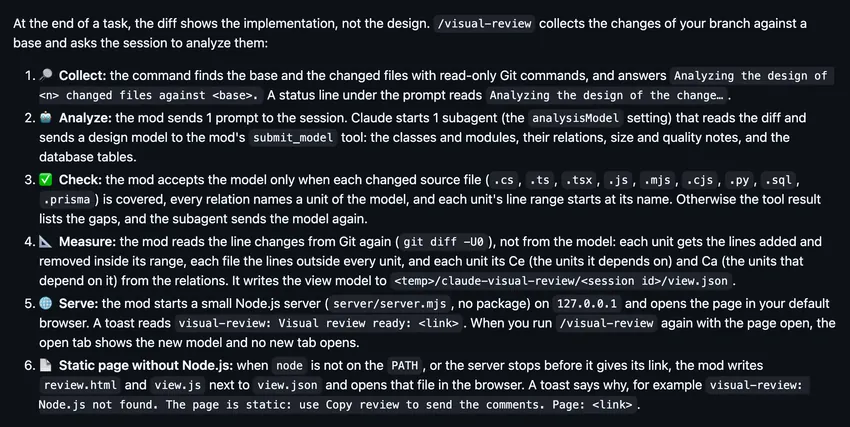
- 109visual-reviewdougcunhaRuns /visual-review so a subagent models your branch's design, shows it as a diagram in the browser, and sends your comments back to the session in one step.Draws
- 110archpanefacumarcetOpens a live architecture diagram in a side pane that Claude draws and keeps current as you talk, with subdiagrams, build status by color, and clickable boxes.Draws
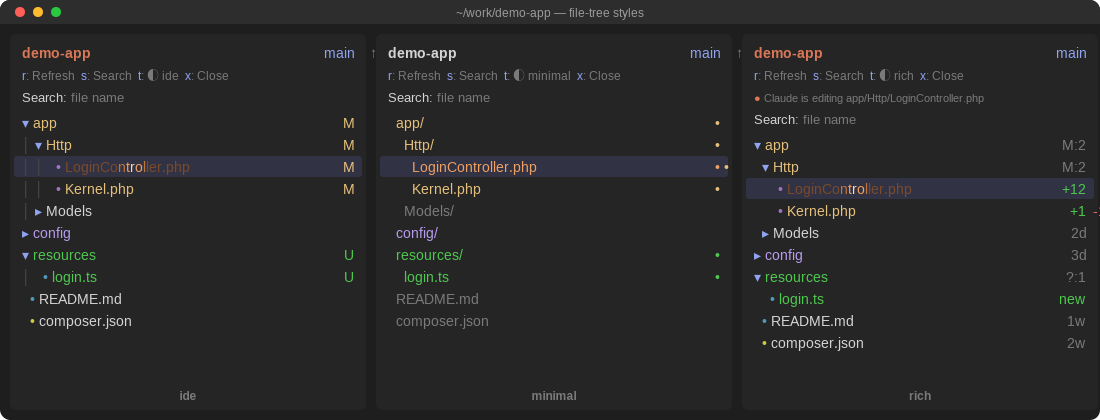
- 111file-treeha-ptt0601Draws an IDE-style file tree beside the conversation that lights up what Claude reads, edits, and commits, with git status, search, and a file preview.Draws
- 112debuggerHula-Hoop-AIOpens a step debugger pane for the agent loop: pause at a prompt, model request, response, or tool call, edit it or skip the call, then step, play, or stop.Draws · Holds
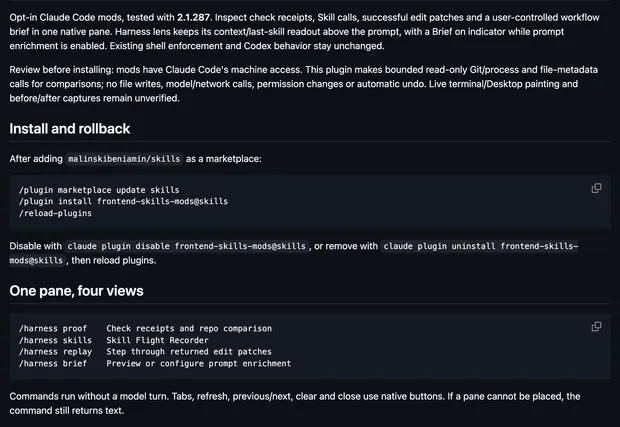
- 113frontend-skills-modsmalinskibeniaminOpens a Harness desk pane of check receipts, the last 24 Skill calls, and replayable edit patches, with a context and last-skill readout above the prompt.Draws
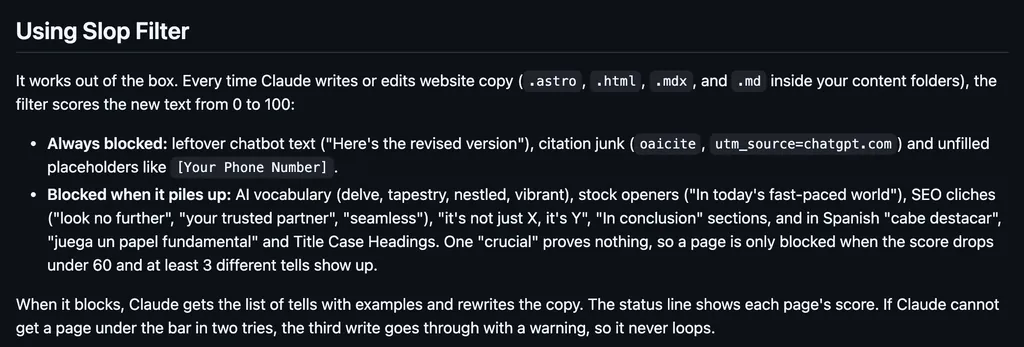
- 114slop-filterNicoSKOOLScores each page of website copy Claude writes for AI tells and SEO cliches, in English and Spanish, refuses one that reads like AI, and shows the score.Draws · Holds
- 115plain-englishnordscope-fiRefuses or asks before a Markdown write, commit message, or tracker issue that breaks its prose rules, quoting the passage, and holds a reply for a rewrite.Draws · Holds
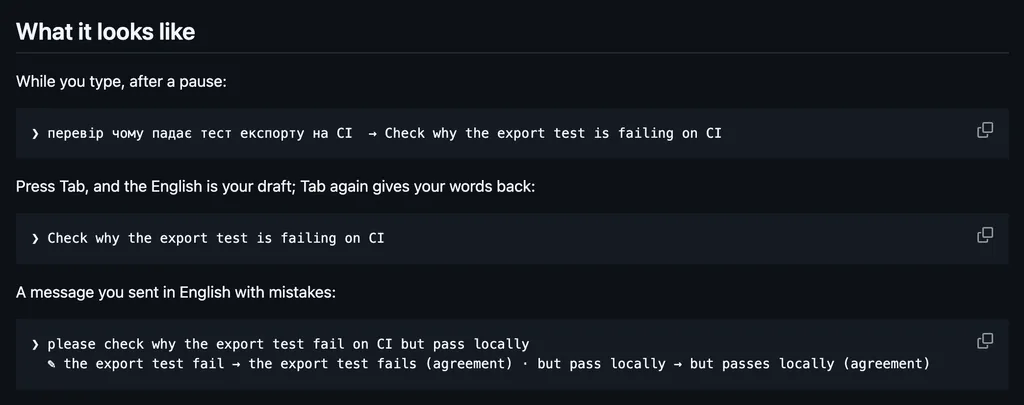
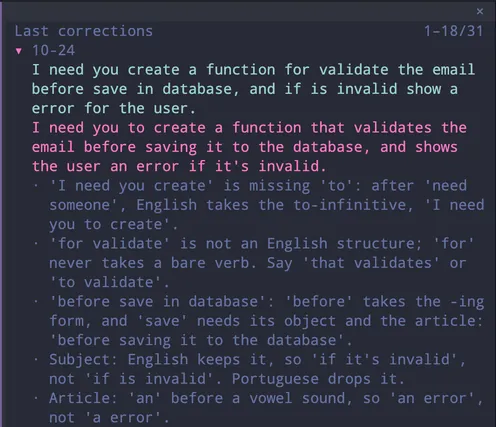
- 116cc-grammarrapitaShows the English of your draft in gray after a pause, translated or corrected, and one key takes it in. A message sent unseen gets a gray line of fixes.Draws
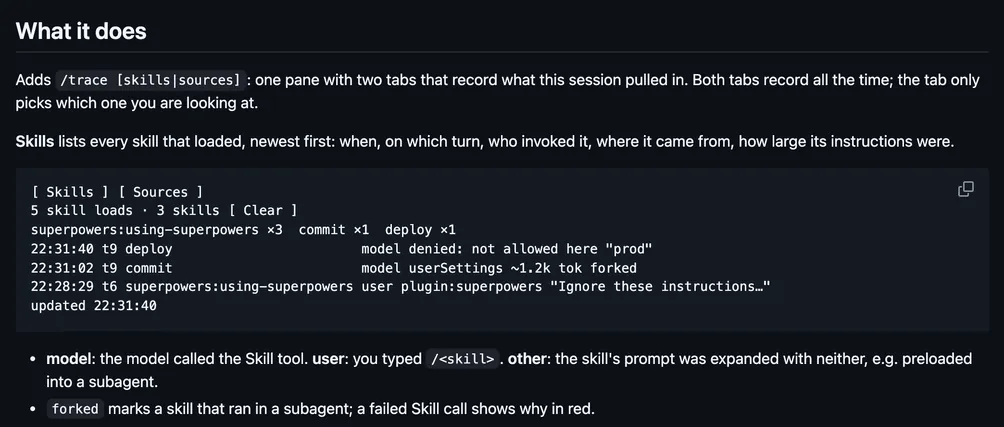
- 117traceHula-Hoop-AIOpens a /trace pane of the skills that loaded this session and the web pages Claude fetched or saw in search results, ready to insert as citations.Draws
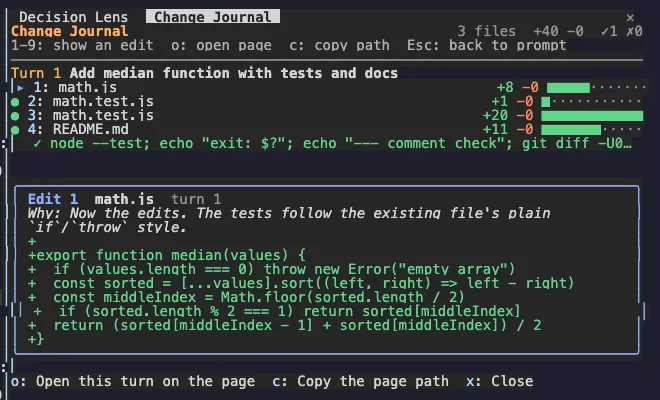
- 118change-journaltheonly1meOpens a live page in your browser of every change Claude makes, each diff with its reason, plus a /changes pane and a count of files on the status line.Draws
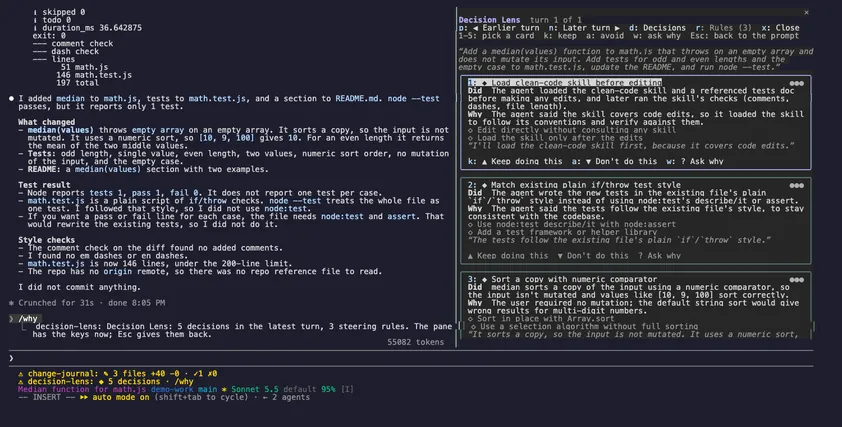
- 119decision-lenstheonly1meLists the decisions Claude made in each turn in a /why pane, with why and what it chose not to do, and keys to keep or stop a behavior in later turns.Draws
- 120lookstheonly1meRedraws the transcript in one of four themes, Retro CRT, Punk, Synthwave, or Zen paper, with tidier tool rows, and optional one-line rows or centered replies.Draws
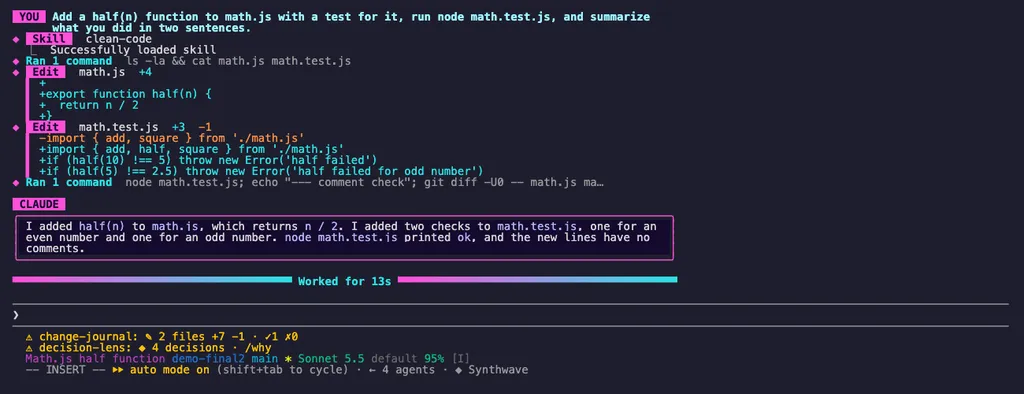
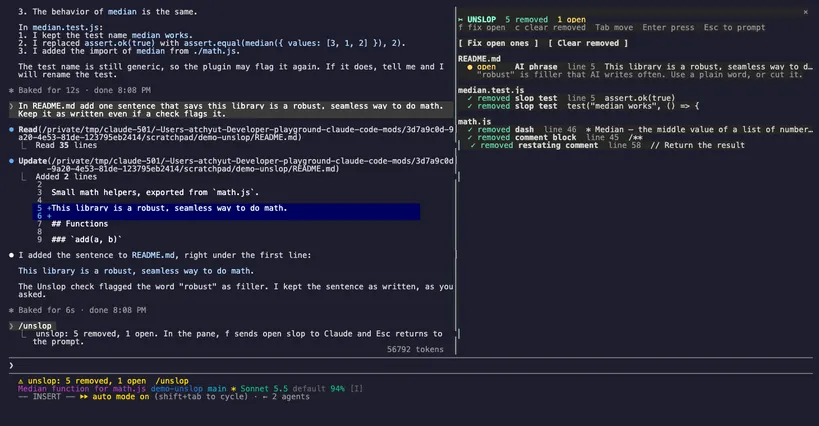
- 121unsloptheonly1meFinds AI slop in each edit Claude makes, such as dashes, comment blocks, and tests that assert nothing, has Claude remove it, and counts it on the status line.Draws
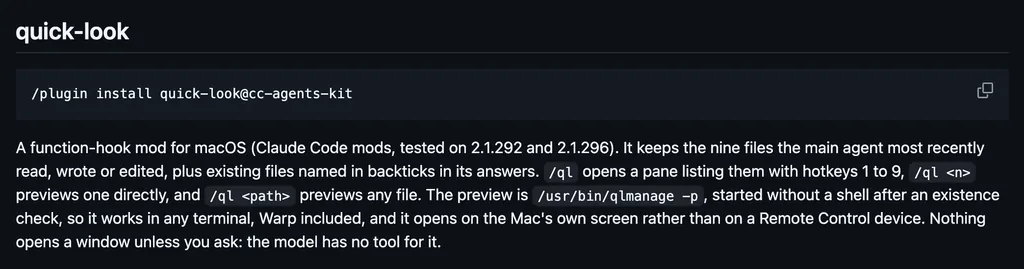
- 122quick-lookAndrewDongminYooLists the nine files the agent last read, wrote, or edited in a /ql pane with hotkeys 1 to 9, and opens the one you pick in macOS Quick Look.Draws
- 123ravenarunkumar9t2Opens a live diff pane beside the session where you leave a note on a file, hunk, or line, sends the notes to Claude, and marks the ones it addressed.Draws
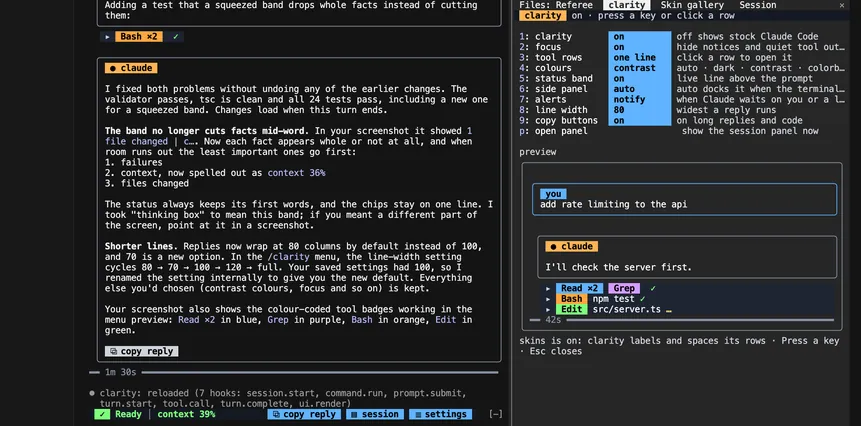
- 124clarityCircularBloxBoxes your prompts and Claude's replies, draws tool rows as colored badges, replaces the spinner with a status band, and adds a session panel and a sprout, Pip.Draws
- 125pending-changescomertialDocks a review pane of every file Claude created, edited, or deleted, as a tree with line counts, to accept or reject each and tell Claude, with VS Code diffs.Draws
- 126shotdavekissAdds a screenshot MCP server, a /shot command that captures your terminal window, and a history pane of your screenshots, on macOS.Draws
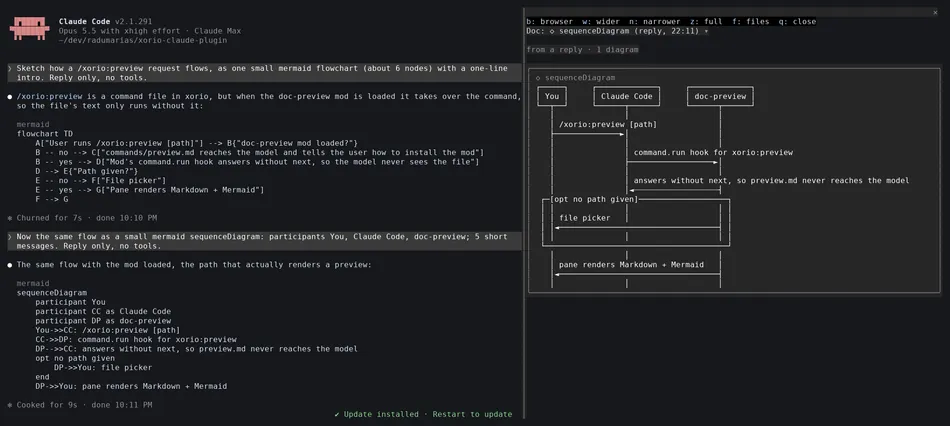
- 127rich-uiemergentaiDraws mermaid diagrams in Claude's replies as text diagrams, opens a markdown file you click rendered in a pane, and shows context and usage when they run high.Draws
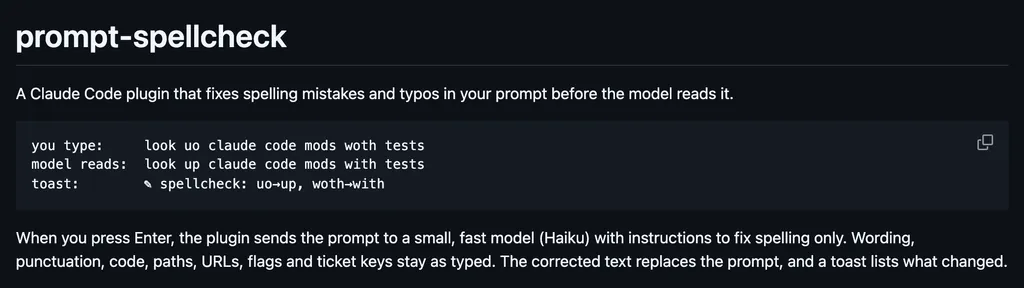
- 128prompt-spellcheckljmerzaFixes the spelling in each prompt you type with a Haiku request before the model reads it, and a toast lists each word it changed.Draws
- 129reply-commentsMalkizOpens a pane of the whole conversation where you select any span with vim keys or the mouse, comment on it, and send all your comments to Claude as one prompt.Draws
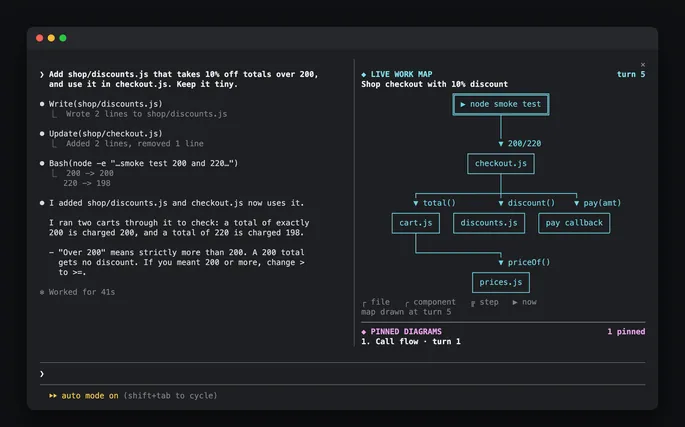
- 130diagram-panepotto007Pins each mermaid or ASCII diagram Claude draws in a side pane, keeps a live map of the work, and lets you open its boxes or change them.Draws
- 131doc-previewradumariasDraws a Preview band above the prompt when Claude writes a Markdown or Mermaid file or a mermaid block, and opens it in a side panel with the diagrams drawn.Draws
- 132cc-esolrapha-rodriguesCorrects the English you type or dictate into a local learning log, with an esol pane of your corrections and a Review of your recurring patterns.Draws
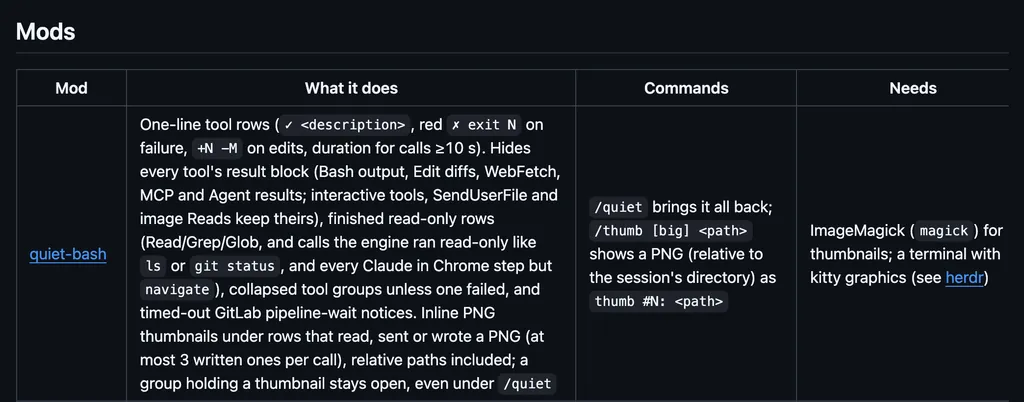
- 133quiet-bashschreibseDraws each tool call as one line, with ✗ exit N on a failure and +N −M on edits, hides result blocks, and shows PNG thumbnails under rows that touch one.Draws
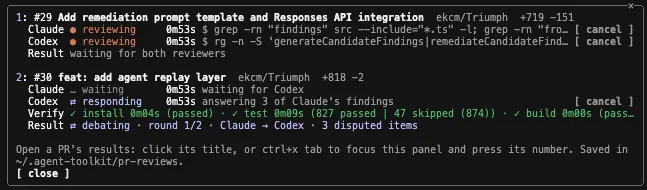
- 134pr-review-boardekcmReviews several pull requests at once with Claude and Codex in a live panel, runs each PR's tests, and shows what both agree on and what they still dispute.Draws
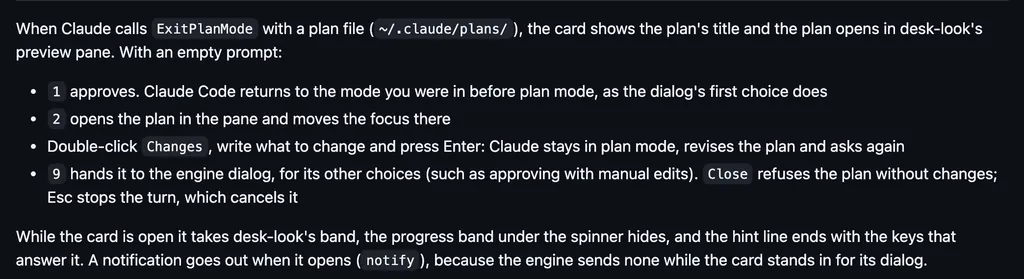
- 135desk-planKyongSik-YoonAsks for plan approval in a card above the prompt with the plan open in a side pane: 1 approves, typed changes send it back, 9 opens Claude Code's own dialog.Draws · Holds
- 136desk-reviewKyongSik-YoonOpens the report of /desk-review:simplify-review, which runs /simplify then /code-review medium, in a side pane: each item with its file, line, and reason.Draws
- 137grammarjaklimoffChecks the English of each prompt with Haiku and draws the fixes in red and green under it, with stats and a review of the mistakes you make most.Draws
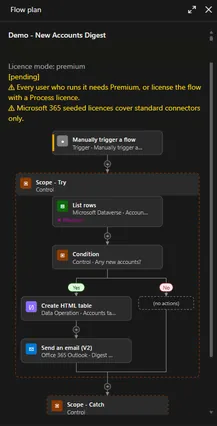
- 138flow-planmadmat01Draws Claude's Power Automate flow plan in a pane with licence badges and design checks, and blocks the build tools until you approve that flow's plan.Draws · Holds
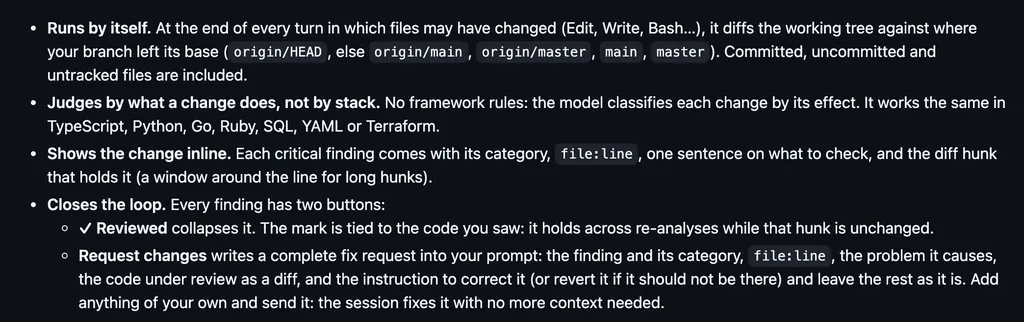
- 139review-radarpedrovelasquez9Reads the branch diff after each turn and draws a pane of only the changes a person must confirm, with diff lines and Reviewed and Request changes buttons.Draws
- 140mod-file-treev-amorimDraws a Files panel of what Claude read and changed this session, lit live while it works, with +/- line counts and a replay of the last turn's diffs.Draws
- 141mod-transcriptv-amorimRestyles the transcript as chat bubbles, folds each finished turn and each tool row to one line, colors code, and adds a copy button to replies.Draws
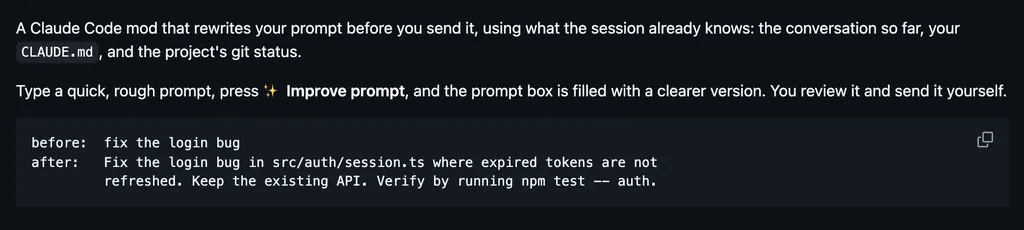
- 142improve-promptwaltherhuggoDraws an Improve prompt button above the prompt box that rewrites your draft with the session's context; /improve does the same, and you review and send it.Draws
- 143done-gatevumichienTells Claude and you, in a toast, when a task is marked done while changed code is untested, and draws the last test run in a band.Draws
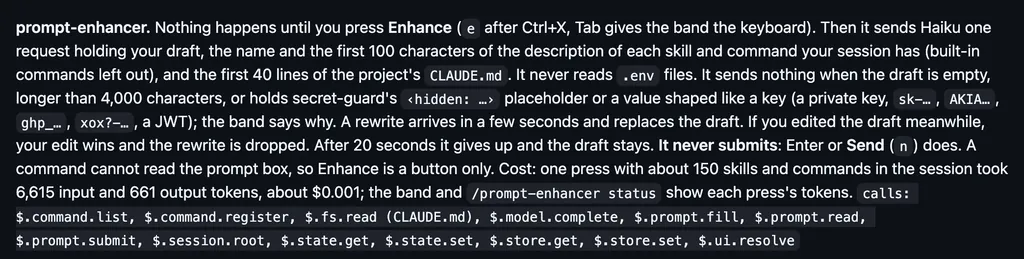
- 144prompt-enhancervumichienDraws an Enhance button above the prompt: Haiku rewrites your draft to name fitting skills, what to ask first, and what done looks like. It never sends it.Draws
- 145assumption-checkvumichienLists the choices Claude made that you did not state after a turn that edited files or ran commands; mark each right or wrong and send the corrections.Draws


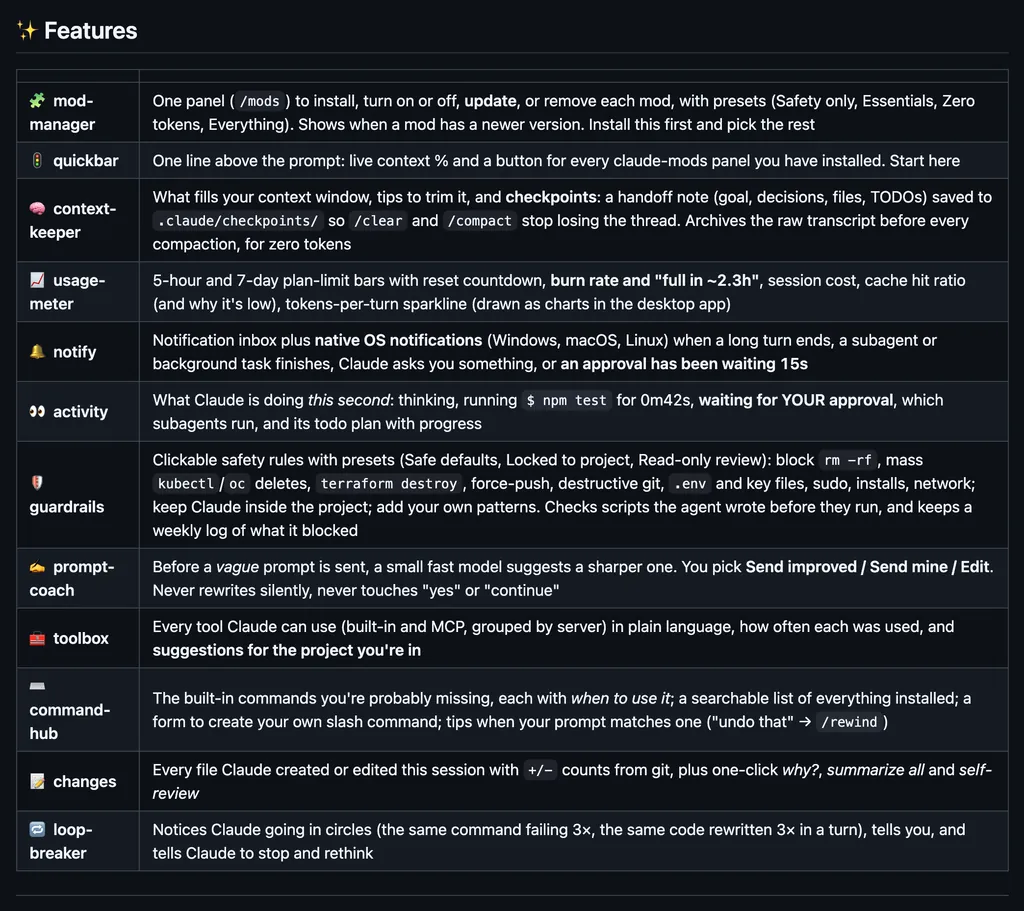


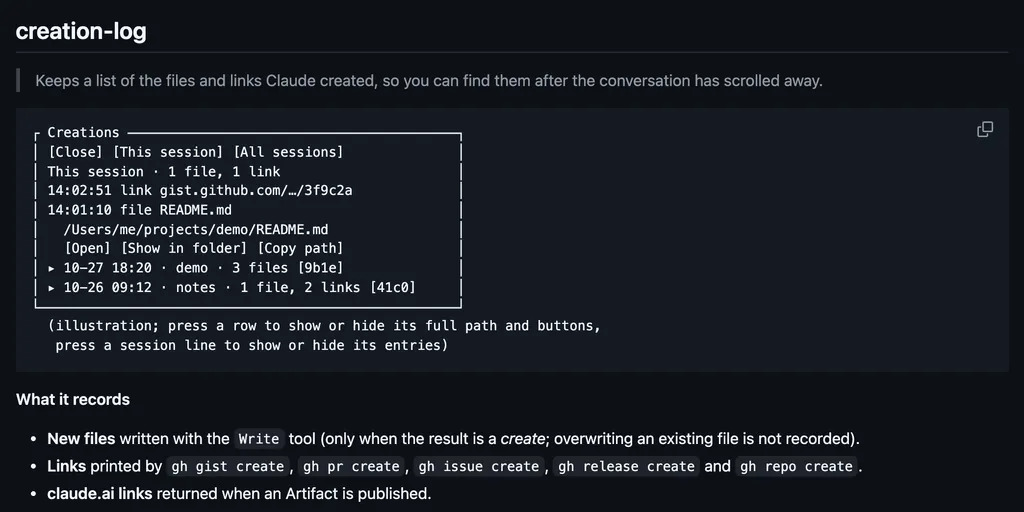



































101–145 of 145 mods in Review
What makes a plugin a mod?
It draws inside the session, like a pane, a status line, or a band above the prompt, or it holds a command before it runs. Plugins that do neither are under Plugins.
How is a mod different from a hook or a skill?
A mod is JavaScript or TypeScript that Claude Code runs in its own process, so it can draw a pane or a band and rewrite tool calls, prompts, and commands. A hook in settings.json runs a shell command, HTTP request, or prompt on an event, and a skill is a SKILL.md file of instructions Claude reads. Neither can draw.
What can a mod reach?
Each mod page lists only what the author's README names: usage figures, file edits, tool calls, the network.
How do I install a mod?
Each mod page has the author's commands. Add the marketplace, then run claude plugin install with the mod's name, an @, and the marketplace's name, or /plugin install inside a session. It needs Claude Code 2.1.287 or later, or 2.1.286 in the Desktop app. A session that is already open loads it after /reload-plugins.
Why doesn't a mod I installed show up?
In a terminal session, /plugin shows a dim line under its tabs, such as 1 mod active · name. If yours is missing, check the version, and that you did not start with --safe-mode or --bare or leave a new folder's trust prompt unanswered. claude plugin test, run in a folder with no mod, says whether a setting, your organization's policy, or Anthropic has turned mods off. A session started with claude --debug logs a not loaded: line with the reason. A loaded mod draws nothing in claude -p or a cloud session, and the VS Code panel draws from extension 2.1.299.
How do I turn mods off?
Mods are on by default. To stop one, disable or uninstall its plugin in the Installed tab of /plugin. To stop every mod you installed, start with --safe-mode for one session, or set disableAllHooks to true in ~/, which also stops your settings hooks and status line. Undo the change to turn them back on.
Where do the pictures come from?
From the author's repo. When there is no demo, the card shows the GitHub page.