All shelves / Mods / Review
readable-layout
By GarvitNangru
readable-layout is a Claude Code review mod by GarvitNangru.
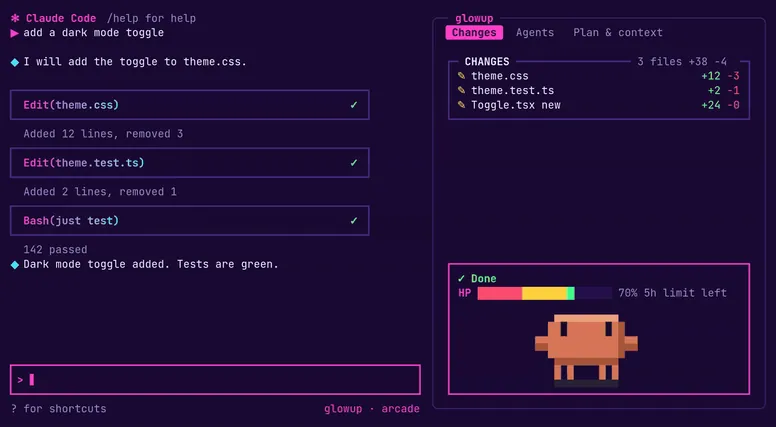
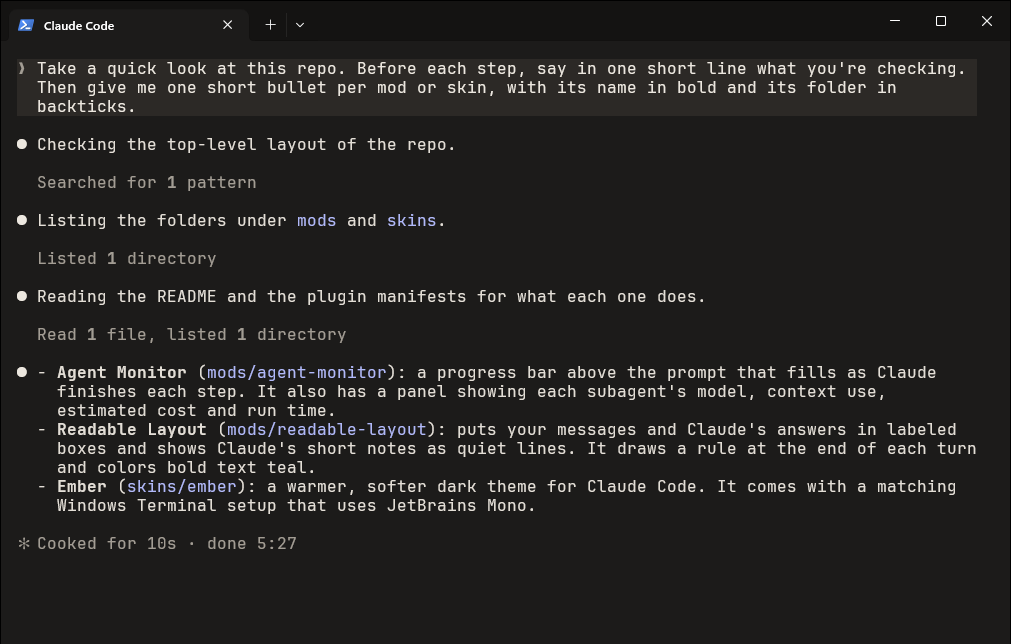
Draws your messages and Claude's answers in labeled boxes, short notes as quiet lines, and a rule after every turn.
Draws
Install
The marketplace name is garvit-mods.
/plugin install readable-layout --marketplace GarvitNangru/claude-code-modsIt runs inside the Claude Code process. The side panel is only what the author's README names. Read the repo before you install, or run claude plugin validate on the plugin folder.
- Version
- 0.2.1
- License
- MIT
- Repo stars
- 24
- Last change
- 2026-10-12
What it can reach
- Draws in the session
The repository README says these mods were built and tested on Claude Code 2.1.292, on function hooks that can change between releases, and that the author has only tried them on Windows. Answer y to add the marketplace, then pick a scope. The user scope loads it in every session. It starts working right away, with no restart. Your messages sit in a box labeled You, in the theme's blue. Claude's answers sit in a box labeled Claude, in Claude's orange. Anything longer than a line or two counts as an answer. Inside the box, headings, lists, tables, code blocks, and links render as before. boxes defaults to answers, so one-line notes stay quiet lines. Set it to all and every note is boxed too. Bold defaults to color: bold, in the theme's cyan, a soft teal in the Ember skin. highlight puts a soft background behind bold text. off leaves Claude Code's own bold. Short notes become quiet indented lines with a blank line above each. Tool activity keeps Claude Code's own quiet style. Each turn ends with a rule that shows how long it took. Notifications, messages from other agents, permission prompts, diffs, and command output stay as Claude Code draws them. Only the terminal changes. The desktop app, VS Code, and mobile are left alone. To color bold text, the mod draws the paragraphs, headings, and lists that contain it. Code blocks, tables, quotes, and any part of a reply without bold stay Claude Code's. Bold text inside a table or a quote stays plain bold. It only changes how the transcript is drawn. What you and Claude wrote, and what is saved, stay the same. Ctrl+O still shows the full transcript. The two choices are Claude text to box and Bold text in /config. For a copy loaded from a folder, the keys under pluginConfigs in ~/.claude/settings.json are readable-layout, options, boxes, and bold. Change them back in /config or in that file. Box and rule colors come from the theme. The README says it is designed alongside the Ember skin, which is a separate install. Update later with claude plugin update readable-layout@garvit-mods, then /reload-plugins. Remove it with /plugin uninstall readable-layout@garvit-mods.
The install line has no @suffix. The marketplace name is garvit-mods. The marketplace also holds agent-monitor, ember, and firelight. This one installs on its own. The labeled boxes are why this page files it under review. prismantis redraws Claude's replies in the terminal: colored tables, code, charts, flowcharts, and one quiet line per tool call. md-render-deepskyblue86 redraws each finished assistant message as colored markdown. This one is the boxes, the quiet notes, and the rule after each turn, and it leaves tool rows as Claude Code draws them.
Demo
What it hooks into
ui.renderDraws into the sessionUserMessageAssistantMessageTurnDuration
Read from the on() calls in its hook modules. Open its source under Files to check what each one does.
Files
The author's README and source, 4 files. They load when you open them.
Facts
- Author
- GarvitNangru
- Category
- Review
- Marketplace
- garvit-mods
- Folder
- mods/readable-layout
- Version
- 0.2.1
- License
- MIT
- Repo stars
- 24
- Last change
- 2026-10-12
- Language
- TypeScript
- Files
- 7