All shelves / Mods / Review
cc-intelligent-ui
By razorback16
cc-intelligent-ui is a Claude Code review mod by razorback16.
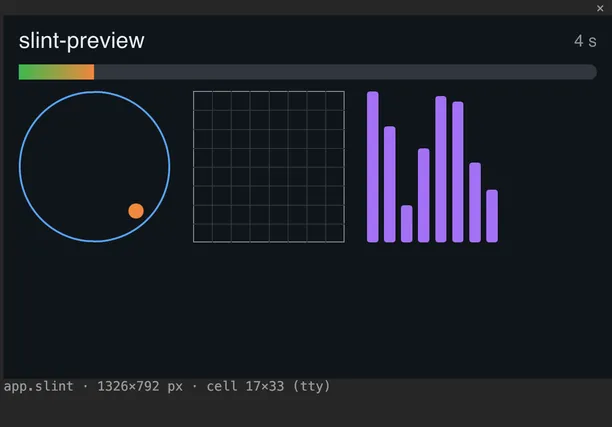
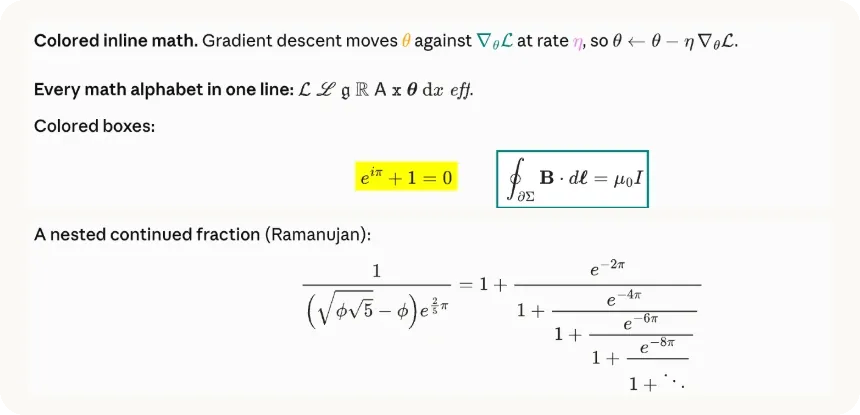
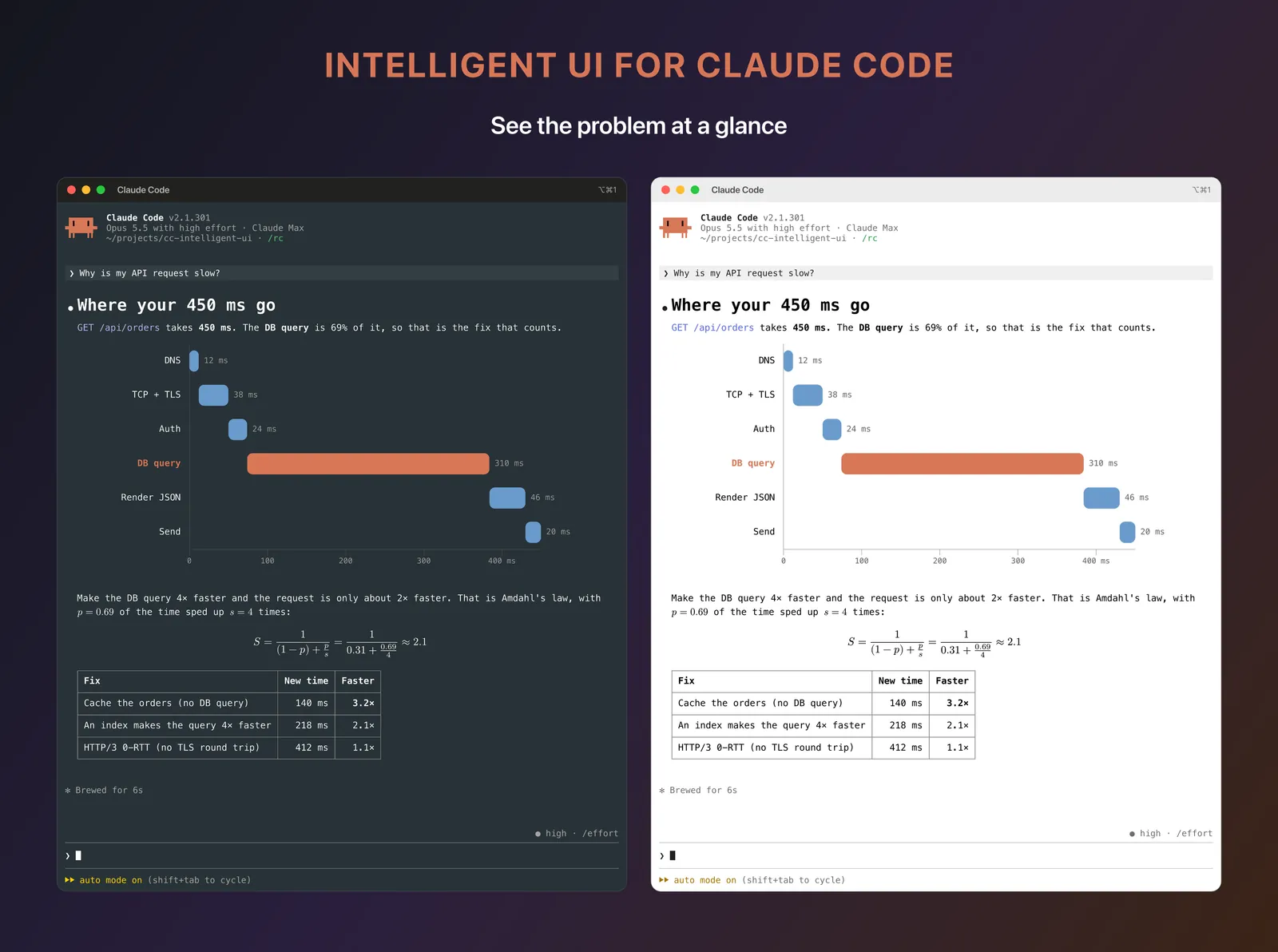
Draws each answer from Claude as a typeset picture made with Typst: rendered Markdown, LaTeX math, charts, and diagrams, in kitty, Ghostty, or iTerm2.
Draws
Install
The marketplace name is razorback16.
/plugin install cc-intelligent-ui --marketplace razorback16/cc-intelligent-uiIt runs inside the Claude Code process. The side panel is only what the author's README names. Read the repo before you install, or run claude plugin validate on the plugin folder.
- Version
- 0.3.3
- License
- MIT
- Repo stars
- 89
- Last change
- 2026-10-24
What it can reach
- Draws in the session
- Reaches the network or an outside service
- Calls another program on this machine
Needs Claude Code 2.1.298 or later and Typst 0.15 (brew install typst), and works best in fullscreen mode (/tui fullscreen). Turn on auto-update in /plugin. The README's first install is a script for macOS or Linux, curl -fsSL https://intelligentui.art/install.sh | bash, which installs Typst if needed, installs the mod, and turns on auto-update; restart Claude Code after it. Pictures show in kitty 0.28+, Ghostty, and cmux, in iTerm2 3.6+ and herdr after /iui setup, and over ssh from kitty or Ghostty. Warp and WezTerm do not show them yet, and tmux, screen, Terminal.app, Alacritty, and VS Code show normal text. /iui details says why pictures do or do not show, /iui on and off switch them, and /iui theme and /iui size set the look. Only the drawing changes: the saved answer stays Markdown.
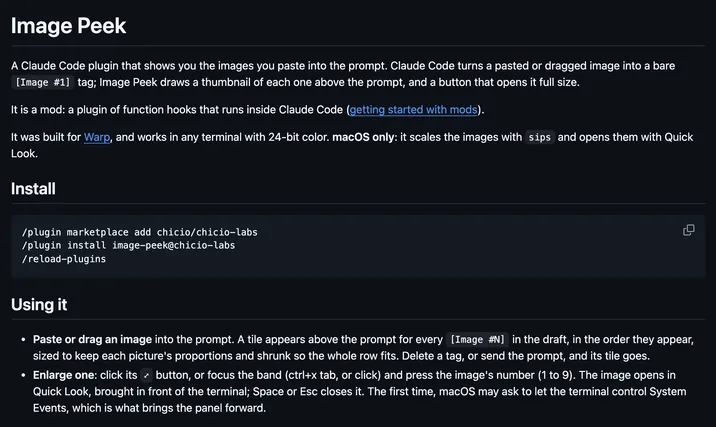
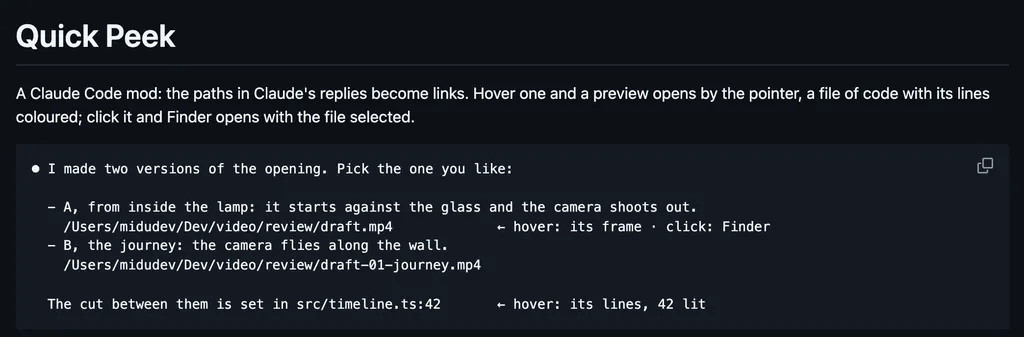
The marketplace, razorback16, holds this one plugin, listed from the repository. Reading Claude's answers is why this page files it under review. figures-natsukium draws diagrams and LaTeX math from Claude's replies as pictures in the transcript, in kitty or Ghostty. skins redraws tool rows, code, diffs, tables, math, and Mermaid charts as cards. This one typesets the whole answer, and Claude can draw a chart or a diagram with Typst when a picture explains more. In fullscreen, dragging over an answer still selects and copies its text, and plan mode shows the plan rendered with approve, edit, and reject. It also previews images you paste, above the prompt box. The author says the clipboard is read only to help a copy or find a pasted image path, and password manager copies are skipped.
Demo
What it hooks into
session.startWhen a session startssession.endWhen a session endsui.copyA Claude Code eventui.messageAdds a message to the sessionui.faultA Claude Code eventprompt.editWhen you edit the promptprompt.changeA Claude Code eventprompt.autocompleteA Claude Code eventcommand.runWhen you run its slash command/iuiconfig.setA Claude Code eventprompt.composeWhile you write a promptturn.stepAt each step of a turnturn.abortA Claude Code eventui.renderDraws into the sessionAssistantMessageToolResultPaneUserMessageAbovePromptAskUserQuestionturn.startWhen Claude starts a turntool.callAround a tool call, where it can hold oneWriteEditExitPlanModeclassic.PermissionRequestA Claude Code event
Read from the on() calls in its hook modules. Open its source under Files to check what each one does.
Files
The author's README and source, 4 files. They load when you open them.
Facts
- Author
- razorback16
- Category
- Review
- Marketplace
- razorback16
- Version
- 0.3.3
- License
- MIT
- Repo stars
- 89
- Last change
- 2026-10-24
- Language
- TypeScript
- Files
- 347