It runs inside the Claude Code process. The side panel is only what the author's README names. Read the repo before you install, or run claude plugin validate on the plugin folder.
Version
0.3.1
License
MIT
Repo stars
7
Last change
2026-10-10
What it can reach
Draws in the session
Sees tool calls
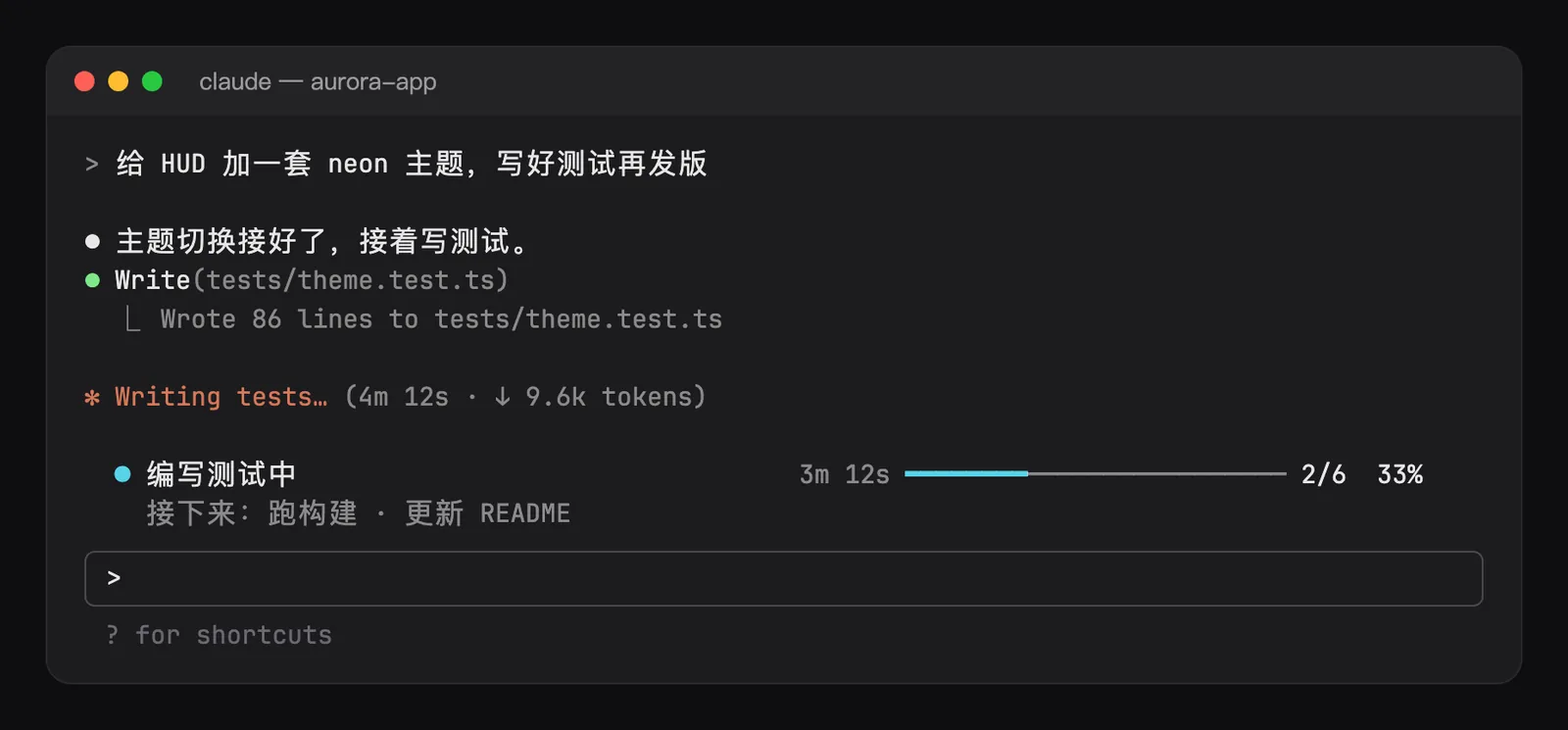
Once Claude writes a task list, a progress bar appears above the prompt: the running task, how long it has run once that is at least a minute, a bar, the count, and the percentage, with the next one or two tasks on a dim second row. That second row is on by default. The time turns yellow after 10 minutes by default. Set slowMinutes to 0 and it never does. When Claude starts subagents, each gets a row under the running task, with its type, its task, the tool it is on, and its time once it has run a minute. Past 3 rows the rest share one line. Those rows are on by default. When every task is done the bar turns green with the time the whole list took, then folds away after 8 seconds. It reads TodoWrite, TaskCreate, and TaskUpdate after they have run. A refused or failed call changes nothing, and a subagent's own list is left out. Each session's list is kept in the plugin's store, so a resumed session finds the bar where it left it. The bar steps aside while a slash or @ picker is open. /todos lists every task. /todos off and /todos on write the visible option, which is on by default. /todos on brings the bar back. The README says it registers no tool, adds nothing to the prompt, costs no tokens, and never refuses or holds a call.
The install name is todo-bar. This page adds the author's name. The progress band of the task list is why this page files it under workflow. taxi-navi draws the to-do list as a taxi route. This bar is the running task, the time, and how much of the list is done. The plugin store is not a separate program. The marketplace holds six Claude Code mods. This one installs on its own.
Demo
From the author's repo.
What it hooks into
session.startWhen a session starts
agent.spawnWhen a subagent starts
turn.completeWhen a turn ends
tool.callAround a tool call, where it can hold one
command.runWhen you run its slash command/todos
prompt.editWhen you edit the prompt
prompt.submitWhen you send a prompt
ui.renderDraws into the sessionAbovePrompt
Read from the on() calls in its hook modules. Open its source under Files to check what each one does.
Slash commands 1
/todos
Files
The author's README and source, 4 files. They load when you open them.