All shelves / Mods / Workflow
mod-manager
By v-amorim
mod-manager is a Claude Code workflow mod by v-amorim.
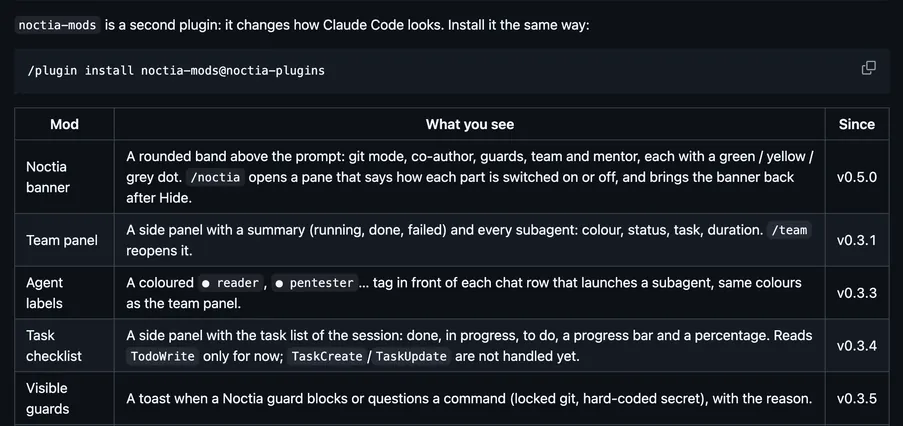
Draws a panel that lists every mod, installs the ones you tick, turns them on or off, updates them, and edits their settings; a first-run card starts it.
Draws
Install
The marketplace name is claude-mods.
/plugin marketplace add v-amorim/moonlight-claude-mods
/plugin install mod-manager@claude-mods
It runs inside the Claude Code process. The side panel is only what the author's README names. Read the repo before you install, or run claude plugin validate on the plugin folder.
- Version
- 2.0.0
- License
- MIT
- Repo stars
- 5
- Last change
- 2026-10-30
What it can reach
- Draws in the session
- Runs a command when you press
- Reads usage or context figures
Needs Claude Code 2.1.287 or newer; the author tested on Windows Terminal and macOS iTerm2. /plugin install asks where to install the mod: keep Install for you (user scope), press Enter, press Esc to leave the plugin screen, then run /reload-plugins. Auto-update is off for unofficial marketplaces; turn it on under /plugin, Marketplaces, claude-mods. The README warns that mods are not sandboxed and run with your permissions. The README also gives claude plugin install mod-manager --marketplace v-amorim/moonlight-claude-mods, which adds the marketplace too; then click Open setup on the card above the prompt, or the gear pill, or type /mod-manager. Each mod works alone, with or without mod-manager. Pointing at a mod shows its description cut to two lines, and Show all grows the card.
The marketplace, claude-mods, holds 13 mods in the Moonlight look, and other repositories use that name too, so add v-amorim/moonlight-claude-mods. This one shares its install name, and its marketplace name, with mod-manager-mishgoldenberg, which comes from mishgoldenberg/claude-mods. Managing which mods are installed and on is why this page files it under workflow. mod-manager-mishgoldenberg draws a pane to install, turn on or off, update, or remove each mod in the claude-mods set. mod-store opens /mods, a pane that browses and searches community mods, shows what each one can access, and installs one when you press Install. This one starts from a first-run card, lists every mod, installs the ones you tick, turns them on and off, tells you about updates, and edits their settings, and a mod's page shows what its model calls cost. In the source, it runs the claude program for installs and updates.
Demo

What it hooks into
ui.toastA Claude Code eventsession.startWhen a session startsturn.startWhen Claude starts a turnturn.completeWhen a turn endscommand.runWhen you run its slash command/mod-managerui.closeWhen its pane closesstate.setA Claude Code eventui.renderDraws into the sessionAbovePromptPaneui.messageAdds a message to the session
Read from the on() calls in its hook modules. Open its source under Files to check what each one does.
Slash commands 1
/mod-manager
Files
The author's README and source, 4 files. They load when you open them.
Facts
- Author
- v-amorim
- Category
- Workflow
- Marketplace
- claude-mods
- Folder
- mod-manager
- Version
- 2.0.0
- License
- MIT
- Repo stars
- 5
- Last change
- 2026-10-30
- Language
- TypeScript
- Files
- 33