All shelves / Mods / Workflow
live-vibe
By potto007
live-vibe is a Claude Code workflow mod by potto007.
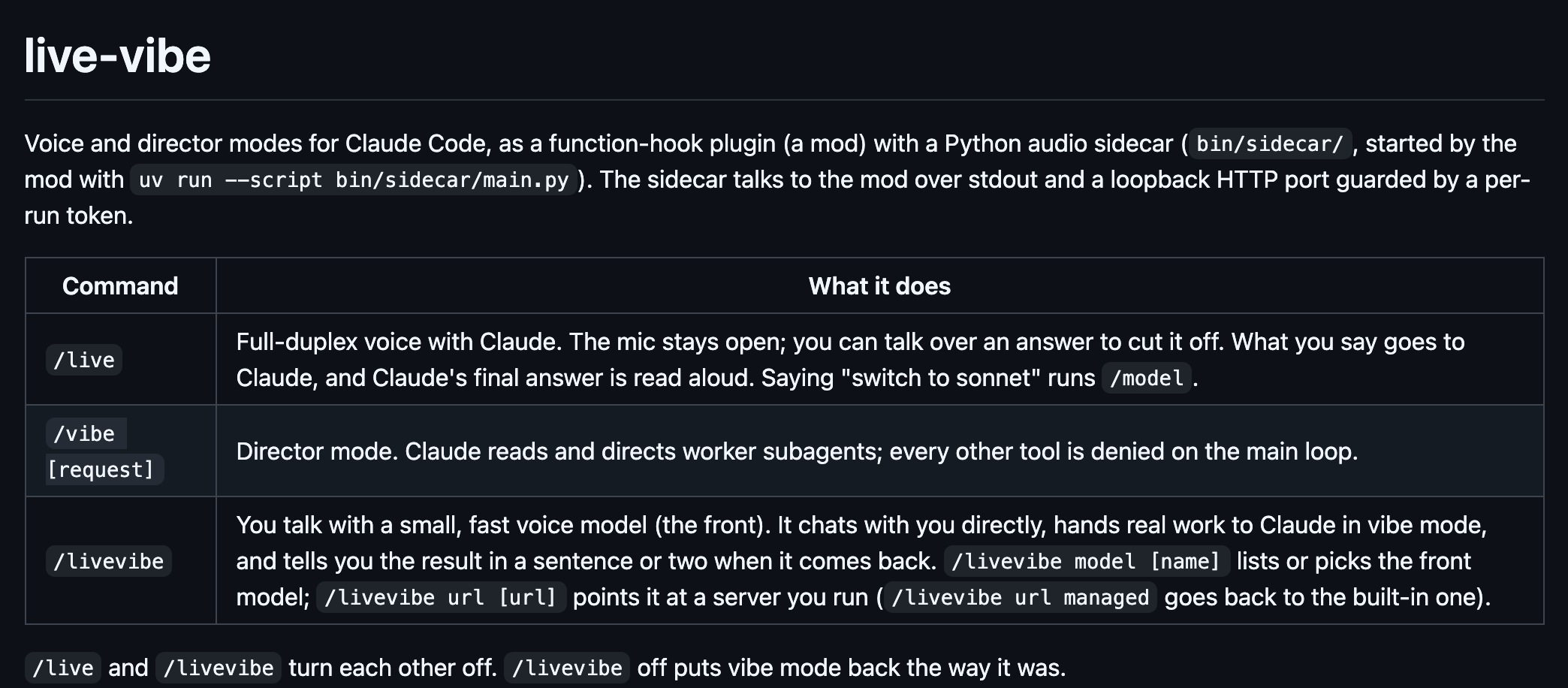
Adds /live, full-duplex voice with Claude; /vibe, where Claude only directs worker subagents; and /livevibe, a fast voice model that hands work to Claude.
DrawsHolds a command
Install
The marketplace name is ottomation.
/plugin install live-vibe --marketplace potto007/ottomationIt runs inside the Claude Code process. The side panel is only what the author's README names. Read the repo before you install, or run claude plugin validate on the plugin folder.
- Version
- 0.7.3
- License
- MIT
- Repo stars
- 3
- Last change
- 2026-10-13
What it can reach
- Draws in the session
- Holds a command
- Calls another program on this machine
- Reaches the network or an outside service
Claude Code 2.1.287 or newer, and uv, which installs Python 3.12 and the sidecar's packages on first use. A microphone and speaker on the machine running Claude Code; a headless or SSH-only box cannot use voice, though /vibe still works there, and headphones are best. On macOS (Apple silicon), brew install espeak-ng; on Linux, sudo apt install espeak-ng libportaudio2. Native Windows is not tested, and WSL2 needs WSLg for the mic. Run /live setup once on each machine: it downloads the models your settings name, such as Kyutai STT at about 2.4 GB and Kokoro at about 330 MB, and for /livevibe a pinned llama-server and the Qwen3-4B front model at 2.5 GB. Installing the plugin installs none of this, and setup never installs system packages. The repository README also gives /plugin marketplace add potto007/ottomation, then /plugin install live-vibe@ottomation.
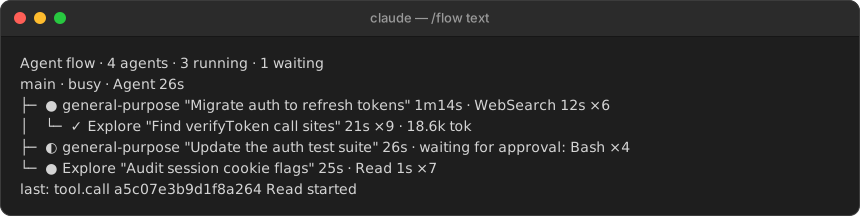
The marketplace, ottomation, also holds diagram-pane. Running a session by voice, or as a director, is why this page files it under workflow. bettercallgpt, by insta-fusion, puts the session on a voice call and sends microphone audio and call text to Azure or OpenAI on your own key. wolfbud, by leopiney, is a voice coworker you call beside the session. This one runs voice through a Python sidecar on this machine that the mod starts with uv: Kyutai STT or Whisper hears you, Kokoro reads Claude's final answer aloud, you can talk over an answer to cut it off, and saying switch to sonnet runs /model. /vibe denies every tool on the main loop, so Claude reads and directs worker subagents instead. /livevibe puts a small voice model in front, by default a managed llama-server on this machine, which chats with you, hands real work to Claude in vibe mode, and retells the result in a sentence or two. With frontUrl set to another server, or frontBackend set to anthropic with your own key, the front runs there instead, so what you say goes to that server. In the source, vibe mode is a tool.call hook that denies the main loop's other tools and tells it to spawn or message a worker.
Demo
What it hooks into
session.startWhen a session startscommand.runWhen you run its slash command/live/livevibe/vibeprompt.composeWhile you write a prompttool.callAround a tool call, where it can hold oneturn.startWhen Claude starts a turnturn.completeWhen a turn endsui.renderDraws into the sessionAssistantMessageprompt.submitWhen you send a prompt
Read from the on() calls in its hook modules. Open its source under Files to check what each one does.
Slash commands 3
/liveToggle live voice mode: speak to Claude, hear the answers. /live setup installs and tests what it needs/livevibeToggle live vibe: talk with a fast voice front that hands the work to Claude as vibe director/vibeToggle vibe mode: Claude directs worker subagents instead of editing itself
Files
The author's README and source, 4 files. They load when you open them.
Facts
- Author
- potto007
- Category
- Workflow
- Marketplace
- ottomation
- Folder
- plugins/live-vibe
- Version
- 0.7.3
- License
- MIT
- Repo stars
- 3
- Last change
- 2026-10-13
- Language
- Python
- Files
- 51