All shelves / Mods / Workflow
android-device-console
By NathanWA
android-device-console is a Claude Code workflow mod by NathanWA.
Draws a band of live Android device toggles above the prompt and a /device pane for Doze, standby, and WorkManager jobs, and tells Claude the device state.
DrawsHolds a command
Install
The marketplace name is claude-android-mods.
/plugin install android-device-console --marketplace NathanWA/claude-android-modsIt runs inside the Claude Code process. The side panel is only what the author's README names. Read the repo before you install, or run claude plugin validate on the plugin folder.
- Version
- 0.1.1
- License
- MIT
- Repo stars
- 4
- Last change
- 2026-10-17
What it can reach
- Draws in the session
- Holds a command
- Sees tool calls
- Runs a command when you press
- Calls another program on this machine
Needs Claude Code 2.1.299 or newer, since function-hook mods are early access, the Android SDK's adb on your PATH or ANDROID_HOME or ANDROID_SDK_ROOT set, and an Android or KMP project as the working directory. The first install asks Add marketplace?: answer y, then choose a scope. The band appears after the first successful device read, and hotkeys 1 to 6 work once it has focus. The target device is ANDROID_SERIAL, then the device you chose in /device, then the only ready device; with several connected and none chosen, the tools refuse and ask you to pick one. In the desktop app, every adb call goes through the Bash tool and raises a permission prompt; adding Bash(adb *) to permissions.allow in ~/.claude/settings.json stops that. Options: package, the applicationId, read from app/build.gradle(.kts) when empty, and pollSeconds, 15 by default, 0 for off. The README says the mods are early and have had little use on real projects and devices.
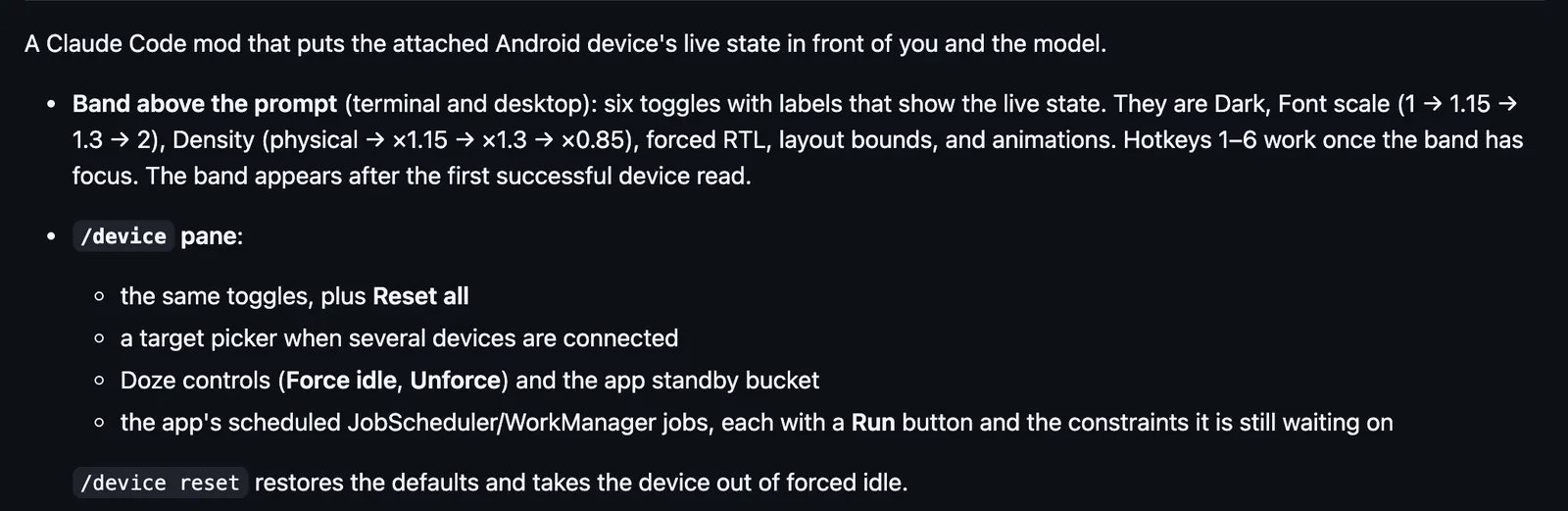
The marketplace, claude-android-mods, also holds android-logcat, android-project-lens, and build-output-distiller. Working with the device on your desk is why this page files it under workflow. mobile-mcp, by mobile-next, adds the mobile-mcp server for driving phones and simulators, and /mobile-mirror, a live device screen in a pane that you tap and type into. olef, by olef-dev, shows the Android device and the last build in the status line, with toasts for a crash or failed request, beside a live device viewer Claude opens for you. This one puts six toggles above the prompt, Dark, Font scale, Density, forced RTL, layout bounds, and animations, with labels that show the live state. /device adds Reset all, a target picker, Doze controls and the standby bucket, and the app's scheduled jobs, each with a Run button. The system prompt says which device is targeted and its state, so Claude knows a screenshot was taken in dark mode at font 1.3, and Claude gets set_device_state, run_worker, and set_doze. When Claude types cmd jobscheduler run through Bash, the mod rewrites it before it runs, adding a missing -f, the package, the job id, and the namespace, and it refuses the command, listing the job ids, when it cannot tell which job was meant. Every adb call passes -s with the serial.
Demo
What it hooks into
session.startWhen a session startscommand.runWhen you run its slash command/devicetool.callAround a tool call, where it can hold oneBashprompt.composeWhile you write a promptui.renderDraws into the sessionAbovePromptPane
Read from the on() calls in its hook modules. Open its source under Files to check what each one does.
Slash commands 1
/deviceAndroid device console: UI toggles, Doze, standby bucket, jobs. `/device reset` restores defaults.
Files
The author's README and source, 4 files. They load when you open them.
Facts
- Author
- NathanWA
- Category
- Workflow
- Marketplace
- claude-android-mods
- Folder
- plugins/android-device-console
- Version
- 0.1.1
- License
- MIT
- Repo stars
- 4
- Last change
- 2026-10-17
- Language
- TypeScript
- Files
- 9