All shelves / Mods / Workflow
agent-quick-menu
By agentic-workbench
agent-quick-menu is a Claude Code workflow mod by agentic-workbench.
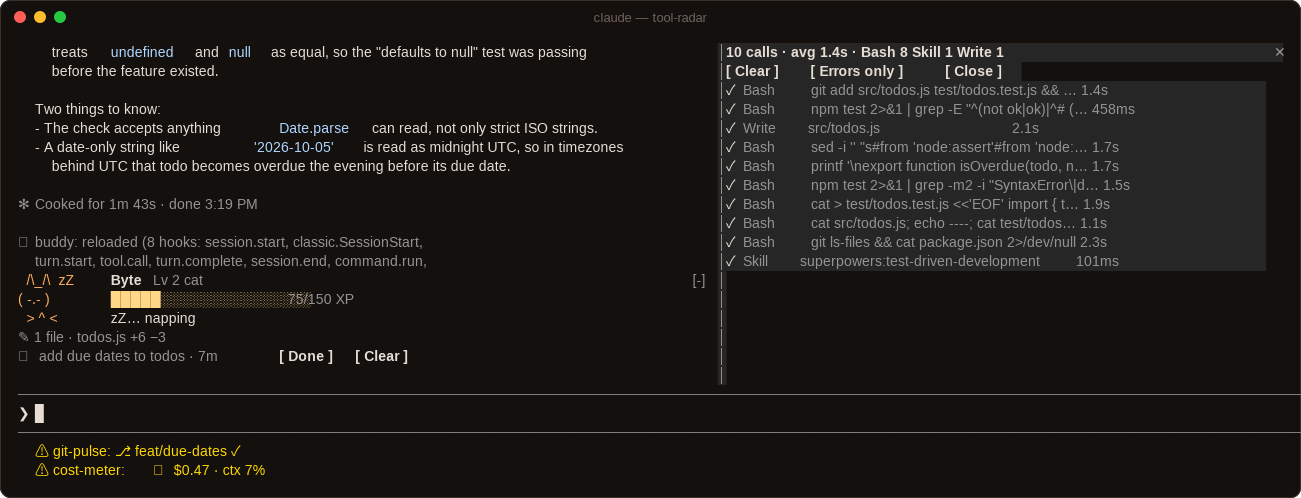
Puts installed plugins' commands and settings, and Claude Code's own settings, in a pane beside the session, with a favorites line above the prompt.
Draws
Install
The marketplace name is agent-quick-menu.
/plugin marketplace add agentic-workbench/agent-quick-menu
/plugin install agent-quick-menu@agent-quick-menu
/reload-plugins
It runs inside the Claude Code process. The side panel is only what the author's README names. Read the repo before you install, or run claude plugin validate on the plugin folder.
- Version
- 0.3.4
- License
- MIT
- Repo stars
- 2
- Last change
- 2026-10-15
What it can reach
- Draws in the session
- Runs a command when you press
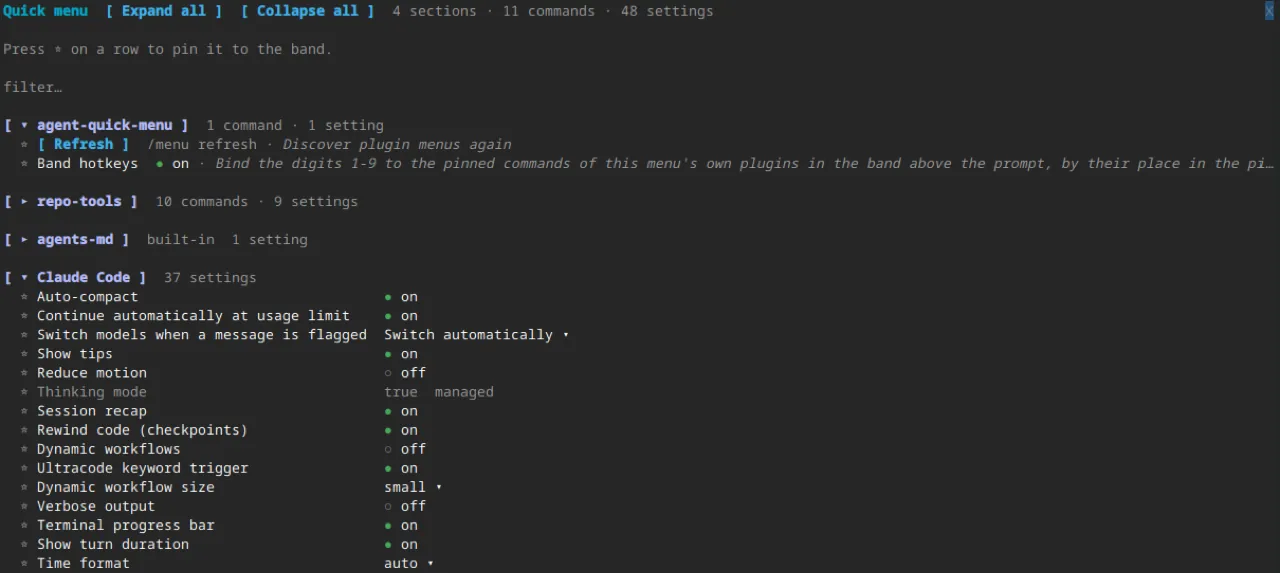
Claude Code 2.1.287 or later, in the terminal or the Desktop Code tab, on macOS or Linux; the VS Code chat panel is not supported, and the menu is untested on Windows. Run /reload-plugins after installing. /menu opens the pane, with a foldable section per plugin, its commands as buttons and its settings as editable rows, and a Claude Code section with Claude Code's own /config settings. A press edits a setting in place, as a toggle, a row of option buttons, or a text field with save and cancel, written as if you changed it in /config. A command whose menu entry asks for an argument opens that editor first. Press the star on a row to pin it as a favorite in the line above the prompt, one press away, and the menu button at the bottom right of the prompt footer opens and closes the pane. The filter at the top matches names and descriptions across every section, e and c expand and collapse every section, and the folds are kept across sessions. /menu refresh looks for plugin menus again.
The marketplace, agent-quick-menu, holds only this plugin, from the repo root. Putting every plugin's commands and settings one press away is why this page files it under workflow. launchpad-ice-lfernandes draws a menu of installed commands, skills, and agents under the header, above the prompt, or in a pane, and a panel that sets the model and effort. extra-mods, by Jhonatan-de-Souza, draws a menu for Zen, themes, model and effort, and a status line of context, plan limits, and cache. This one edits settings too, and a plugin joins with a small .claude-plugin/quick-menu.json that lists its commands and which settings to show; a plugin without the file shows its settings only. The author says it runs a slash command only when you press that row, and only the command the row shows, and built-in commands and other plugins' commands need a second press within 5 seconds. It never sees, changes, or blocks any other command, sends nothing over the network, and reads no credentials, and it keeps favorites and folds in Claude Code's plugin store. There is no keyboard shortcut for favorites, and settings that /config does not show are not shown here. Its plugin.json names dasganni as its author, and agentic-workbench owns the marketplace.
Demo
What it hooks into
plugin.registerWhen the plugin loadssession.startWhen a session startscommand.runWhen you run its slash commandui.closeWhen its pane closesui.renderDraws into the sessionPaneSessionModeAbovePrompt
Read from the on() calls in its hook modules. Open its source under Files to check what each one does.
Files
The author's README and source, 4 files. They load when you open them.
Facts
- Author
- agentic-workbench
- Category
- Workflow
- Marketplace
- agent-quick-menu
- Version
- 0.3.4
- License
- MIT
- Repo stars
- 2
- Last change
- 2026-10-15
- Language
- TypeScript
- Files
- 36