All shelves / Mods / Workflow
xcode-mods
By artemnovichkov
xcode-mods is a Claude Code workflow mod by artemnovichkov.
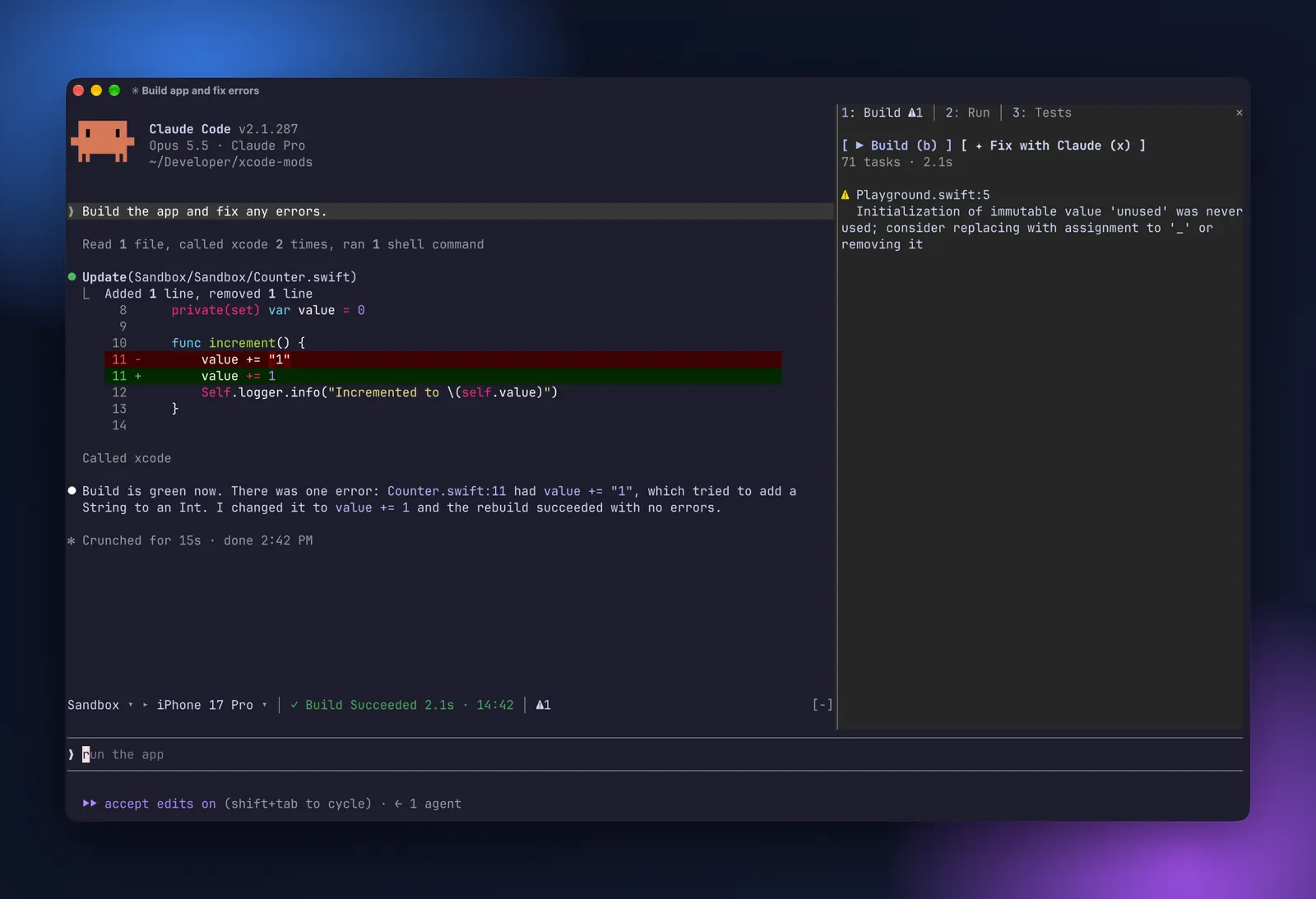
Draws an Xcode band above the prompt and a pane for build, run, and tests, plus a canvas of SwiftUI preview snapshots.
Draws
Install
The marketplace name is xcode-mods.
sudo xcrun mcp-server enable
xcrun mcp-server status
claude mcp add --scope user xcode -- xcrun mcpbridge
/plugin marketplace add artemnovichkov/xcode-mods
/plugin install xcode-mods@xcode-mods
It runs inside the Claude Code process. The side panel is only what the author's README names. Read the repo before you install, or run claude plugin validate on the plugin folder.
- Version
- 0.1.0
- License
- MIT
- Repo stars
- 33
- Last change
- 2026-10-14
What it can reach
- Draws in the session
- Sees tool calls
- Runs a command when you press
- Calls another program on this machine
Xcode 27 or later with the MCP server in headless mode, turned on once with sudo xcrun mcp-server enable, and Claude Code 2.1.286 or later. The mods expect the server added to Claude Code under the name xcode. Without an allow rule for mcp__xcode in ~/.claude/settings.json, every build or refresh asks for permission. Previews in the terminal need the kitty graphics protocol, such as Ghostty, and the desktop app works too. In a folder with an .xcodeproj or .xcworkspace, up to 3 levels deep, the band above the prompt shows the scheme and destination as pickers, what runs now or the last result, and counters for errors, warnings, and failed tests; in other folders the plugin stays hidden and registers no commands. /xcode opens the pane, with Build, Run, and Tests tabs, and /build, /tests, /run, /stop, and /preview work from the prompt. A toast pops up when a build, a test run, or a run ends, whether you or Claude started it. In the pane, x sends the build issues or the failed tests to Claude to fix, the console to ask about, or a preview to review. The author says it picks up Claude's own Xcode tool calls too.
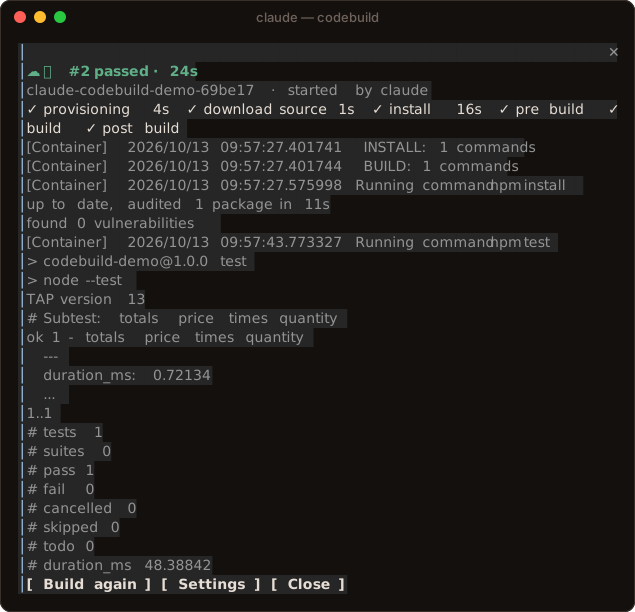
The marketplace, xcode-mods, holds only this plugin, from the repo's mods/xcode-mods folder. This one installs on its own. Building and testing an Xcode project beside the session is why this page files it under workflow. mobile-mcp, by mobile-next, adds a server for driving phones and simulators, and a live device screen in a pane that you tap and type into. codebuild, by Singh-AP, opens a pane to build the repo on AWS CodeBuild, with the phase and a live log. This one runs Xcode's own build, tests, console, and SwiftUI previews through the headless Xcode MCP server. Clicking a file name in the build tab opens that line in Xcode, and clicking a test runs only that test. The Canvas pane keeps the last 10 snapshots, and re-renders after Claude edits a Swift file with #Preview. The author says the first preview can take a minute or more while Xcode builds the preview host, and Xcode picks the preview device itself. The README names Artem Novichkov as its author.
Demo
Files
The author's source, 3 files. They load when you open them.
Facts
- Author
- artemnovichkov
- Category
- Workflow
- Marketplace
- xcode-mods
- Folder
- mods/xcode-mods
- Version
- 0.1.0
- License
- MIT
- Repo stars
- 33
- Last change
- 2026-10-14
- Language
- TypeScript
- Files
- 14