oh-my-toolbelt is a Claude Code workflow mod by calmtiger86.
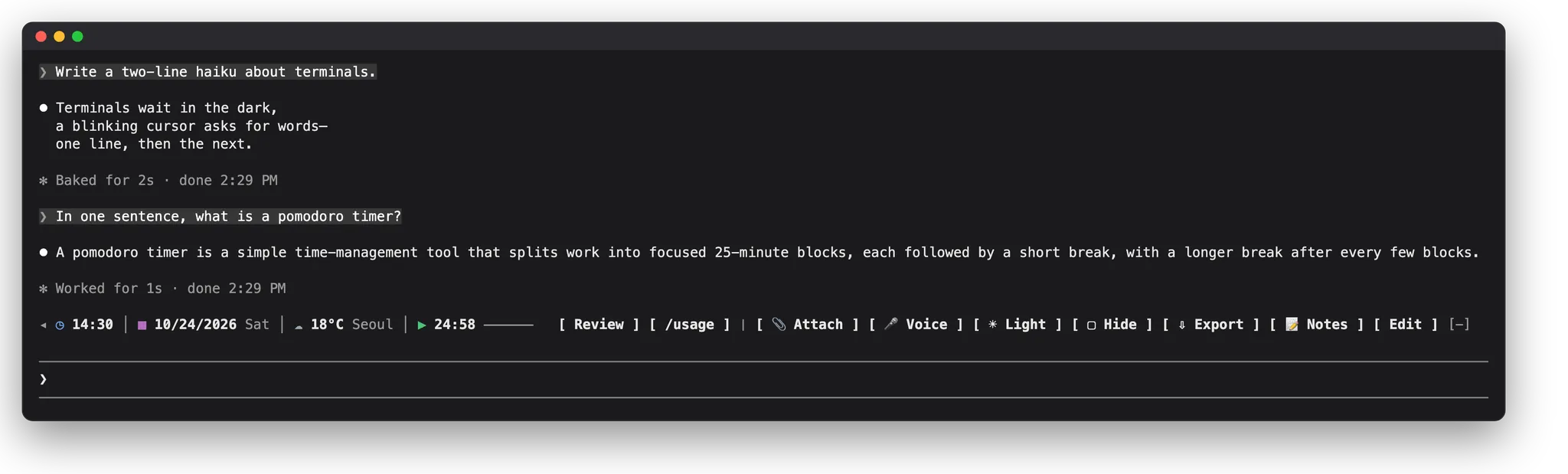
Draws a toolbelt row above the prompt with your saved prompts as buttons, a file picker, notes, a clock and pomodoro, and opt-in weather, plus a panel.
It runs inside the Claude Code process. The side panel is only what the author's README names. Read the repo before you install, or run claude plugin validate on the plugin folder.
Version
0.1.1
License
Apache-2.0
Repo stars
3
Last change
2026-10-27
What it can reach
Draws in the session
Sees tool calls
Reaches the network or an outside service
Runs a command when you press
Calls another program on this machine
Claude Code 2.1.309 or later, in a terminal or the desktop app's Code tab; VS Code and mobile draw no row above the prompt. If Claude Code is already open, run /reload-plugins. Inside Claude Code: /plugin install oh-my-toolbelt --marketplace calmtiger86/oh-my-toolbelt. In the desktop app, add the marketplace calmtiger86/oh-my-toolbelt under + then Add plugins. Weather is off until you pick a city; then api.open-meteo.com gets that city's coordinates and the temperature unit. Clipboard history is off by default and works only in the desktop app and the terminal's fullscreen layout. The desktop app has no Attach, Voice, or PDF export. PDF export needs a Chromium-based browser picked as the PDF browser. The README also comes in Korean and Japanese.
The marketplace, oh-my-toolbelt, holds only this plugin. Buttons for the things you do often is why this page files it under workflow. agent-quick-menu, by agentic-workbench, puts installed plugins' commands and settings in a pane with a favorites line above the prompt. quick-replies-fynnxland, by FynnXland, turns Claude Code's next-message suggestion into a button above the prompt. This one is built for people new to the terminal: a press puts a saved prompt in the prompt box or sends it, Attach adds files as @ mentions, notes are shared by all your sessions, and the Prompts tab lists what you sent with each turn's tools and files. Hide covers the conversation, and Export saves it as Markdown, HTML, text, or PDF. A Guide tab walks through each tool in English, Korean, or Japanese.
Demo
From the author's repo.
What it hooks into
session.startWhen a session starts
session.attachA Claude Code event
classic.SessionStartA Claude Code event
command.runWhen you run its slash command/toolbelt/tb
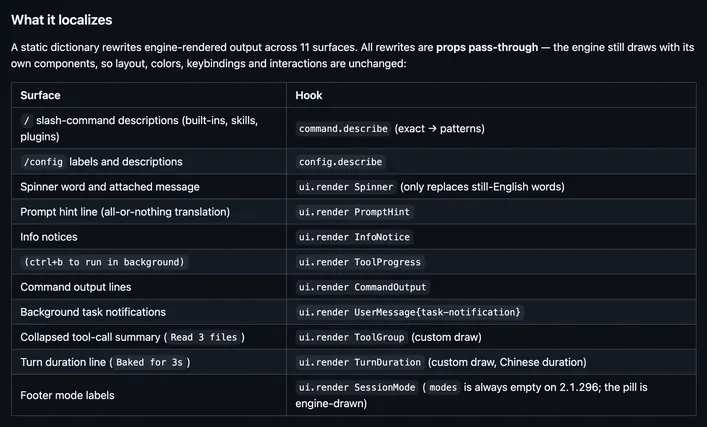
ui.renderDraws into the sessionAbovePromptPaneUserMessageAssistantMessageToolUseToolResultToolGroupCommandOutputTurnDurationInfoNoticeToolProgress
prompt.submitWhen you send a prompt
session.receiveA Claude Code event
session.appendWhen an entry is written to the transcript
turn.startWhen Claude starts a turn
turn.completeWhen a turn ends
Read from the on() calls in its hook modules. Open its source under Files to check what each one does.
Slash commands 2
/toolbelt
/tb
Files
The author's README and source, 4 files. They load when you open them.