linear-issues is a Claude Code workflow mod by chat-prompt.
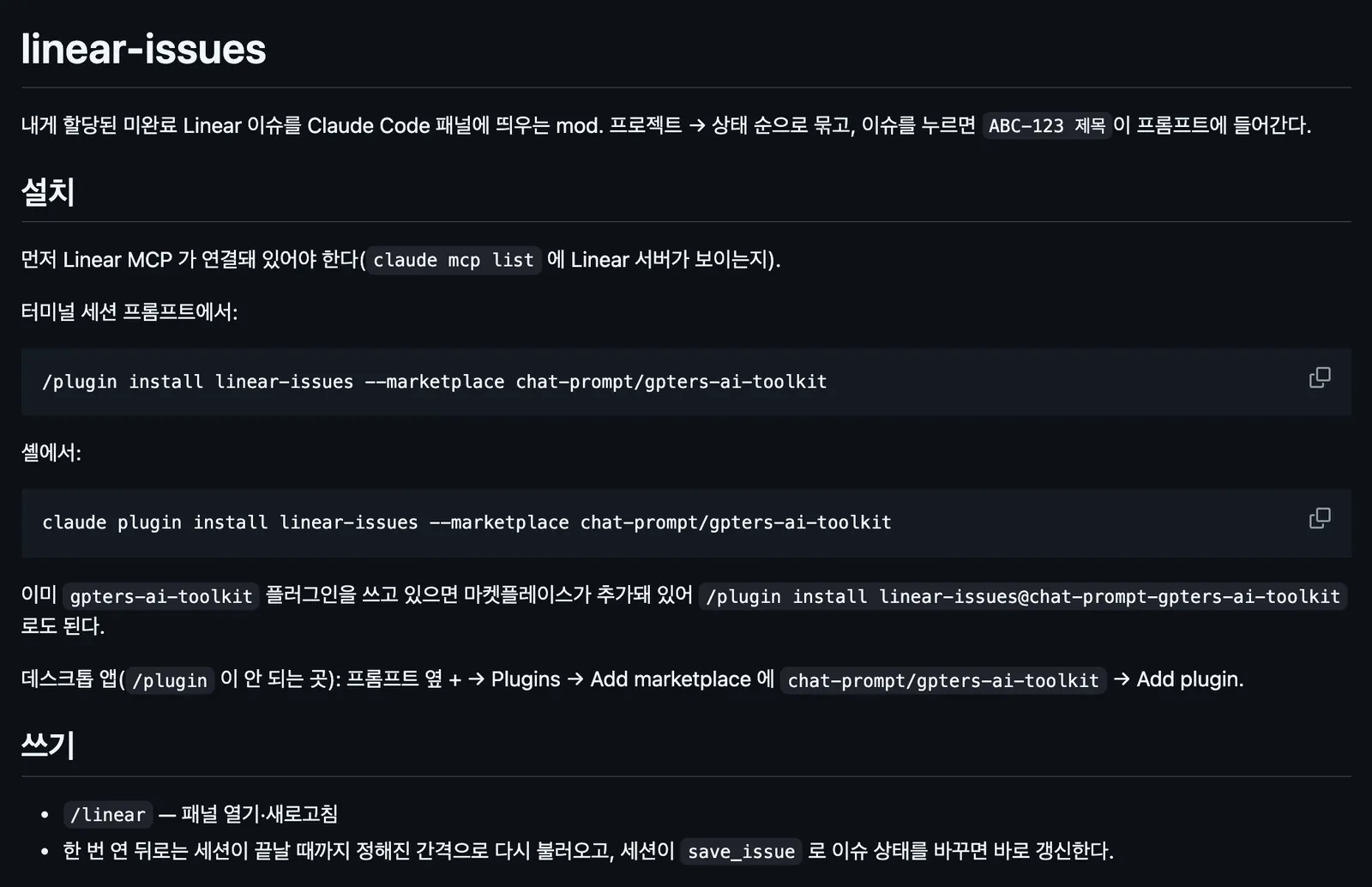
Opens a /linear panel of your unfinished Linear issues, grouped by project and then by state, and a click puts the issue's key and title in the prompt.
Draws
Install
The marketplace name is chat-prompt-gpters-ai-toolkit.
It runs inside the Claude Code process. The side panel is only what the author's README names. Read the repo before you install, or run claude plugin validate on the plugin folder.
Version
0.2.0
Repo stars
3
Last change
2026-10-16
What it can reach
Draws in the session
Reaches the network or an outside service
Sees tool calls
A Linear MCP server connected first, so that claude mcp list shows it; the mcpServer option takes its name, linear by default. From a shell: claude plugin install linear-issues --marketplace chat-prompt/gpters-ai-toolkit. If you already use the gpters-ai-toolkit plugin, /plugin install linear-issues@chat-prompt-gpters-ai-toolkit works too. In the desktop app, add the marketplace chat-prompt/gpters-ai-toolkit under + then Plugins. Set autoOpenPath to open the panel on its own for sessions in a folder; it refreshes every 5 minutes by default. The README is in Korean.
The marketplace, chat-prompt-gpters-ai-toolkit, also lists the gpters-ai-toolkit plugin and pii-mask. Your issue queue beside the chat is why this page files it under workflow. linear, by omeerdvrn, shows your Linear issues as cards in a sidebar, and Start makes a worktree and has Claude implement one. issues, by Hula-Hoop-AI, opens an /issues pane of your issues on GitHub, Linear, Jira, and monday.com. This one reads only Linear, through the Linear MCP server you already connected, groups your open issues by project and then by state, and refreshes on a timer and right after the session changes an issue with save_issue.
Demo
Screenshot of the author's GitHub page.
What it hooks into
session.startWhen a session starts
command.runWhen you run its slash command/linear
tool.callAround a tool call, where it can hold one
ui.renderDraws into the sessionPane
Read from the on() calls in its hook modules. Open its source under Files to check what each one does.
Slash commands 1
/linear내 Linear 이슈 패널 열기·새로고침
Files
The author's README and source, 4 files. They load when you open them.