agent-sdk-dev
claude-plugins-official · 48k stars
Plugin Development kit for working with the Claude Agent SDK
Install
/plugin install agent-sdk-dev@claude-plugins-officialThe claude-plugins-official marketplace ships with Claude Code, so there is nothing to add first.
Run inside Claude Code. Add its marketplace first. Check the repo's README before you run it.
What it adds
1 command · 2 agents
Commands 1
/new-sdk-appCreate and setup a new Claude Agent SDK application
Agents 2
agent-sdk-verifier-pyUse this agent to verify that a Python Agent SDK application is properly configured, follows SDK best practices and documentation recommendations, and is ready for deployment or testing. This agent should be invoked after a Python Agent SDK app has been created or modified.agent-sdk-verifier-tsUse this agent to verify that a TypeScript Agent SDK application is properly configured, follows SDK best practices and documentation recommendations, and is ready for deployment or testing. This agent should be invoked after a TypeScript Agent SDK app has been created or…
Files
Agent SDK Development Plugin
A comprehensive plugin for creating and verifying Claude Agent SDK applications in Python and TypeScript.
Overview
The Agent SDK Development Plugin streamlines the entire lifecycle of building Agent SDK applications, from initial scaffolding to verification against best practices. It helps you quickly start new projects with the latest SDK versions and ensures your applications follow official documentation patterns.
Features
Command: /new-sdk-app
Interactive command that guides you through creating a new Claude Agent SDK application.
What it does:
- Asks clarifying questions about your project (language, name, agent type, starting point)
- Checks for and installs the latest SDK version
- Creates all necessary project files and configuration
- Sets up proper environment files (.env.example, .gitignore)
- Provides a working example tailored to your use case
- Runs type checking (TypeScript) or syntax validation (Python)
- Automatically verifies the setup using the appropriate verifier agent
Usage:
/new-sdk-app my-project-name
Or simply:
/new-sdk-app
The command will interactively ask you:
- Language choice (TypeScript or Python)
- Project name (if not provided)
- Agent type (coding, business, custom)
- Starting point (minimal, basic, or specific example)
- Tooling preferences (npm/yarn/pnpm or pip/poetry)
Example:
/new-sdk-app customer-support-agent
# → Creates a new Agent SDK project for a customer support agent
# → Sets up TypeScript or Python environment
# → Installs latest SDK version
# → Verifies the setup automatically
Agent: agent-sdk-verifier-py
Thoroughly verifies Python Agent SDK applications for correct setup and best practices.
Verification checks:
- SDK installation and version
- Python environment setup (requirements.txt, pyproject.toml)
- Correct SDK usage and patterns
- Agent initialization and configuration
- Environment and security (.env, API keys)
- Error handling and functionality
- Documentation completeness
When to use:
- After creating a new Python SDK project
- After modifying an existing Python SDK application
- Before deploying a Python SDK application
Usage:
The agent runs automatically after /new-sdk-app creates a Python project, or you can trigger it by asking:
"Verify my Python Agent SDK application"
"Check if my SDK app follows best practices"
Output: Provides a comprehensive report with:
- Overall status (PASS / PASS WITH WARNINGS / FAIL)
- Critical issues that prevent functionality
- Warnings about suboptimal patterns
- List of passed checks
- Specific recommendations with SDK documentation references
Agent: agent-sdk-verifier-ts
Thoroughly verifies TypeScript Agent SDK applications for correct setup and best practices.
Verification checks:
- SDK installation and version
- TypeScript configuration (tsconfig.json)
- Correct SDK usage and patterns
- Type safety and imports
- Agent initialization and configuration
- Environment and security (.env, API keys)
- Error handling and functionality
- Documentation completeness
When to use:
- After creating a new TypeScript SDK project
- After modifying an existing TypeScript SDK application
- Before deploying a TypeScript SDK application
Usage:
The agent runs automatically after /new-sdk-app creates a TypeScript project, or you can trigger it by asking:
"Verify my TypeScript Agent SDK application"
"Check if my SDK app follows best practices"
Output: Provides a comprehensive report with:
- Overall status (PASS / PASS WITH WARNINGS / FAIL)
- Critical issues that prevent functionality
- Warnings about suboptimal patterns
- List of passed checks
- Specific recommendations with SDK documentation references
Workflow Example
Here's a typical workflow using this plugin:
- Create a new project:
/new-sdk-app code-reviewer-agent
- Answer the interactive questions:
Language: TypeScript
Agent type: Coding agent (code review)
Starting point: Basic agent with common features
-
Automatic verification: The command automatically runs
agent-sdk-verifier-tsto ensure everything is correctly set up. -
Start developing:
# Set your API key
echo "ANTHROPIC_API_KEY=your_key_here" > .env

# Run your agent
npm start
- Verify after changes:
"Verify my SDK application"
Installation
This plugin is included in the Claude Code repository. To use it:
- Ensure Claude Code is installed
- The plugin commands and agents are automatically available
Best Practices
- Always use the latest SDK version:
/new-sdk-appchecks for and installs the latest version - Verify before deploying: Run the verifier agent before deploying to production
- Keep API keys secure: Never commit
.envfiles or hardcode API keys - Follow SDK documentation: The verifier agents check against official patterns
- Type check TypeScript projects: Run
npx tsc --noEmitregularly - Test your agents: Create test cases for your agent's functionality
Resources
Troubleshooting
Type errors in TypeScript project
Issue: TypeScript project has type errors after creation
Solution:
- The
/new-sdk-appcommand runs type checking automatically - If errors persist, check that you're using the latest SDK version
- Verify your
tsconfig.jsonmatches SDK requirements
Python import errors
Issue: Cannot import from claude_agent_sdk
Solution:
- Ensure you've installed dependencies:
pip install -r requirements.txt - Activate your virtual environment if using one
- Check that the SDK is installed:
pip show claude-agent-sdk
Verification fails with warnings
Issue: Verifier agent reports warnings
Solution:
- Review the specific warnings in the report
- Check the SDK documentation references provided
- Warnings don't prevent functionality but indicate areas for improvement
Author
Ashwin Bhat (ashwin@anthropic.com)
Version
1.0.0
{
  "name": "agent-sdk-dev",
  "description": "Claude Agent SDK Development Plugin",
  "author": {
    "name": "Anthropic",
    "email": "support@anthropic.com"
  }
}
Facts
- Kind
- Plugin
- Marketplace
- claude-plugins-official
- Group
- Development
- Stars
- 48k
- Author
- Anthropic
- Category
- development
- Marketplace repo
- anthropics/claude-plugins-official
- Files
- 6
Same name on this shelf 1

Same repo on other shelves
Skills
From the same marketplace
- 35asanaclaude-plugins-officialAsana project management integration. Create and manage tasks, search projects, update assignments, track progress, and integrate your development workflow with Asana's work management platform.48k
- 36clangd-lspclaude-plugins-officialC/C++ language server (clangd) for code intelligence48k
- 37claude-code-setupclaude-plugins-officialAnalyze codebases and recommend tailored Claude Code automations such as hooks, skills, MCP servers, and subagents.48k
- 38claude-md-managementclaude-plugins-officialTools to maintain and improve CLAUDE.md files - audit quality, capture session learnings, and keep project memory current.48k
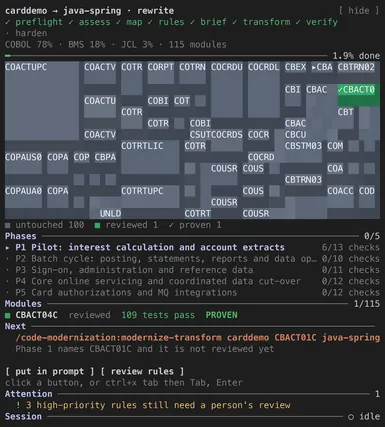
- 39code-modernizationclaude-plugins-officialModernize legacy codebases (COBOL, legacy Java/C++, monolith web apps) with a structured preflight / assess / map / extract-rules / brief / reimagine / transform / harden workflow, an interactive topology viewer, and specialist review agents48k
- 1mattpocock-skillsclaude-plugins-officialMatt Pocock's agent skills for real engineering — grilling, spec/ticket flows, TDD, code review, domain modelling and more. Plug-and-play, not vibe coding.330.7k
